
Custom Chat
Client-side Fabric custom chat screen with local history, readable logs, click/hover support, translation tools, Mod Menu/YACL settings, and experimental rank tooltips.
Screenshots
About this Mod
Features
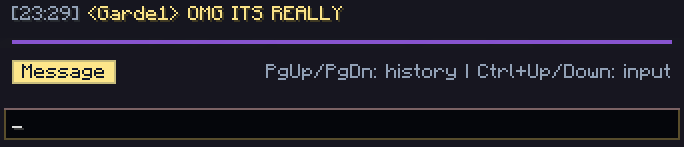
Custom chat overlay
- Replaces the default chat screen with a styled custom interface.
- Keeps normal Minecraft chat messages and commands compatible with vanilla servers.
- Client-side only. No server installation required.
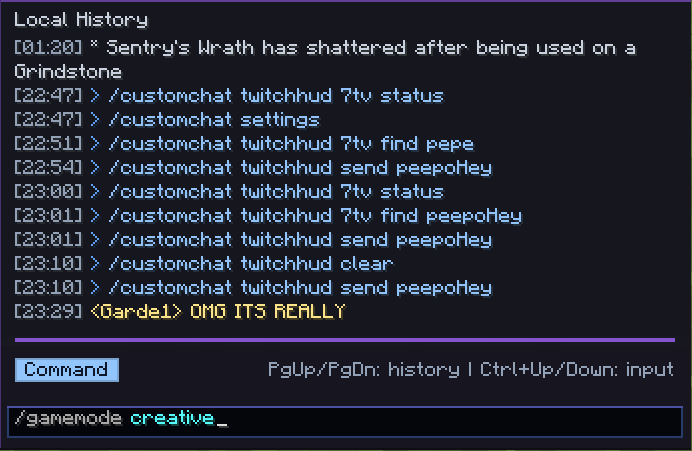
Vanilla-compatible message and command sending
- Regular chat messages and commands still work normally.
- Commands are still sent as Minecraft commands.
- Chat messages are still sent as normal Minecraft chat messages.
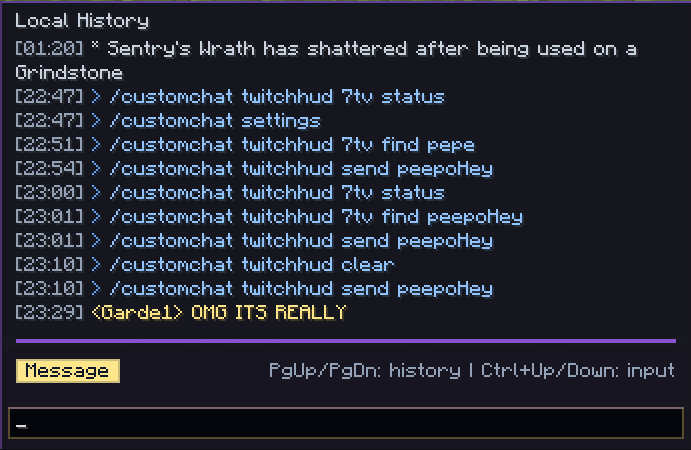
Local session preview
- Shows recent incoming, outgoing, and system messages directly in the custom chat UI.
- Keeps Minecraft Text styling where needed for click and hover compatibility.
- Supports styled chat lines without breaking vanilla interaction behavior.
Outgoing history
- Browse previously sent messages and commands.
- Shortcut:
Ctrl + Up / Down.
Local highlighting
- Highlights commands, player mentions, and URLs in the preview.
- Helps separate normal messages, commands, and useful interactive text.
Clickable chat compatibility
SuggestCommandinserts text into the Custom Chat input.RunCommand,OpenUrl, andCopyToClipboardare handled.- Hover events such as text, item, and entity tooltips are supported.
Local chat logs
- Saves local chat history in JSONL format.
- Also creates readable
.logfiles. - Supports separate log contexts for servers, singleplayer worlds, and global fallback.
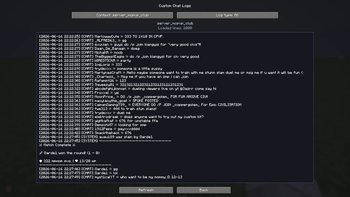
Custom Chat Logs viewer
- Adds an in-game viewer for readable local logs.
- Supports chat, commands, system messages, and all logs.
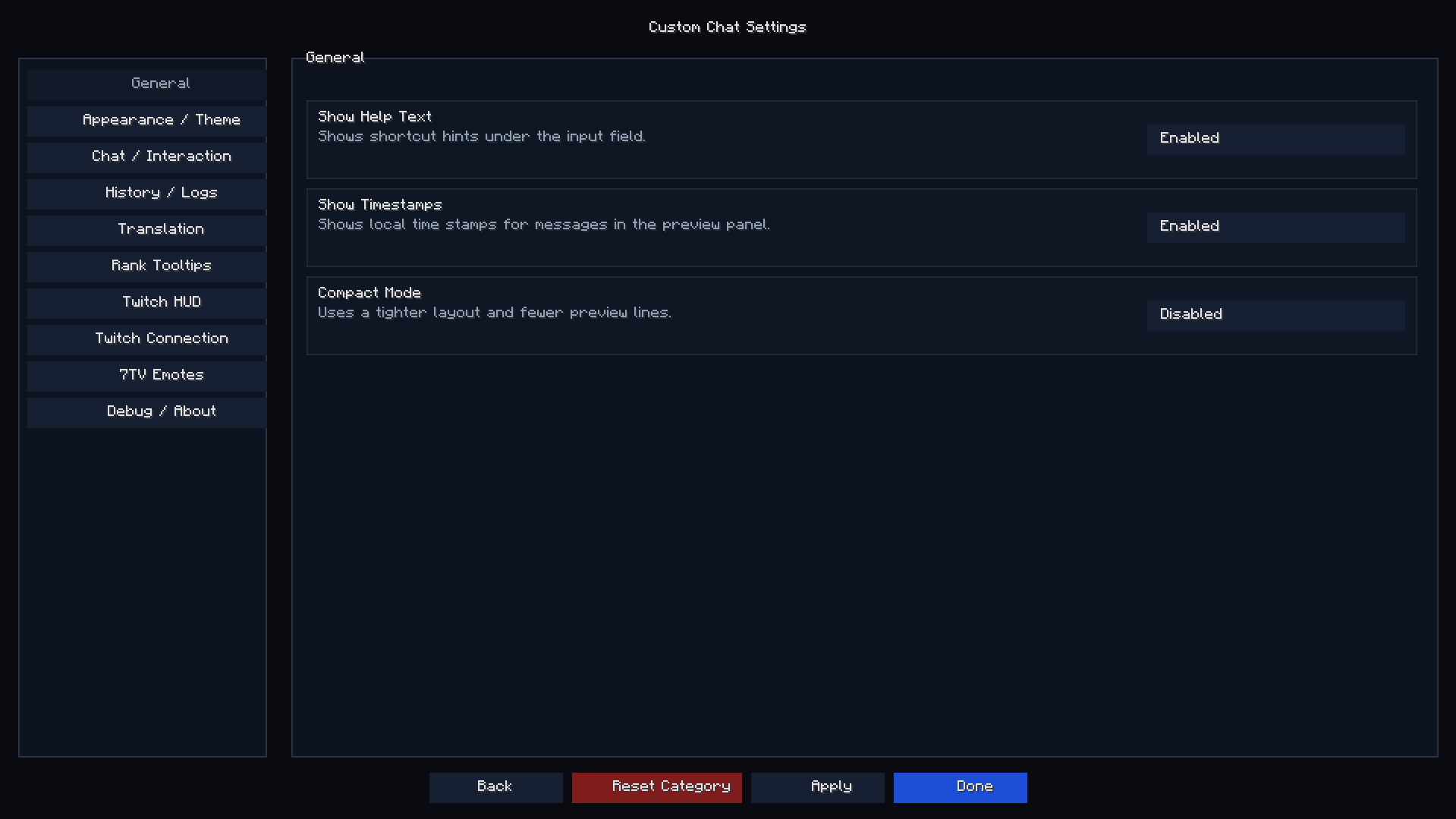
Built-in settings screen
- Custom Chat has its own in-game settings screen.
- Open it with
/customchat settings. - Mod Menu is optional and only acts as a shortcut when installed.
- YACL is not required.
UI themes
- Includes multiple minimal UI themes.
- Theme selection is handled through the built-in settings screen.
- Supports themed textures for chat, logs, translation, Twitch HUD, and settings UI.
Visual customization
- Adjustable background opacity.
- Compact mode.
- Optional timestamps.
- Optional help text.
- Local highlighting toggle.
- Twitch HUD layout options.
Rank Tooltips
- Experimental local tooltip system for configured rank glyphs and nickname colors.
- Uses
config/custom-chat/rank-tooltips.json. - Does not overwrite existing server hover events.
- Keeps existing click events intact.
Translation screen
- Opens with
Shift + Right Clickon a message. - Translation is not sent to chat automatically.
- The translated text can be inserted into the input field, copied, or opened in Google Translate.
- Includes MyMemory support as a simple default provider.
- Supports LibreTranslate-compatible endpoints through advanced settings.
- Opens with
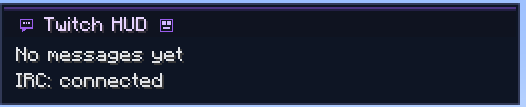
Twitch HUD
- Adds a separate Twitch chat HUD overlay inside Minecraft.
- Twitch messages are shown in their own overlay, not injected into normal Minecraft chat.
- Supports mock/test messages for checking the HUD without connecting to Twitch.
- Supports configurable HUD position, width, opacity, timestamps, title, and message lifetime.
Twitch IRC connection
- Connect to a Twitch channel from Minecraft.
- View Twitch chat inside the Minecraft HUD.
- Send messages to Twitch from Minecraft only by explicit user action.
- Includes connect, disconnect, reconnect, and status commands.
7TV emote rendering
- Loads 7TV global emotes.
- Loads 7TV channel emotes.
- Renders 7TV emotes inside the Minecraft Twitch HUD.
- Includes 7TV status, reload, cache clear, and emote lookup commands.
- Twitch itself sends/receives the emote name as text. Browser rendering may require a compatible 7TV extension.
Localization
- English
- Russian
- Spanish
- German
- Polish
- Brazilian Portuguese
- French
- Simplified Chinese
Controls
- Open Custom Chat:
U - Browse local outgoing history:
Ctrl + Up / Down - Scroll local preview:
Page Up / Page Down - Jump to oldest/newest preview messages:
Home / End - Open translation screen:
Shift + Right Clickon a message - Open Custom Chat Logs: configurable keybind, unbound by default
Commands
Settings
/customchat settings- Opens the built-in Custom Chat settings screen.
/customchat config- Alias for the settings screen.
/customchat options- Alias for the settings screen.
Twitch HUD
/customchat twitchhud on- Enables the Twitch HUD overlay.
/customchat twitchhud off- Disables the Twitch HUD overlay.
/customchat twitchhud toggle- Toggles the Twitch HUD overlay.
/customchat twitchhud test- Adds local Twitch HUD test messages.
- Does not connect to Twitch or send anything.
/customchat twitchhud add <username> <message>- Adds a local mock Twitch HUD message.
/customchat twitchhud clear- Clears Twitch HUD messages.
Twitch IRC
/customchat twitchhud connect- Connects to the configured Twitch channel.
/customchat twitchhud connect <channel>- Connects to a specific Twitch channel.
/customchat twitchhud disconnect- Disconnects from Twitch IRC.
/customchat twitchhud reconnect- Reconnects Twitch IRC.
/customchat twitchhud status- Shows Twitch HUD and IRC status.
/customchat twitchhud send <message>- Sends a message to Twitch chat if sending is enabled and the account is connected.
7TV
/customchat twitchhud 7tv status- Shows 7TV load/cache status.
/customchat twitchhud 7tv find <name>- Checks whether a 7TV emote is loaded.
/customchat twitchhud 7tv reload- Reloads 7TV emotes.
/customchat twitchhud 7tv clearcache- Clears 7TV cache.
Requirements
- Fabric Loader
- Fabric API
- Fabric Language Kotlin
Optional integrations
Mod Menu
- Optional shortcut to open the built-in Custom Chat settings screen.
YACL is not required.
Twitch notes
Twitch support requires user-provided Twitch account settings.
The mod does not include Twitch OAuth tokens, API keys, OpenAI keys, Gemini keys, Google keys, or DeepL keys.
Twitch messages are only sent after explicit user action.
7TV emotes are rendered inside the Minecraft HUD. On the Twitch website, third-party emotes may appear as plain text unless the viewer uses a compatible browser extension.
Why download it?
Custom Chat is useful for players who want a more modern and organized chat interface without changing how normal chat and commands work on servers.
It adds a cleaner layout, quick access to recent messages, readable local logs, clickable message support, translation tools, Twitch chat viewing, 7TV rendering, and quality-of-life improvements for everyday use.
Additional information
Custom Chat is a client-side Fabric mod focused on improving the Minecraft chat interface.
It changes the local chat screen, adds local history, readable logs, click/hover compatibility, optional rank tooltips, translation tools, Twitch HUD integration, and 7TV rendering while keeping normal message and command sending compatible with vanilla gameplay.
The mod does not require installation on the server.
Fair Play / Anti-cheat note
Custom Chat does not modify movement, combat, hitboxes, inventory, world interaction, or server-side checks.
It does not provide X-Ray, ESP, macros, automation, or any gameplay advantage.
The mod is intended only for visual chat improvements, local chat history, local logs, Twitch chat viewing, translation tools, and chat quality-of-life features.
Special Thanks
This mod was created during my time on the Pulse server, which became an important part of my developer journey.
Thanks to o_orl for creating Pulse and building a community that inspired many ideas and projects.
Thanks to AlexTheGood for helping with logic, ideas, and development support while I was learning and improving my code.
We'll Meet Again, Pulse.
Available Versions
How to Install Custom Chat on Your Server
Order Server
Order a Minecraft Java server with at least 3 GB RAM (4 GB recommended).
Set fabric Loader
In the panel under "Egg", select the fabric loader and matching Minecraft version (1.21.11).
Install Mod
Open the mod browser in the dashboard and search for "Custom Chat". Click "Install" – done! Alternatively, upload the .jar via SFTP to the /mods folder.
Compatibility
Mod Loaders
Minecraft Versions
1.21.11
Server-side
✗ UnsupportedRecommended RAM
4 GB(min. 3 GB)Frequently Asked Questions
Custom Chat server crashes on startup – what to do?
Most common cause: wrong fabric version or insufficient RAM. Check the server log (latest.log) for "OutOfMemoryError" or "Mixin" errors. With Mado Hosting: ensure at least 3 GB RAM is allocated and the loader matches the mod version (1.21.11). You can switch loaders with one click in the panel.
Is Custom Chat compatible with fabric?
Custom Chat officially supports fabric for Minecraft 1.21.11. The Mado dashboard automatically detects incompatible loader combinations.
Server lagging with Custom Chat – how to optimize performance?
Recommended RAM: 4 GB (per 8 players). Use /spark profiler to check if Custom Chat consumes the most tick time. Common fixes: reduce server view-distance to 8-10, install "performant" or "starlight" as supplementary mods on Forge. With Mado Hosting, your server runs on NVMe SSDs with dedicated CPU cores for minimal latency.
Rent Modded Server
Install Custom Chat with just one click on your server.