
Custom Potions
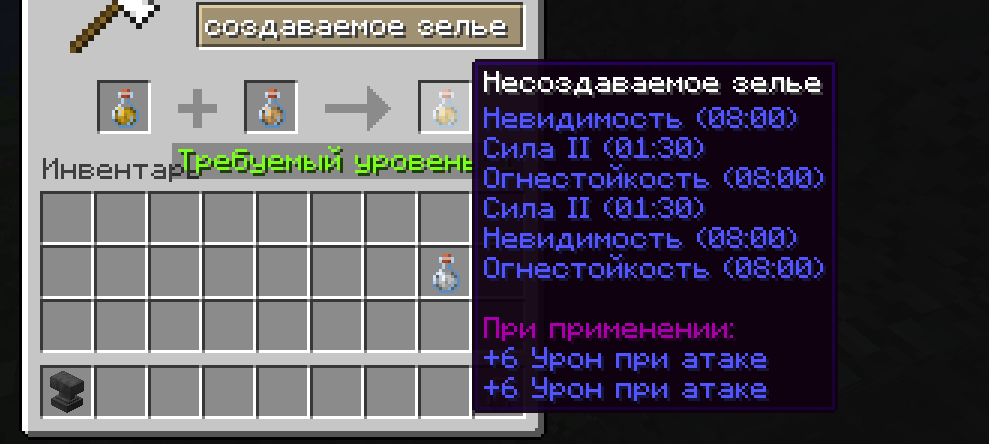
This mod adds potion crafting for example, by combining items on an anvil.
Screenshots

About this Mod
ENGLISH!!!
The mod adds the ability to combine potions on an anvil, saving inventory space.
What the mod does
Adds a feature that allows you to merge two potions into one to save space.
How to use it?
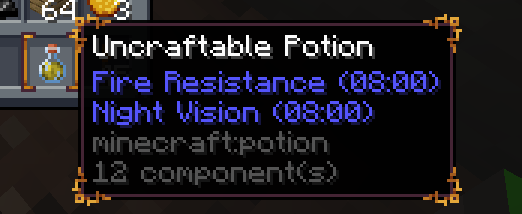
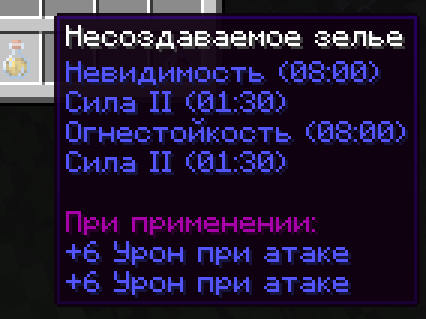
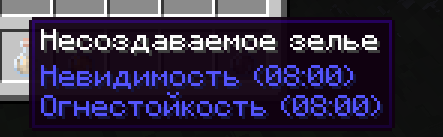
You need an anvil and two potions that you want to combine. Walk up to the anvil, place the two potions on it, and then take the finished potion, which will now have two or more effects at once.
guide:
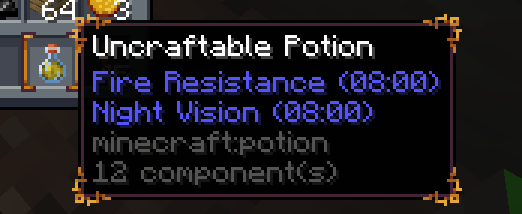
Мод добавляет совмещение зелий на наковальне, сокращая место в инвентаре.
Что делает мод
Добавляет функцию, с помощью которой можно объединять два зелья в одно для экономии места.
Как пользоваться?
Вам нужна наковальня и два зелья, которые вы хотите совместить. Подходите, кладете эти два зелья и после этого забираете готовое зелье сразу с двумя и более эффектами.
Гайдик:

Available Versions
How to Install Custom Potions on Your Server
Order Server
Order a Minecraft Java server with at least 3 GB RAM (4 GB recommended).
Set fabric Loader
In the panel under "Egg", select the fabric loader and matching Minecraft version (1.21.8).
Install Mod
Open the mod browser in the dashboard and search for "Custom Potions". Click "Install" – done! Alternatively, upload the .jar via SFTP to the /mods folder.
Compatibility
Mod Loaders
Minecraft Versions
1.21.8, 1.21.7, 1.21.6 (+4 more)
Server-side
✓ RequiredRecommended RAM
4 GB(min. 3 GB)Frequently Asked Questions
Custom Potions server crashes on startup – what to do?
Most common cause: wrong fabric version or insufficient RAM. Check the server log (latest.log) for "OutOfMemoryError" or "Mixin" errors. With Mado Hosting: ensure at least 3 GB RAM is allocated and the loader matches the mod version (1.21.8). You can switch loaders with one click in the panel.
Is Custom Potions compatible with fabric?
Custom Potions officially supports fabric for Minecraft 1.21.8, 1.21.7, 1.21.6. The Mado dashboard automatically detects incompatible loader combinations.
Server lagging with Custom Potions – how to optimize performance?
Recommended RAM: 4 GB (per 8 players). Use /spark profiler to check if Custom Potions consumes the most tick time. Common fixes: reduce server view-distance to 8-10, install "performant" or "starlight" as supplementary mods on Forge. With Mado Hosting, your server runs on NVMe SSDs with dedicated CPU cores for minimal latency.
Similar Mods





Rent Modded Server
Install Custom Potions with just one click on your server.