
Custom Tooltip API
Data-driven tooltip text creation.
Screenshots


About this Mod
Custom Tooltip API
Custom Tooltip API is a powerful client-side Minecraft mod and developer library that gives you full control over item tooltips. Add custom lore, dynamic real-time data, animated gradients, and custom backgrounds, all configurable in-game or through code.
No need to code for basic usage, as it features a powerful in-game interface and full JSON support. However, it also provides a robust Developer API for those who want to inject tooltips via code.
⚠️ Looking for Tooltip Scrolling or Resizing?
Starting with version 4.0.0, all tooltip scrolling, resizing, and custom dimension limits have been moved to a separate standalone mod: Smart Tooltip Scroll (STS).
Additionally, this mod now requires S-Lib to run.
✨ Key Features
Icon Alignment: Align tooltip icons from external resource packs to the start of the line so the position stays consistent!
Advanced Targeting: Target specific item IDs (
minecraft:diamond_sword), tag groups (#c:swords), entire mod namespaces (minecraft:*), Regex patterns (regex:.*_sword), or every item at once (*).Dynamic Placeholders: Embed real-time item data directly into your text using variables like
%durability%,%max_durability%,%weapon_damage%, or%enchantments%. You can also embed keybind hints using the format<key:key.jump>→[Space].Multi-line Support (Lore): Add entire paragraphs of lore or skill descriptions.
Visual Effects & Gradients:
- Rainbow: Animated rainbow effect.
- Slide Gradient: Two-color gradients that flow through the text.
- Breathing Gradient: A smooth pulse between two colors.
- Static Gradient & Solid: Fixed gradients or traditional solid text.
- Colors: Hex codes (e.g.
#RRGGBB), legacy codes (e.g.&d) or Minecraft color names (e.g.blue).
Custom Backgrounds & Borders: Solid, Gradient, Texture (Stretch), or Texture (Framed / Nine-Slice) modes with full opacity control. Drop any background image into
config/custom-tooltip-api/backgrounds/and enable it per tooltip via the dynamically generated resource pack. Supports full compatibility with Tierify custom rendering.Custom Fonts: Drop any font into
config/custom-tooltip-api/fonts/and enable it per tooltip via the dynamically generated resource pack.Positioning: Decide exactly where your text appears:
- Top: Right below the item's name.
- Bottom: At the very end of all descriptions.
- Prepend: At the start of a specific line.
- Append: At the end of a specific line.
- Replace Name: Swap the item's default name for your custom text.
- Replace Line: Replace a specific line with your custom text.
- Replace All: Completely clear the original tooltip and show only yours.
Visibility Conditions: Show a tooltip only when an item is Damaged, Enchanted, or Unbreakable. Use Require Keybind mode to hide tooltips until the player holds a configurable key.
Text Modifiers: Full support for Bold, Italic, Underlined,
Strikethrough, and O̷͍̞͐͑b̷̻̌f̶̯̈u̸̲͗͐s̶̩̬͝c̵͎̊a̸̹̟̎ẗ̴͖̿e̴̟̪͊̈́ď̴̹̪ (obfuscated) text.
⚙️ In-Game Interface (GUI)
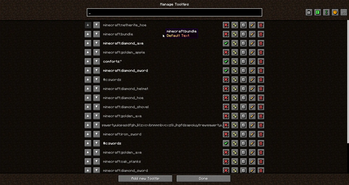
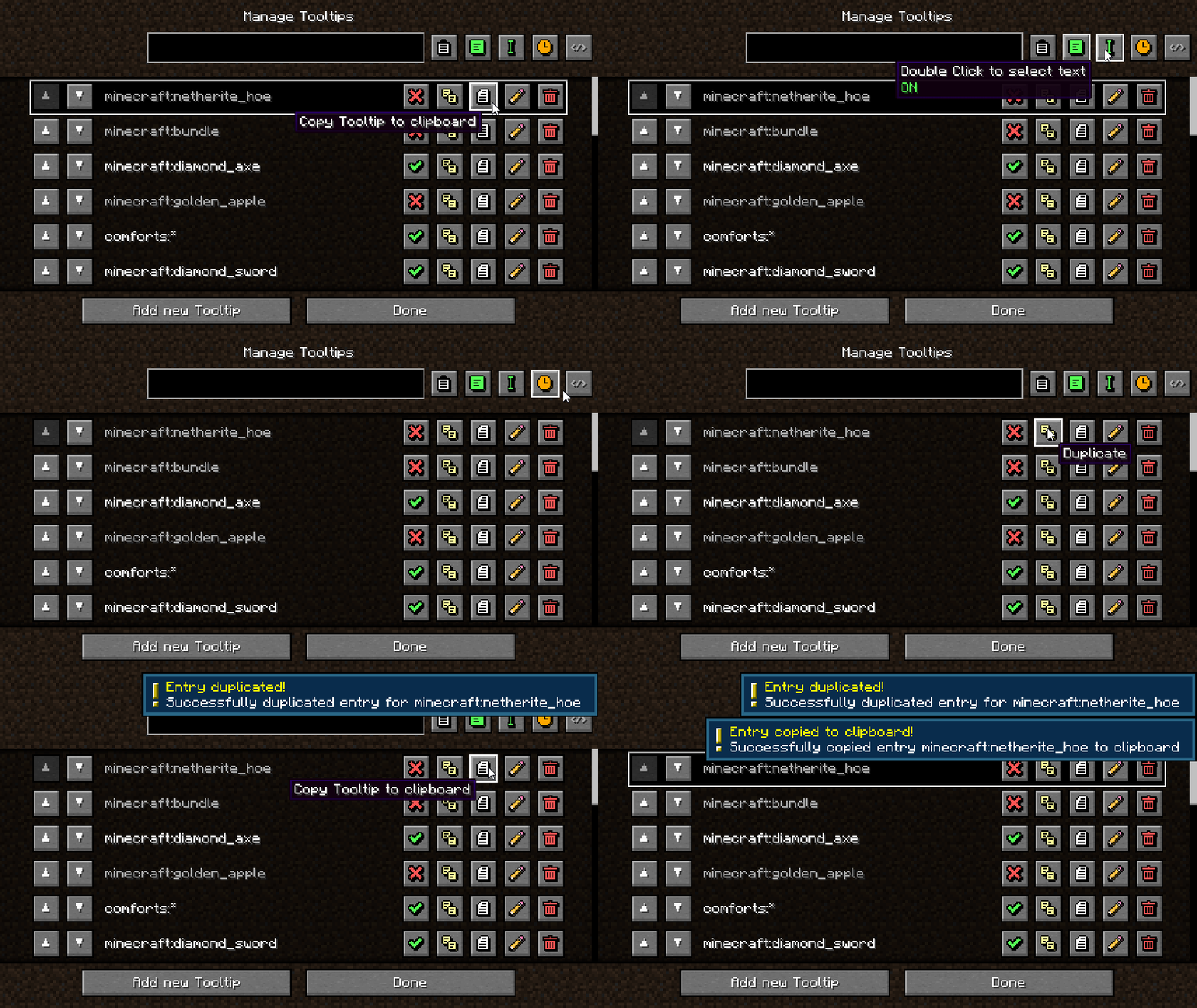
Manage all your tooltips directly from the Mods Menu. No need to manually edit files unless you want to.
Hold
CTRLin the edit screen for an instant Live Preview of your tooltip.Copy/paste entries to clipboard, reorder, duplicate, enable/disable, and sort by creation date or alphabetically.
🛠️ For Developers (API)
Developers can use the built-in API to register tooltips and custom placeholders directly through code, with full .dynamicText() support for live per-frame data like energy, mana, or any custom NBT.
📦 For Modpack Creators
The mod generates a custom_tooltip_api/config.json5 file in your config folder. It fully supports code comments, making it incredibly easy to document your modpack's systems for your development team or community.
Drop custom backgrounds into config/custom-tooltip-api/backgrounds/ and custom fonts into config/custom-tooltip-api/fonts/. Enable the dynamically generated resource pack to activate them.
🧩 Dependencies
Required on all platforms:
Fabric only:
Available Versions
How to Install Custom Tooltip API on Your Server
Order Server
Order a Minecraft Java server with at least 3 GB RAM (4 GB recommended).
Set fabric Loader
In the panel under "Egg", select the fabric loader and matching Minecraft version (1.21.1).
Install Mod
Open the mod browser in the dashboard and search for "Custom Tooltip API". Click "Install" – done! Alternatively, upload the .jar via SFTP to the /mods folder.
Compatibility
Mod Loaders
Minecraft Versions
1.21.1, 1.20.1
Server-side
✗ UnsupportedRecommended RAM
4 GB(min. 3 GB)Frequently Asked Questions
Custom Tooltip API server crashes on startup – what to do?
Most common cause: wrong fabric version or insufficient RAM. Check the server log (latest.log) for "OutOfMemoryError" or "Mixin" errors. With Mado Hosting: ensure at least 3 GB RAM is allocated and the loader matches the mod version (1.21.1). You can switch loaders with one click in the panel.
Is Custom Tooltip API compatible with fabric and forge and neoforge?
Custom Tooltip API officially supports fabric, forge, neoforge for Minecraft 1.21.1, 1.20.1. Note: Forge and Fabric mods are NOT cross-compatible – pick one loader and stick with it. The Mado dashboard automatically detects incompatible loader combinations.
Server lagging with Custom Tooltip API – how to optimize performance?
Recommended RAM: 4 GB (per 8 players). Use /spark profiler to check if Custom Tooltip API consumes the most tick time. Common fixes: reduce server view-distance to 8-10, install "performant" or "starlight" as supplementary mods on Forge. With Mado Hosting, your server runs on NVMe SSDs with dedicated CPU cores for minimal latency.
Similar Mods



![[TaCZ] Timeless and Classics Zero](https://cdn.modrinth.com/data/SzzJttH8/fd27766d2bb8390d284696b1dbd358f87e081439_96.webp)


Rent Modded Server
Install Custom Tooltip API with just one click on your server.