Dark Loading Screen Neoforge
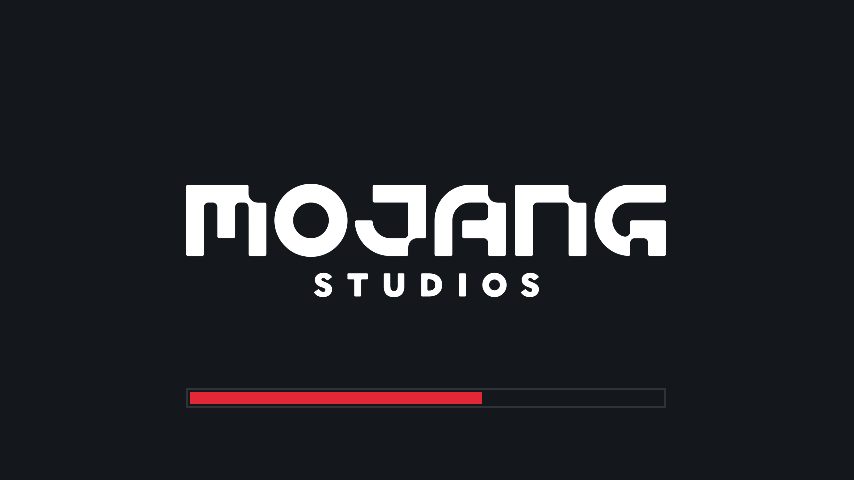
Makes the loading screen darker. Now on Neoforge!
Screenshots
About this Mod
A simple Neoforge port of a mod to make the loading screen darker and way more customizable!
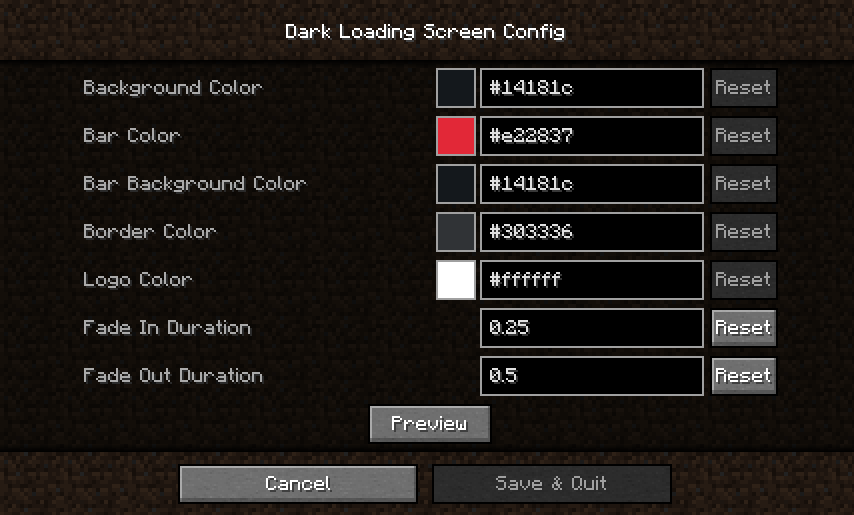
Color configuration:the
Colors can be modified in-game if both Mod Menu/Catalgoue and Cloth Config are installed.
Manual configuration
Create or edit .minecraft/config/dark-loading-screen.json, the default config is
Manual changes are only visible after restarting the game.
Credits
- Original mod by A5b84 found here
- Config screen made using shedaniel's Cloth Config
- Logo coloring suggested by Minenash
- Bar background coloring suggested by Chrisblox
Click on the picture bellow for my patreon to directly support me. You'll get exclusive discord roles, chats, and get to directly influence the development of IDAS.

Join the Discord by clicking on the image or link below if you run into an issue of any kind or have a suggestion, I'll try my best to respond to everyone and would absolutely love suggestions! Thanks for playing and supporting my mod!
Available Versions
How to Install Dark Loading Screen Neoforge on Your Server
Order Server
Order a Minecraft Java server with at least 3 GB RAM (4 GB recommended).
Set neoforge Loader
In the panel under "Egg", select the neoforge loader and matching Minecraft version (26.1.2).
Install Mod
Open the mod browser in the dashboard and search for "Dark Loading Screen Neoforge". Click "Install" – done! Alternatively, upload the .jar via SFTP to the /mods folder.
Compatibility
Mod Loaders
Minecraft Versions
26.1.2, 26.1.1, 26.1 (+1 more)
Server-side
✗ UnsupportedRecommended RAM
4 GB(min. 3 GB)Frequently Asked Questions
Dark Loading Screen Neoforge server crashes on startup – what to do?
Most common cause: wrong neoforge version or insufficient RAM. Check the server log (latest.log) for "OutOfMemoryError" or "Mixin" errors. With Mado Hosting: ensure at least 3 GB RAM is allocated and the loader matches the mod version (26.1.2). You can switch loaders with one click in the panel.
Is Dark Loading Screen Neoforge compatible with neoforge?
Dark Loading Screen Neoforge officially supports neoforge for Minecraft 26.1.2, 26.1.1, 26.1. The Mado dashboard automatically detects incompatible loader combinations.
Server lagging with Dark Loading Screen Neoforge – how to optimize performance?
Recommended RAM: 4 GB (per 8 players). Use /spark profiler to check if Dark Loading Screen Neoforge consumes the most tick time. Common fixes: reduce server view-distance to 8-10, install "performant" or "starlight" as supplementary mods on Forge. With Mado Hosting, your server runs on NVMe SSDs with dedicated CPU cores for minimal latency.
Rent Modded Server
Install Dark Loading Screen Neoforge with just one click on your server.