
Data Config
A mod that gives Minecraft datapacks a visual graphical configuration interface. Datapack authors only need to write simple JSON configurations, and players can adjust datapack parameters directly through the Cloth Config interface in-game, without manuall
Screenshots
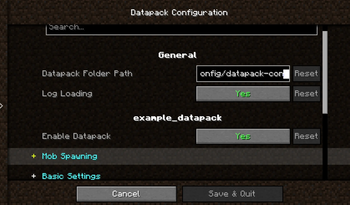
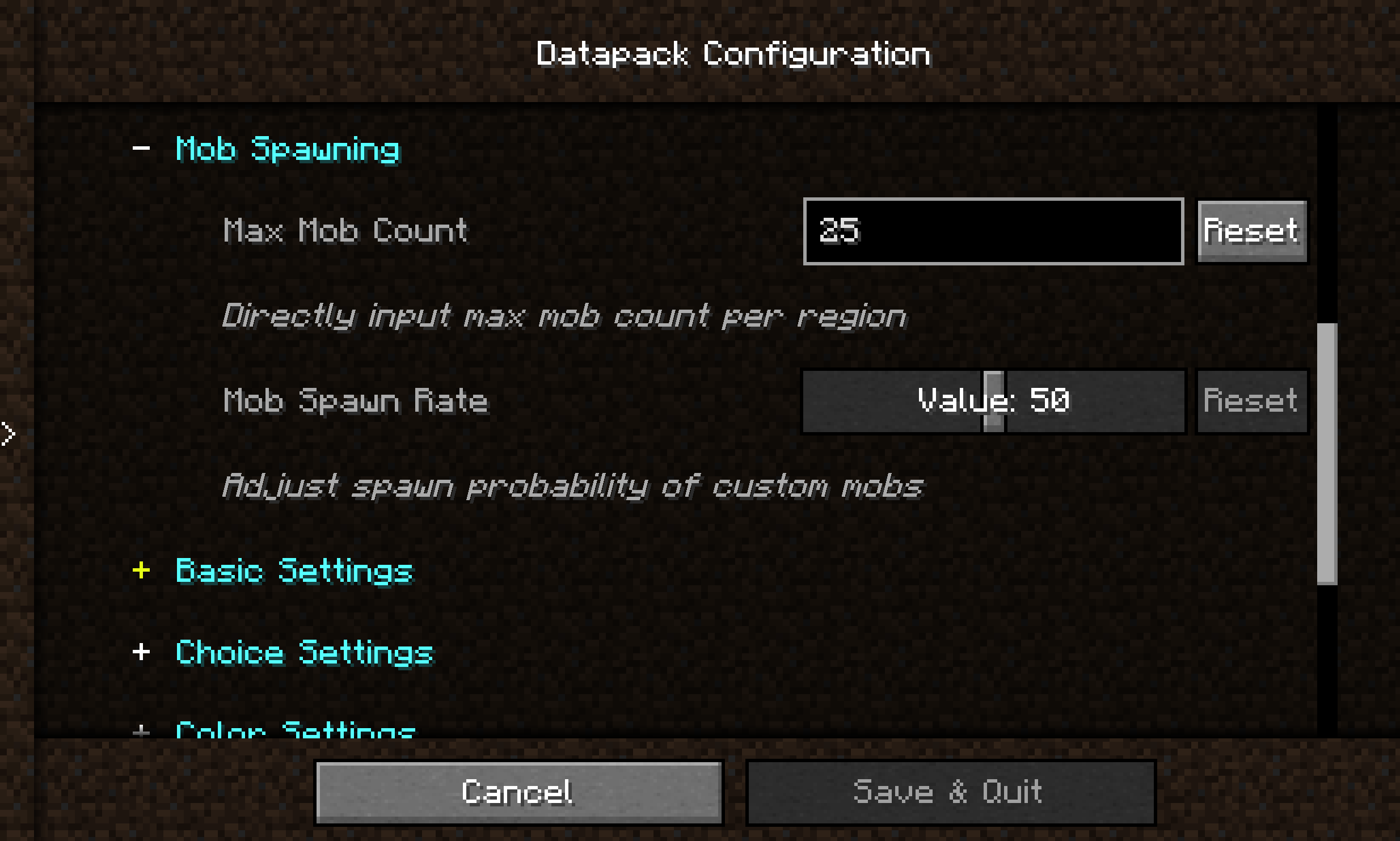
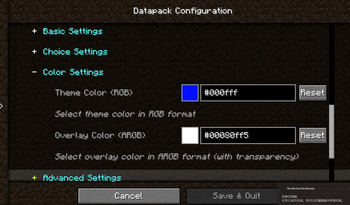
About this Mod
Introduction
Datapack Config Mod is a utility mod for Minecraft Forge 1.20.1 that provides datapack developers with a convenient graphical configuration interface.
By integrating the Cloth Config API, the mod allows players to modify datapack parameters directly in-game without manually editing JSON files or restarting the game.
Main Features
🎨 Graphical Configuration Interface
- Uses Cloth Config to provide a user-friendly interface
- Supports 10+ configuration types: sliders, text boxes, dropdown menus, color pickers, etc.
- Changes take effect immediately — no game restart required
🌍 Full Localization Support
- Bilingual interface (Chinese and English)
- Config option names, descriptions, and tooltips can be set per language
📦 Global Datapack Loading
- Automatically loads
.zipdatapacks fromconfig/datapack-config-mod/ - Each datapack can be toggled on/off via the config interface
- Datapacks are loaded with the highest priority
🔧 Main Menu Shortcut
- A "Datapack Config" button is added to the top‑right corner of the main menu for one‑click access
Supported Configuration Types
| Type | Description |
|---|---|
boolean |
Boolean toggle |
int / slider |
Integer input / slider |
double / double_slider |
Floating‑point input / slider |
string |
Text input |
enum / enum_selector |
Dropdown menu / enum selector |
color |
Color picker |
Quick Start
For Datapack Authors
Create a datapack_config.json file in the root directory of your datapack:
{
  "config": {
    "spawn_rate": {
      "type": "slider",
      "default": "50",
      "min": 0,
      "max": 100,
      "name": {
        "zh_cn": "生物生成率",
        "en_us": "Mob Spawn Rate"
      },
      "filePath": "data/mydatapack/config.json",
      "key": "spawn_rate"
    }
  }
}
Available Versions
How to Install Data Config on Your Server
Order Server
Order a Minecraft Java server with at least 3 GB RAM (4 GB recommended).
Set forge Loader
In the panel under "Egg", select the forge loader and matching Minecraft version (1.21.1).
Install Mod
Open the mod browser in the dashboard and search for "Data Config". Click "Install" – done! Alternatively, upload the .jar via SFTP to the /mods folder.
Compatibility
Mod Loaders
Minecraft Versions
1.21.1, 1.20.4, 1.20.1
Server-side
✓ RequiredRecommended RAM
4 GB(min. 3 GB)Frequently Asked Questions
Data Config server crashes on startup – what to do?
Most common cause: wrong forge version or insufficient RAM. Check the server log (latest.log) for "OutOfMemoryError" or "Mixin" errors. With Mado Hosting: ensure at least 3 GB RAM is allocated and the loader matches the mod version (1.21.1). You can switch loaders with one click in the panel.
Is Data Config compatible with forge?
Data Config officially supports forge for Minecraft 1.21.1, 1.20.4, 1.20.1. The Mado dashboard automatically detects incompatible loader combinations.
Server lagging with Data Config – how to optimize performance?
Recommended RAM: 4 GB (per 8 players). Use /spark profiler to check if Data Config consumes the most tick time. Common fixes: reduce server view-distance to 8-10, install "performant" or "starlight" as supplementary mods on Forge. With Mado Hosting, your server runs on NVMe SSDs with dedicated CPU cores for minimal latency.
Similar Mods






Rent Modded Server
Install Data Config with just one click on your server.