
Day Counter Plus
Day Counter Plus isn’t just a simple day counter – it’s a fully re-imagined way to display your world’s progress, with live updates, stunning visual effects, and in-game customization.
Screenshots


About this Mod

🕒 Day Counter Plus – The Enhanced Day Tracker
Day Counter Plus isn’t just a simple day counter – it’s a fully re-imagined way to display your world’s progress, with live updates, stunning visual effects, and in-game customization.

✨ Features
Live Day Display
Always shows your current world day (DAY X) directly on your screen.
Updates in real time as the sun rises and sets.
Clean and minimal – no commands or extra steps needed.
🎨 Unique Visual Effects
Bring your day counter to life with effects you won’t find in any other mod:
- 🌈 Rainbow – Smooth cycling through colors of the rainbow.
- 🌊 Wave – Characters move up and down like ocean waves.
- 🌟 Fade – Text fades in and out dynamically.
- 📏 Growing – Letters pulse, scaling up and down continuously.
- ✍️ Outline & Shadow – Add borders or soft shadows for clarity, even with fading effects.
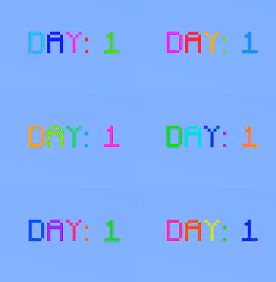


👉 The best part? All effects render live, smoothly animating right on your HUD with no lag.
⚙️ Full In-Game Customization

An intuitive settings menu (GUI) lets you tweak everything while you play:
- Adjust position (X/Y).
- Scale the text size.
- Customize colors and transparency.
- Enable/disable individual effects.
- Configure shadow strength and offsets.
- Reset each section to defaults anytime.
All settings are saved to a config file and load automatically every session.
🚀 Why Day Counter Plus?
- More than just a counter – it’s a stylish HUD element for your survival journey.
- Works standalone, with no extra libraries required.
- Lightweight and performance-friendly.
- Packed with visual polish and features no other day counter mod offers.
Available Versions
How to Install Day Counter Plus on Your Server
Order Server
Order a Minecraft Java server with at least 3 GB RAM (4 GB recommended).
Set forge Loader
In the panel under "Egg", select the forge loader and matching Minecraft version (1.21.1).
Install Mod
Open the mod browser in the dashboard and search for "Day Counter Plus". Click "Install" – done! Alternatively, upload the .jar via SFTP to the /mods folder.
Compatibility
Mod Loaders
Minecraft Versions
1.21.1, 1.20.1
Server-side
✓ RequiredRecommended RAM
4 GB(min. 3 GB)Frequently Asked Questions
Day Counter Plus server crashes on startup – what to do?
Most common cause: wrong forge version or insufficient RAM. Check the server log (latest.log) for "OutOfMemoryError" or "Mixin" errors. With Mado Hosting: ensure at least 3 GB RAM is allocated and the loader matches the mod version (1.21.1). You can switch loaders with one click in the panel.
Is Day Counter Plus compatible with forge and neoforge?
Day Counter Plus officially supports forge, neoforge for Minecraft 1.21.1, 1.20.1. The Mado dashboard automatically detects incompatible loader combinations.
Server lagging with Day Counter Plus – how to optimize performance?
Recommended RAM: 4 GB (per 8 players). Use /spark profiler to check if Day Counter Plus consumes the most tick time. Common fixes: reduce server view-distance to 8-10, install "performant" or "starlight" as supplementary mods on Forge. With Mado Hosting, your server runs on NVMe SSDs with dedicated CPU cores for minimal latency.
Similar Mods




Rent Modded Server
Install Day Counter Plus with just one click on your server.