
DaylightChangerStruggle
A fully client-sided time changer mod which features the ability to cycle smoothly.
Screenshots
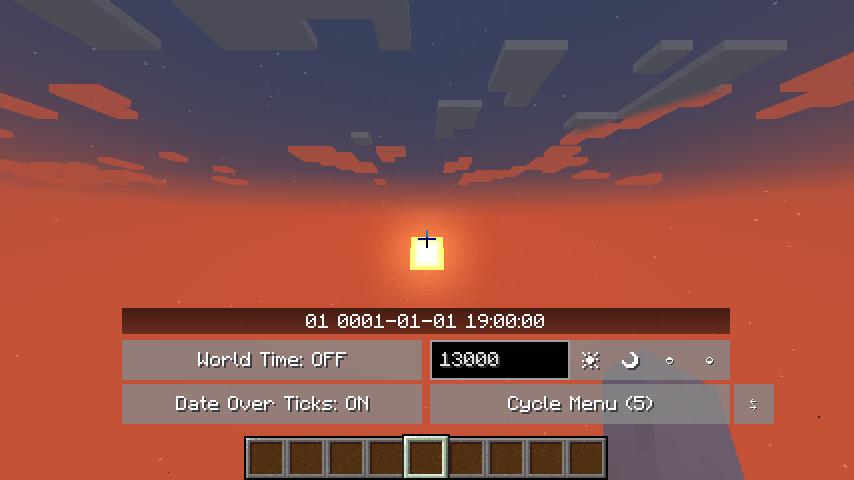
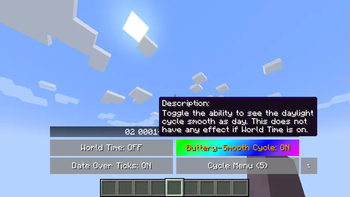
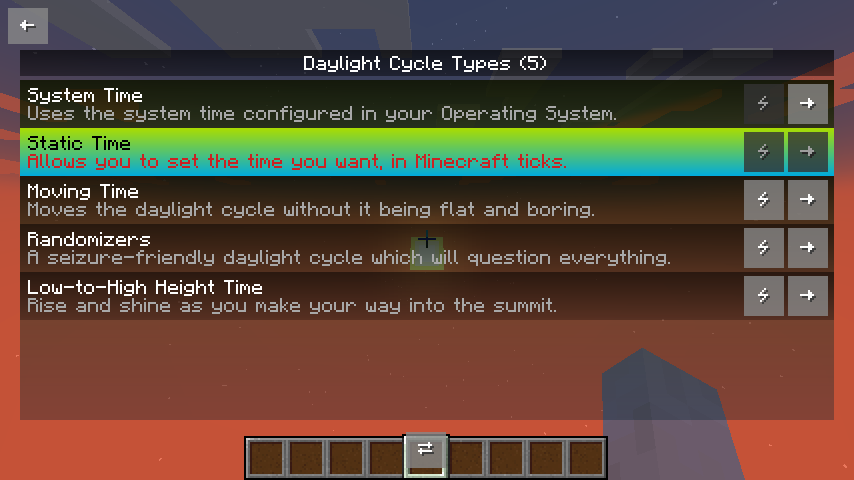
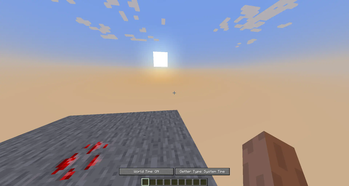
About this Mod
DaylightChangerStruggle
A fully-clientsided mod which changes the daylight cycle without the need of fiddling around with commands.
(Unless if you have a preference in doing so!) This mod is intended to expand more on the idea in what it
means to give the user more control and options to toy around with daylight instead of being a mod for one
specific purpose.
It is also compatible with mods such as Sodium and Iris.
Features
- The ability to pick different kinds of cycles (see Cycle Types), not just set the time
- Easings, a way to decide how a transition should animate (Only used in some cycle types)
- A buttery-smooth cycle that isn't based on ticks alone, but on the interpolation of ticks (you have
the option to disable this if not wanted) - Toggle world daylight and the mod's daylight
- Disable night-vision should the server enforce it upon you (this does not have the option to brighten
up the world like some mods; it just disables the effect alone) - A user interface which does not rely on libraries to make its own configuration and also features a
viewable 2-list menu depending if the resolution in the game is supported - The user interface also has tooltips for almost all of the widgets you interact with so that you know
what they do and how they function - Option to use commands alongside the User Interface
- Trying to edit preferences here is not currently supported yet!
Cycle Types
Cycle Types are a way to experience daylight in ways that are unique and tailored to your preferences.
Since the initial release of the mod, the following types are available to use:
- Static - Combines
/time set <time>and/gamerule doDaylightCycle falsebut without
needing to do both and referred to as "set the time" - Moving - Moves the time whilst setting a speed (use negative for reverse-daylight cycle)
- System - Adjusts the time based on your system clock, also sets Minecraft days to better represent
the current time - Randomizers - A seizure-friendly daylight cycle which will question why you are playing Minecraft
- Low-to-High Height Time - Depending on your height (or the viewing entity's), you can decide the
minimum and maximum value and tie both of them with a set time - And... more in the future?
Getting Started
- To show a user interface for the mod, bind the key "Open Time Changer Menu" to anything you'd like to
and when in-game press the key and the menu should be seen. - Or if you want to use commands instead, type either
/daylightchanger,/dcs,/tcsor/timechanger.
After that, you will have to disable World Time and then open Cycle Menu / switch the cycle by clicking
on two arrows pointing opposite of each other and you will see the magic ;)
Modpacks
If you want to use this mod in a modpack, no need to ask! You are free to do so as long as you're not making any money off from it.
Available Versions
How to Install DaylightChangerStruggle on Your Server
Order Server
Order a Minecraft Java server with at least 3 GB RAM (4 GB recommended).
Set fabric Loader
In the panel under "Egg", select the fabric loader and matching Minecraft version (26.2).
Install Mod
Open the mod browser in the dashboard and search for "DaylightChangerStruggle". Click "Install" – done! Alternatively, upload the .jar via SFTP to the /mods folder.
Compatibility
Mod Loaders
Minecraft Versions
26.2, 26.1.2, 26.1.1 (+17 more)
Server-side
✗ UnsupportedRecommended RAM
4 GB(min. 3 GB)Frequently Asked Questions
DaylightChangerStruggle server crashes on startup – what to do?
Most common cause: wrong fabric version or insufficient RAM. Check the server log (latest.log) for "OutOfMemoryError" or "Mixin" errors. With Mado Hosting: ensure at least 3 GB RAM is allocated and the loader matches the mod version (26.2). You can switch loaders with one click in the panel.
Is DaylightChangerStruggle compatible with fabric and quilt?
DaylightChangerStruggle officially supports fabric, quilt for Minecraft 26.2, 26.1.2, 26.1.1. The Mado dashboard automatically detects incompatible loader combinations.
Server lagging with DaylightChangerStruggle – how to optimize performance?
Recommended RAM: 4 GB (per 8 players). Use /spark profiler to check if DaylightChangerStruggle consumes the most tick time. Common fixes: reduce server view-distance to 8-10, install "performant" or "starlight" as supplementary mods on Forge. With Mado Hosting, your server runs on NVMe SSDs with dedicated CPU cores for minimal latency.
Similar Mods





Rent Modded Server
Install DaylightChangerStruggle with just one click on your server.