
Debug Survivability
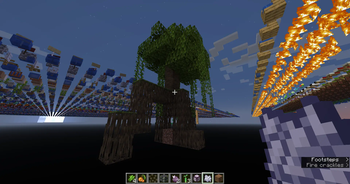
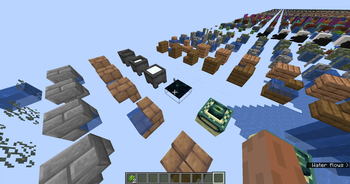
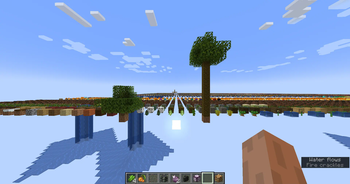
Made Debug World mutable, meaning that you can now survive inside a Debug World.
Screenshots
About this Mod
Introduction
Ever wondered if the Debug World, having all the blocks in the game and all, is survivable? Ever wanted to break and place blocks in the Debug World? Well now you can try those with this mod! This mod will literally make the Debug World behaves like normal world (except for the world generation, of course) where you can break and place blocks at will!
1.20.1 Update
As of this update, you can now configure the mod to behave as you wanted (as much as I can make it happen) by simply clicking the Customize button next to Generator Type (or use the Mod Menu). Stuff like Iterations, Setting Grid Total Width, Gap Between each block, Changing Barrier Y level, and even adding Y axis are all possible.
Other Features
This mod also changes the "void darkness" effect to trigger at under camera Y=60 (configurable in the aforementioned config screen) to help mitigate flashing effects when you jump on the barrier floor in the Debug World.
One more thing that this mod changed is the world creation screen. When you select Debug World, all the buttons will appear and function as normal. The game mode changer button will also still be enabled.
Special Thanks
Special thanks to @glisco for helping me with Mixins and Access Wideners.
1.20.1 Update he made owo-lib too that I used so there's that
Available Versions
How to Install Debug Survivability on Your Server
Order Server
Order a Minecraft Java server with at least 3 GB RAM (4 GB recommended).
Set fabric Loader
In the panel under "Egg", select the fabric loader and matching Minecraft version (1.20.1).
Install Mod
Open the mod browser in the dashboard and search for "Debug Survivability". Click "Install" – done! Alternatively, upload the .jar via SFTP to the /mods folder.
Compatibility
Mod Loaders
Minecraft Versions
1.20.1, 1.19
Server-side
✓ RequiredRecommended RAM
4 GB(min. 3 GB)Frequently Asked Questions
Debug Survivability server crashes on startup – what to do?
Most common cause: wrong fabric version or insufficient RAM. Check the server log (latest.log) for "OutOfMemoryError" or "Mixin" errors. With Mado Hosting: ensure at least 3 GB RAM is allocated and the loader matches the mod version (1.20.1). You can switch loaders with one click in the panel.
Is Debug Survivability compatible with fabric and quilt?
Debug Survivability officially supports fabric, quilt for Minecraft 1.20.1, 1.19. The Mado dashboard automatically detects incompatible loader combinations.
Server lagging with Debug Survivability – how to optimize performance?
Recommended RAM: 4 GB (per 8 players). Use /spark profiler to check if Debug Survivability consumes the most tick time. Common fixes: reduce server view-distance to 8-10, install "performant" or "starlight" as supplementary mods on Forge. With Mado Hosting, your server runs on NVMe SSDs with dedicated CPU cores for minimal latency.
Similar Mods





Rent Modded Server
Install Debug Survivability with just one click on your server.