
DecayTouch
DecayTouch adds physical decay to Minecraft: blocks now require structural support, turning construction into an engineering challenge. Travel safely with unique equipment: Wanderer's Boots, Prospector's Goggles, and Prospector's Cane.
Screenshots
About this Mod
🧱 DecayTouch: Hardcore Engineering for Minecraft
Have you ever wondered why everything in Minecraft seems to hang in the air? With the DecayTouch mod, the world becomes truly fragile. Forget random constructions—now every block requires support, and construction turns into a true engineering challenge.
⚠️ Beware, the world is crumbling!
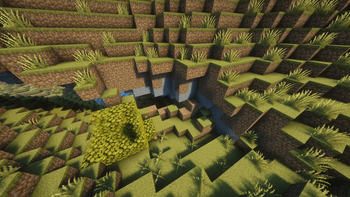
This mod introduces a physical decay system. If you break a foundation or build an unstable structure, the blocks will begin to crumble. You'll have to plan your actions: reinforce walls, build columns, and calculate the load before entering an uncharted cave.
🏗️ Survival Basics
- Support System: We've implemented a stability checking algorithm (5x5). If a structure doesn't have reliable support (fences or walls resting on a solid block), it is doomed to collapse.
- Planning: Mining exploration has become more dangerous. Use tools to avoid getting buried under tons of rock.
🛠️ Unique Equipment
To survive in this unstable world, you'll need special tools:
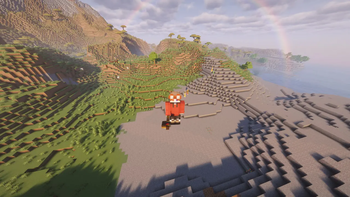
- Wanderer Boots: Your passive protection. Allows you to move safely in areas where a normal player would inevitably cause a cave-in.
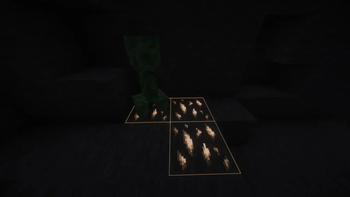
- Geologist Goggles: Indispensable for miners. They function as a seismograph (warn of dangerous areas) and highlight ore through rock.
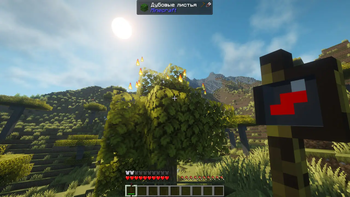
- Prospector Staff: The first tool every builder should have. Check the security of a block before stepping on it.
Why download DecayTouch?
- Hardcore and Realistic: Minecraft becomes more challenging and interesting.
- Engineering Gameplay: Building now makes sense and requires effort.
- Optimization: This mod is designed to be lightweight, even during large-scale collapses.
Supported Versions: Minecraft 1.20.1 (Forge).
This mod is the perfect choice for those tired of vanilla physics and want to bring the spirit of real-life survival and building to the game.
Found a bug or have an idea for a new mechanic? Write in the comments or open an issue on our GitHub (link below)!
Available Versions
How to Install DecayTouch on Your Server
Order Server
Order a Minecraft Java server with at least 3 GB RAM (4 GB recommended).
Set forge Loader
In the panel under "Egg", select the forge loader and matching Minecraft version (1.20.6).
Install Mod
Open the mod browser in the dashboard and search for "DecayTouch". Click "Install" – done! Alternatively, upload the .jar via SFTP to the /mods folder.
Compatibility
Mod Loaders
Minecraft Versions
1.20.6, 1.20.5, 1.20.4 (+3 more)
Server-side
✓ RequiredRecommended RAM
4 GB(min. 3 GB)Frequently Asked Questions
DecayTouch server crashes on startup – what to do?
Most common cause: wrong forge version or insufficient RAM. Check the server log (latest.log) for "OutOfMemoryError" or "Mixin" errors. With Mado Hosting: ensure at least 3 GB RAM is allocated and the loader matches the mod version (1.20.6). You can switch loaders with one click in the panel.
Is DecayTouch compatible with forge?
DecayTouch officially supports forge for Minecraft 1.20.6, 1.20.5, 1.20.4. The Mado dashboard automatically detects incompatible loader combinations.
Server lagging with DecayTouch – how to optimize performance?
Recommended RAM: 4 GB (per 8 players). Use /spark profiler to check if DecayTouch consumes the most tick time. Common fixes: reduce server view-distance to 8-10, install "performant" or "starlight" as supplementary mods on Forge. With Mado Hosting, your server runs on NVMe SSDs with dedicated CPU cores for minimal latency.
Similar Mods



![[TaCZ] Timeless and Classics Zero](https://cdn.modrinth.com/data/SzzJttH8/fd27766d2bb8390d284696b1dbd358f87e081439_96.webp)


Rent Modded Server
Install DecayTouch with just one click on your server.