
DECOBEACONS
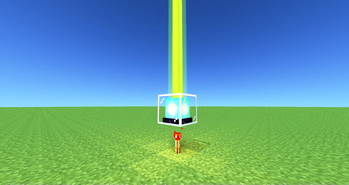
Adds decorative beacons
Screenshots
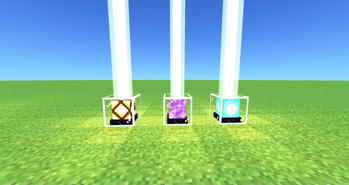
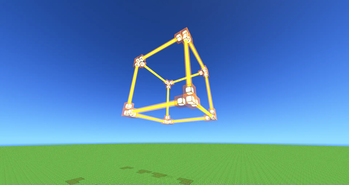
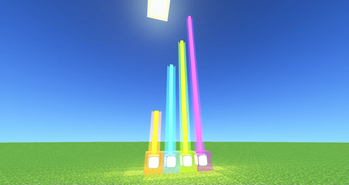
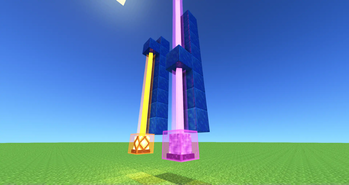
About this Mod
DECO BEACONS
Adds decorative beacons


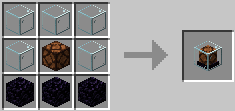
DECO BEACON
 Beam collides with block
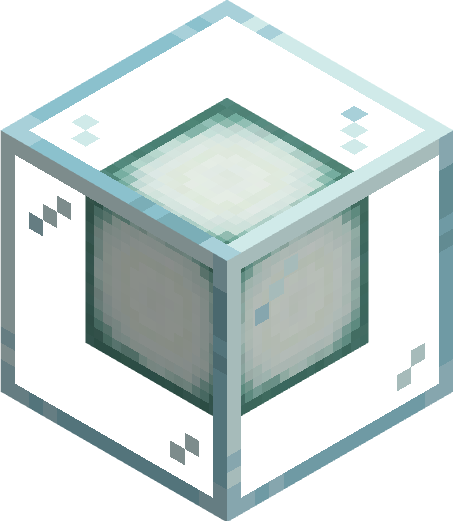
GHOST DECO BEACON
 Beam passes thru blocks
Block has no collision itself
Beam passes thru blocks
Block has no collision itself
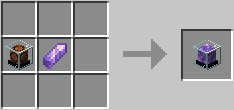
OMNI BEACON
 Beam can be redirected
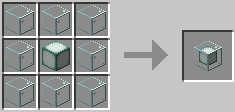 also has ghost variant
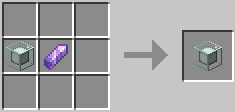
FAKE BEACON
 Looks like an actual beacon...
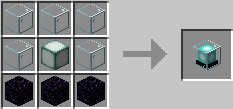 Also has ghost variant
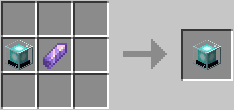
HOW TO
TURN ON/OFF
give it a redstone signal to activate the beacon. Toggle ActiveLow mode by R-Clicking it with a redstone torch
SET COLOR
Cycle thru the colors by R-Clicking the beacon with an empty hand. Shift R-Clicking it cycles thru the colors in reverse. R-Clicking it with a dye changes the color. It does not consume the dye.
SET BEACON TRANSPARENCY
DecoBeacon light beams can pass thru other decobeacons and change the beams color. R-clicking with a Sand block makes the surface abrasive and stops the light beam from passing thru. Applying sand to a ghost beacon doesn't stop any light beam from passing thru however it does stop the ghost beacon from affecting the light beam's color
USE GHOSTS
Each beacon has a ghost variant. They work the same way with a few exceptions. Light beams from Ghost beacons pass thru blocks (except opaque beacons). As "ghosts" these blocks don't have collision letting you walk thru them.
USE BOOK SETTINGS
We can write down beacon settings in a Book-&-Quill and apply it to a beacon by R-Clicking.
Make sure to separate each setting with a comma "," and recheck what we type in.
The beacon will "calmly" point out what we did wrong
General Settings:
activeLow:true/false
- if set to true, the beacon is "ACTIVE" when the redstone signal you give it is "LOW"
isTransparent:true/false
- if set to false, decobeacon light beams cannot pass thru this decobeacon... except if this decobeacon is a ghost variant.
- setting this to false on a ghost variant beacon stops the beacon from affecting the passing light beam's color
color:white/orange/magenta/light_blue/yellow/lime/pink/gray/light_gray/cyan/purple/blue/brown/green/red/black
- set beacon color
OmniBeacon Exclusive Settings:
The following settings only work with omni beacons
direction: north/south/east/west/up/down
- sets the direction of the light beam
maxBeamLenght: integer
- sets the max length of the light beam
Examples:
DECOBEACON SETTINGS: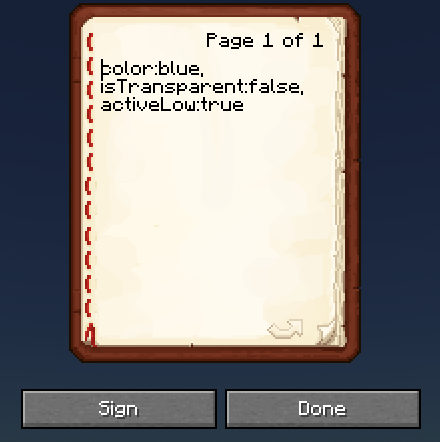
OMNIBEACON SETTINGS: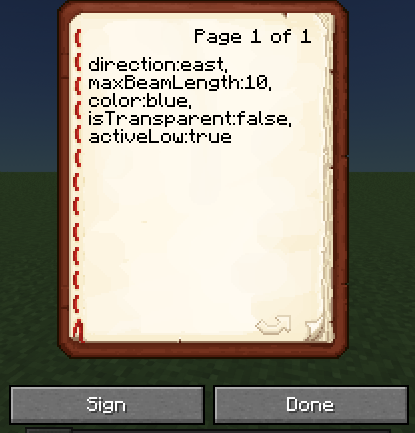


Available Versions
How to Install DECOBEACONS on Your Server
Order Server
Order a Minecraft Java server with at least 3 GB RAM (4 GB recommended).
Set fabric Loader
In the panel under "Egg", select the fabric loader and matching Minecraft version (1.20.1).
Install Mod
Open the mod browser in the dashboard and search for "DECOBEACONS". Click "Install" – done! Alternatively, upload the .jar via SFTP to the /mods folder.
Compatibility
Mod Loaders
Minecraft Versions
1.20.1, 1.19.2, 1.18.2
Server-side
✓ RequiredRecommended RAM
4 GB(min. 3 GB)Frequently Asked Questions
DECOBEACONS server crashes on startup – what to do?
Most common cause: wrong fabric version or insufficient RAM. Check the server log (latest.log) for "OutOfMemoryError" or "Mixin" errors. With Mado Hosting: ensure at least 3 GB RAM is allocated and the loader matches the mod version (1.20.1). You can switch loaders with one click in the panel.
Is DECOBEACONS compatible with fabric and forge?
DECOBEACONS officially supports fabric, forge for Minecraft 1.20.1, 1.19.2, 1.18.2. Note: Forge and Fabric mods are NOT cross-compatible – pick one loader and stick with it. The Mado dashboard automatically detects incompatible loader combinations.
Server lagging with DECOBEACONS – how to optimize performance?
Recommended RAM: 4 GB (per 8 players). Use /spark profiler to check if DECOBEACONS consumes the most tick time. Common fixes: reduce server view-distance to 8-10, install "performant" or "starlight" as supplementary mods on Forge. With Mado Hosting, your server runs on NVMe SSDs with dedicated CPU cores for minimal latency.
Rent Modded Server
Install DECOBEACONS with just one click on your server.