
Deep Overworld
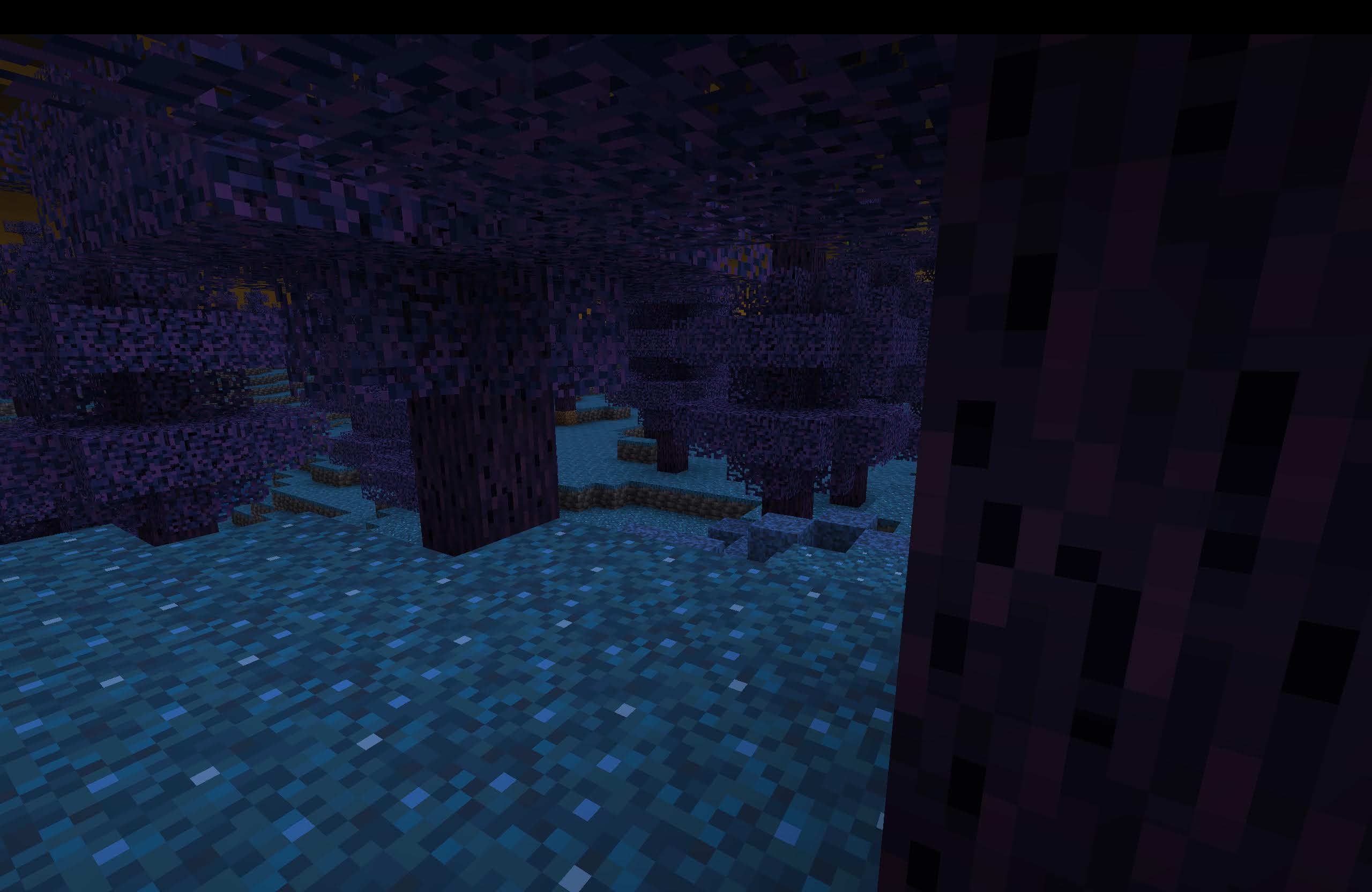
Adds a deep forest biome that contains deepslate on the surface of the overworld.
Screenshots


About this Mod

Main Description
Deep Overworld is a mod that adds deepslate to the surface of the overworld! It does that through a biome called the "Deep Forest". The "Deep Forest" also has "Deep Trees" that contain wood similar to warped wood but with a purple outside. The deep trees contain a weird block that acts like the leaves of the tree called "Decayed Grasin". It is actually a part of a family of "Grasin". "Grasin" is a unique type of poison that gives you the "Grasin Poisoning" effect when picked up. Don't worry, though! You can protect yourself with the "Grasin Protection" enchantment that you can put on your helmet. There are three types of "Grasin" A, B and C, each giving a different level of the "Grasin Poisoning" effect. Each level needs a different level of the enchantment to protect you (EX: "Grasin Poisoning II" needs "Grasin Protection II"). "Grasin B" and "Grasin C" can generate in patches. "Grasin A" is obtainable through breaking "Decayed Grasin" without silk touch. You can also poison your friend by brewing "Grasin Poisoning" potions with their respecive "Grasins" and an "Awkward" potion (EX: "Grasin B" gives a potion of "Grasin Poisoning II")!
NOTE: The potions and enchantment are not in the mod's creative mode tabe
Changelog (Version 1.1.0)

Overview
Oh, you thought decayed grasin was just a "leaf" block? Then you would be so wrong; it's actually the oldest of the grasin family. And this update is here to reveal the entire family
Additions
- "Grasin A" + Respective Block / Has a purple color and gives the "Grasin Poisoning" effect
- "Grasin B" + Respective Block / Has a blue color and gives the "Grasin Poisoning II" effect
- "Grasin C" + Respective Block / Has a green color and gives the "Grasin Poisoning III" effect
- "Grasin Poisoning" effect / Deals damage until a certain point determined by the level
- "Grasin Poisoning" potions / Gives the "Grasin Poisoning" effect, brewed with the grasin that gives the effect and an awkward potion (EX: B -> "Grasin Poisoning II"). Can't be found in the mod's creative mode tab.
- "Grasin Protection" enchantment / Stops you from getting the "Grasin Poisoning" effect from "Grasin" items and has three levels. Each level blocks the "Grasin Poisoning" effect of the same level (EX: "Grasin Protection II" -> "Grasin Poisoning II") Can't be found in the mod's creative mode tab.
- "Grasin B" piles / Spread out blocks of "Grasin B" that generate in the "Deep Forest"
- "Grasin C" piles / Compact out blocks of "Grasin C" that generate in the "Deep Forest"
Other Improvements
- Weight Changes / Should make deep forest spawn smaller (4 -> 3)
- Improved "Decayed Grasin" / Better texture and improved loot table
- "Deep Sprout" crafting recipe / Any sapling with "Grasin B" on top
- Misc bug fixes
Enjoy :D
Gallery
Available Versions
How to Install Deep Overworld on Your Server
Order Server
Order a Minecraft Java server with at least 4 GB RAM (6 GB recommended).
Set fabric Loader
In the panel under "Egg", select the fabric loader and matching Minecraft version (1.21.10).
Install Mod
Open the mod browser in the dashboard and search for "Deep Overworld". Click "Install" – done! Alternatively, upload the .jar via SFTP to the /mods folder.
Compatibility
Mod Loaders
Minecraft Versions
1.21.10, 1.21.9, 1.21.1 (+1 more)
Server-side
✓ RequiredRecommended RAM
6 GB(min. 4 GB)Frequently Asked Questions
Deep Overworld server crashes on startup – what to do?
Most common cause: wrong fabric version or insufficient RAM. Check the server log (latest.log) for "OutOfMemoryError" or "Mixin" errors. With Mado Hosting: ensure at least 4 GB RAM is allocated and the loader matches the mod version (1.21.10). You can switch loaders with one click in the panel.
Is Deep Overworld compatible with fabric and quilt?
Deep Overworld officially supports fabric, quilt for Minecraft 1.21.10, 1.21.9, 1.21.1. The Mado dashboard automatically detects incompatible loader combinations.
Server lagging with Deep Overworld – how to optimize performance?
Recommended RAM: 6 GB (per 5 players). Use /spark profiler to check if Deep Overworld consumes the most tick time. Common fixes: reduce server view-distance to 8-10, install "performant" or "starlight" as supplementary mods on Forge. With Mado Hosting, your server runs on NVMe SSDs with dedicated CPU cores for minimal latency.
Similar Mods




Rent Modded Server
Install Deep Overworld with just one click on your server.