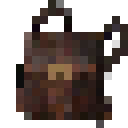
Deep Pockets
Mining backpack with limited slots and unlimited capacity
About this Mod
Deep Pockets
Making Mining Easier

Tired of running out in inventory space while mining? Think modded Minecraft has too many ores? Well look no further. With your new Deep Pockets Backpack you'll always have room for more. Each backpack can hold up to 5 different items (non-mining related items may void warranty). How many items can it hold? As many as you can put into it. With your new backpack you don't have to worry about how many ores you've mined, in fact this backpack is so deep you can even reach inside to count the what's in it, but who cares about keeping things organized, you just want room for more minerals.
Getting things out of the your backpack is easy. Just right-click on a chest to dump the contents. It's a little messy, but that's a small price to pay for the convenience it provides.
By default the backpacks will pickup all vanilla ores and ore drops. Let the backpacks pickup other items, add the items to the tag c:baggable
Available Versions
How to Install Deep Pockets on Your Server
Order Server
Order a Minecraft Java server with at least 3 GB RAM (4 GB recommended).
Set fabric Loader
In the panel under "Egg", select the fabric loader and matching Minecraft version (1.17.1).
Install Mod
Open the mod browser in the dashboard and search for "Deep Pockets". Click "Install" – done! Alternatively, upload the .jar via SFTP to the /mods folder.
Compatibility
Mod Loaders
Minecraft Versions
1.17.1
Server-side
✓ RequiredRecommended RAM
4 GB(min. 3 GB)Frequently Asked Questions
Deep Pockets server crashes on startup – what to do?
Most common cause: wrong fabric version or insufficient RAM. Check the server log (latest.log) for "OutOfMemoryError" or "Mixin" errors. With Mado Hosting: ensure at least 3 GB RAM is allocated and the loader matches the mod version (1.17.1). You can switch loaders with one click in the panel.
Is Deep Pockets compatible with fabric?
Deep Pockets officially supports fabric for Minecraft 1.17.1. The Mado dashboard automatically detects incompatible loader combinations.
Server lagging with Deep Pockets – how to optimize performance?
Recommended RAM: 4 GB (per 8 players). Use /spark profiler to check if Deep Pockets consumes the most tick time. Common fixes: reduce server view-distance to 8-10, install "performant" or "starlight" as supplementary mods on Forge. With Mado Hosting, your server runs on NVMe SSDs with dedicated CPU cores for minimal latency.
Similar Mods


Rent Modded Server
Install Deep Pockets with just one click on your server.