
Deep Sea
Changes boat navigation on ocean regions
Screenshots
About this Mod
DeepSea
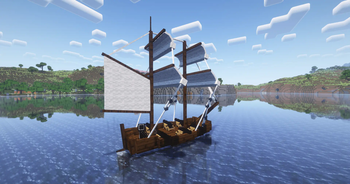
DeepSea is a Fabric mod that adds configurable boat behavior in ocean biomes. All loaded boats are periodically checked every 100 ticks (5 seconds ) by default, and those in the configured ocean biomes (#deepsea:ocean) and tagged with #deepsea:boat will be broken and dropped.
Compatibility
- Required: Fabric API
- Made to work with: Small Ships
By default, only
#c:boatsis included in the#deepsea:boattag and#c:is_oceanin the#deepsea:ocean.
Installation
- Drop the DeepSea
.jarinto yourmodsfolder. - Start the server or load into a world — the mod is active immediately.
This is a server-side only mod. Clients do not need to install it.
Customization
To include/remove boats just create a datapack for the tag file:
data/deepsea/tags/entity_type/boat.json
{
  "values": [
    "#c:boats"
  ]
}
To include/remove biomes just create a datapack for the tag file:
data/deepsea/tags/worldgen/biome/ocean.json
{
  "values": [
    {
      "id": "#c:is_ocean",
      "required": false
    }
  ]
}
Documentation
- enabled:
Enables or disables the mod.
Type:booleanDefault:true - tick_interval:
The interval in ticks between checks for boats.
Type:integerDefault:100 - boat_damage:
The damage amount applied to boats in ocean biomes.
Type:floatDefault:100.0 - discard_boat:
If true, boats in ocean biomes are discarded without dropping the boat item, if false, boats take damage, break and drop the boat item.
Type:booleanDefault:false - cache:
Configuration for biome lookup caching.
Type:objectDefault: see below- cache_size:
The maximum number of biome lookup results (e.g., "is this position in an ocean?") to cache before being refreshed.
Type:integerDefault:500 - cache_time:
The duration in minutes that cached biome results are kept before being refreshed.
Type:integerDefault:240
- cache_size:
- sound:
Configuration for sound effects when boats are damaged or destroyed.
Type:objectDefault: see below- play_sound:
Whether to play a sound effect when a boat is damaged or destroyed.
Type:booleanDefault:true - volume:
The volume of the sound effect played when a boat is damaged or destroyed.
Type:floatDefault:1.0 - pitch:
The pitch of the sound effect played when a boat is damaged or destroyed.
Type:floatDefault:1.0
- play_sound:
Full Configuration Example:
{
  "enabled": true,
  "tick_interval": 100,
  "boat_damage": 100.0,
  "discard_boat": false,
  "cache": {
    "cache_size": 500,
    "cache_time": 240
  },
  "sound": {
    "play_sound": true,
    "volume": 1.0,
    "pitch": 1.0
  }
}
Available Versions
How to Install Deep Sea on Your Server
Order Server
Order a Minecraft Java server with at least 3 GB RAM (4 GB recommended).
Set fabric Loader
In the panel under "Egg", select the fabric loader and matching Minecraft version (26.1.2).
Install Mod
Open the mod browser in the dashboard and search for "Deep Sea". Click "Install" – done! Alternatively, upload the .jar via SFTP to the /mods folder.
Compatibility
Mod Loaders
Minecraft Versions
26.1.2, 26.1.1, 26.1 (+12 more)
Server-side
✓ RequiredRecommended RAM
4 GB(min. 3 GB)Frequently Asked Questions
Deep Sea server crashes on startup – what to do?
Most common cause: wrong fabric version or insufficient RAM. Check the server log (latest.log) for "OutOfMemoryError" or "Mixin" errors. With Mado Hosting: ensure at least 3 GB RAM is allocated and the loader matches the mod version (26.1.2). You can switch loaders with one click in the panel.
Is Deep Sea compatible with fabric?
Deep Sea officially supports fabric for Minecraft 26.1.2, 26.1.1, 26.1. The Mado dashboard automatically detects incompatible loader combinations.
Server lagging with Deep Sea – how to optimize performance?
Recommended RAM: 4 GB (per 8 players). Use /spark profiler to check if Deep Sea consumes the most tick time. Common fixes: reduce server view-distance to 8-10, install "performant" or "starlight" as supplementary mods on Forge. With Mado Hosting, your server runs on NVMe SSDs with dedicated CPU cores for minimal latency.
Similar Mods




Rent Modded Server
Install Deep Sea with just one click on your server.