
Create: Deployer API
Deployer is a Create library addon that extends logistics, gauges, and fluid systems while prioritizing stability over compatibility.
Screenshots


About this Mod
1.20.1 Is under development!
Please do not ask for 1.20.1, we are taking our time to forge that!
Deployer is a create library for addon-developers to simplify logistics
Features
Stock Inventory System
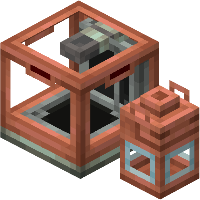 |
Stock Inventory types is a new addition added to follow the 6.0 create update. You can register anything that you want to carry with packages, and deployer will simplify the process. Fluids, Energy, whatever you want! |
Gauge Creation API
|
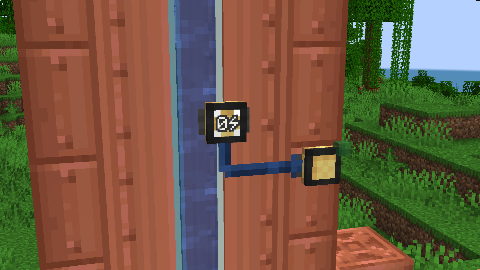
Deployer provides a comprehensive API for creating custom gauges, evolved from the Extra Gauges addon.
Deployer handles all the hard part, making it possible for different gauges to stay in the same block!
You can handle connections coming in and coming out from the gauge, and handle everything you want! |
 |
Extended Goggle Information
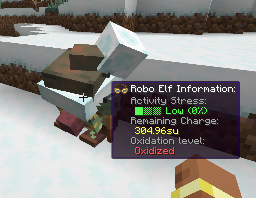
Create's vanilla goggle overlay system only supports block entities, limiting what information can be displayed when players look at blocks or entities. Deployer extends this functionality through the DeployerGoggleInformation interface, enabling goggle information display for regular blocks without block entities and for entities in the world.
It's also possible to register your own goggle information through ClientRegisterHelpers, under your specific conditions
|
 |
Custom Stock keeper tabs & Redstone requester tabs
| With deployer you can create custom stock keeper and redstone requester tabs. Creating a tab is not necessarily linked to creating a stock inventory type. You can stor any data inside your tab and use it for whatever you want. We already have some ideas in mind for our mods Create: Extra Gauges! | 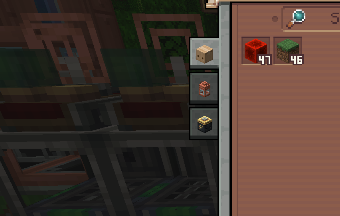 |
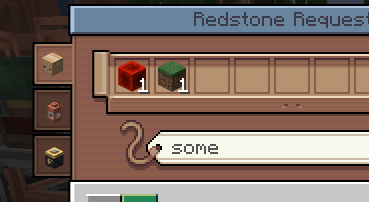 |
On the other side, redstone requesters can also have tabs which are specifically intended to order items! |
Optimization and fix
We also include a bunch of fixes and optimizations, and we want to focus the second part of this API on that, improving some useless and expensive algorithms that create for some reason has
Available Versions
How to Install Create: Deployer API on Your Server
Order Server
Order a Minecraft Java server with at least 4 GB RAM (6 GB recommended).
Set neoforge Loader
In the panel under "Egg", select the neoforge loader and matching Minecraft version (1.21.1).
Install Mod
Open the mod browser in the dashboard and search for "Create: Deployer API". Click "Install" – done! Alternatively, upload the .jar via SFTP to the /mods folder.
Compatibility
Mod Loaders
Minecraft Versions
1.21.1
Server-side
✓ RequiredRecommended RAM
6 GB(min. 4 GB)Frequently Asked Questions
Create: Deployer API server crashes on startup – what to do?
Most common cause: wrong neoforge version or insufficient RAM. Check the server log (latest.log) for "OutOfMemoryError" or "Mixin" errors. With Mado Hosting: ensure at least 4 GB RAM is allocated and the loader matches the mod version (1.21.1). You can switch loaders with one click in the panel.
Is Create: Deployer API compatible with neoforge?
Create: Deployer API officially supports neoforge for Minecraft 1.21.1. The Mado dashboard automatically detects incompatible loader combinations.
Server lagging with Create: Deployer API – how to optimize performance?
Recommended RAM: 6 GB (per 5 players). Use /spark profiler to check if Create: Deployer API consumes the most tick time. Common fixes: reduce server view-distance to 8-10, install "performant" or "starlight" as supplementary mods on Forge. With Mado Hosting, your server runs on NVMe SSDs with dedicated CPU cores for minimal latency.
Similar Mods






Rent Modded Server
Install Create: Deployer API with just one click on your server.