
Destiny Constellations
A highly configurable Forge 1.20.1 mod that adds a Genshin-style constellation progression system, custom items, and creative tab.
Screenshots
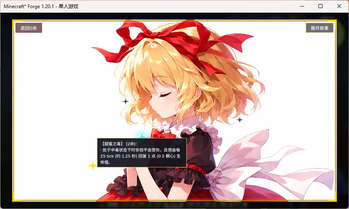
About this Mod
Touhou Destiny Constellations
Overview
- Perfect for RPG-style modpacks
- Adds a 7-level (C0-C6) constellation progression system.
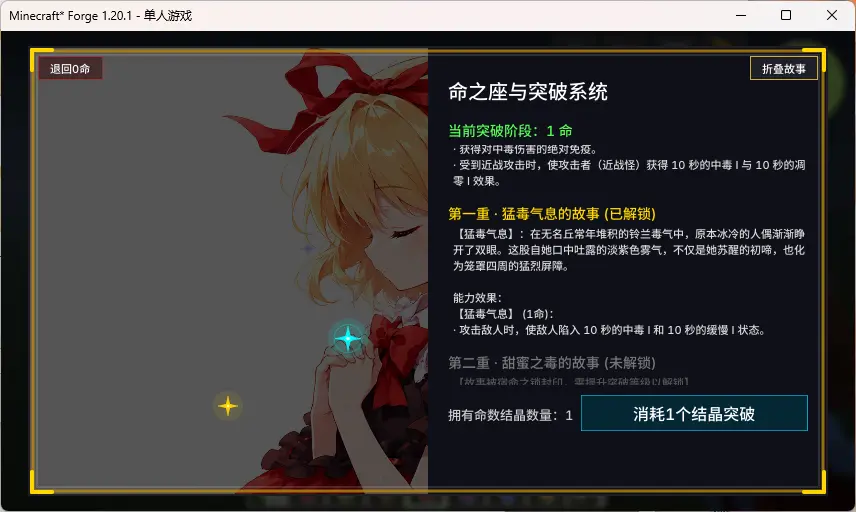
- Press the C key (Default) to open the constellation interface.
- Requires Fate Crystals (crafted with 1x Nether Star, 4x Netherite Ingots, and 4x Diamond Blocks) to unlock constellation levels.
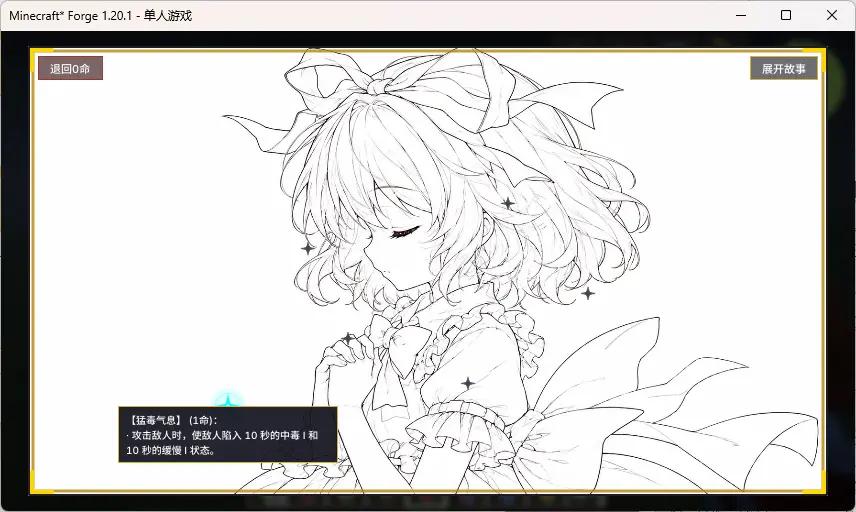
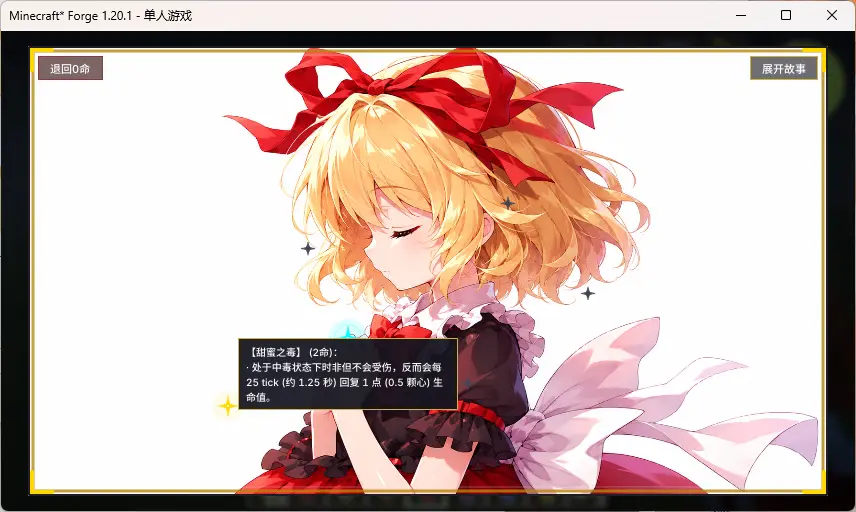
- Unlock constellation phases to acquire corresponding abilities, distinct background imagery, and exclusive lore stories (fully configurable).
Configuration Guide
1. Titles, Stories, and Descriptions
Configuration files generate in config/touhou_destiny/ after the first launch. You can open these .txt files and write your custom text in UTF-8 format:
stories/title_x.txt: Change the constellation's title.stories/story_x.txt: Change the background story.descriptions/ability_x.txt: Change the ability description shown in the UI.
2. Background Images & Star Positions
Open config/touhou_destiny-client.toml to configure visual settings:
[background_textures]: Change the texture paths for the backgrounds (background_0tobackground_6). You can replace the default images by creating a Resource Pack and placing your custom PNG files atassets/touhou_destiny/textures/gui/background_x.png.[star_positions]: Adjust the X and Y coordinates (from0.0to1.0) of the stars on the GUI.
KubeJS Integration (Recommended)
While the mod provides simple vanilla attributes by default, it is highly recommended to use KubeJS to script complex or custom constellation abilities for your modpack.
You can query a player's current constellation level (0 to 6) using the provided Java API: com.touhou.destiny.integration.ConstellationHelper.getLevel(player).
KubeJS Example (Server-side server_scripts):
EntityEvents.hurt(event => {
    let player = event.entity;
    if (player.isPlayer()) {
        // Query the player's unlocked constellation level
        let level = Java.resolve('com.touhou.destiny.integration.ConstellationHelper').getLevel(player);
        if (level >= 1) {
            // Example: Reduce incoming damage by 20% if level is 1 or higher
            event.damage = event.damage * 0.8;
        }
    }
});
Dependencies
- Required Dependency: ModernUI (Must be installed on the client side)
- Environment: Forge 1.20.1
Available Versions
How to Install Destiny Constellations on Your Server
Order Server
Order a Minecraft Java server with at least 3 GB RAM (4 GB recommended).
Set forge Loader
In the panel under "Egg", select the forge loader and matching Minecraft version (1.20.1).
Install Mod
Open the mod browser in the dashboard and search for "Destiny Constellations". Click "Install" – done! Alternatively, upload the .jar via SFTP to the /mods folder.
Compatibility
Mod Loaders
Minecraft Versions
1.20.1
Server-side
✓ RequiredRecommended RAM
4 GB(min. 3 GB)Frequently Asked Questions
Destiny Constellations server crashes on startup – what to do?
Most common cause: wrong forge version or insufficient RAM. Check the server log (latest.log) for "OutOfMemoryError" or "Mixin" errors. With Mado Hosting: ensure at least 3 GB RAM is allocated and the loader matches the mod version (1.20.1). You can switch loaders with one click in the panel.
Is Destiny Constellations compatible with forge?
Destiny Constellations officially supports forge for Minecraft 1.20.1. The Mado dashboard automatically detects incompatible loader combinations.
Server lagging with Destiny Constellations – how to optimize performance?
Recommended RAM: 4 GB (per 8 players). Use /spark profiler to check if Destiny Constellations consumes the most tick time. Common fixes: reduce server view-distance to 8-10, install "performant" or "starlight" as supplementary mods on Forge. With Mado Hosting, your server runs on NVMe SSDs with dedicated CPU cores for minimal latency.
Similar Mods




Rent Modded Server
Install Destiny Constellations with just one click on your server.