
DHSnowFix
Helps Distant Horizons tint underlying blocks with snow instead of rendering full snow blocks
Screenshots
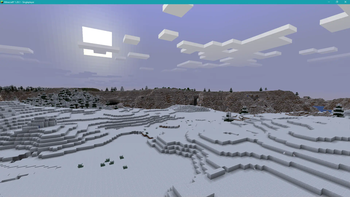
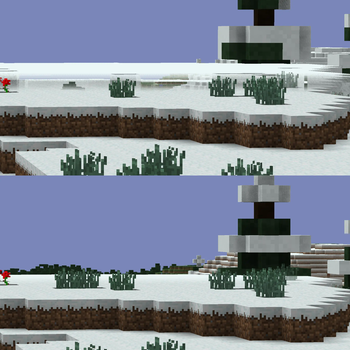
About this Mod
DHSnowFix
A simple Fabric Minecraft mod that fixes snow layers rendering as full blocks in Distant Horizons. Please use "Tint With Avoided Blocks" in DH's config, or you won't see any snow at all in LOD chunks!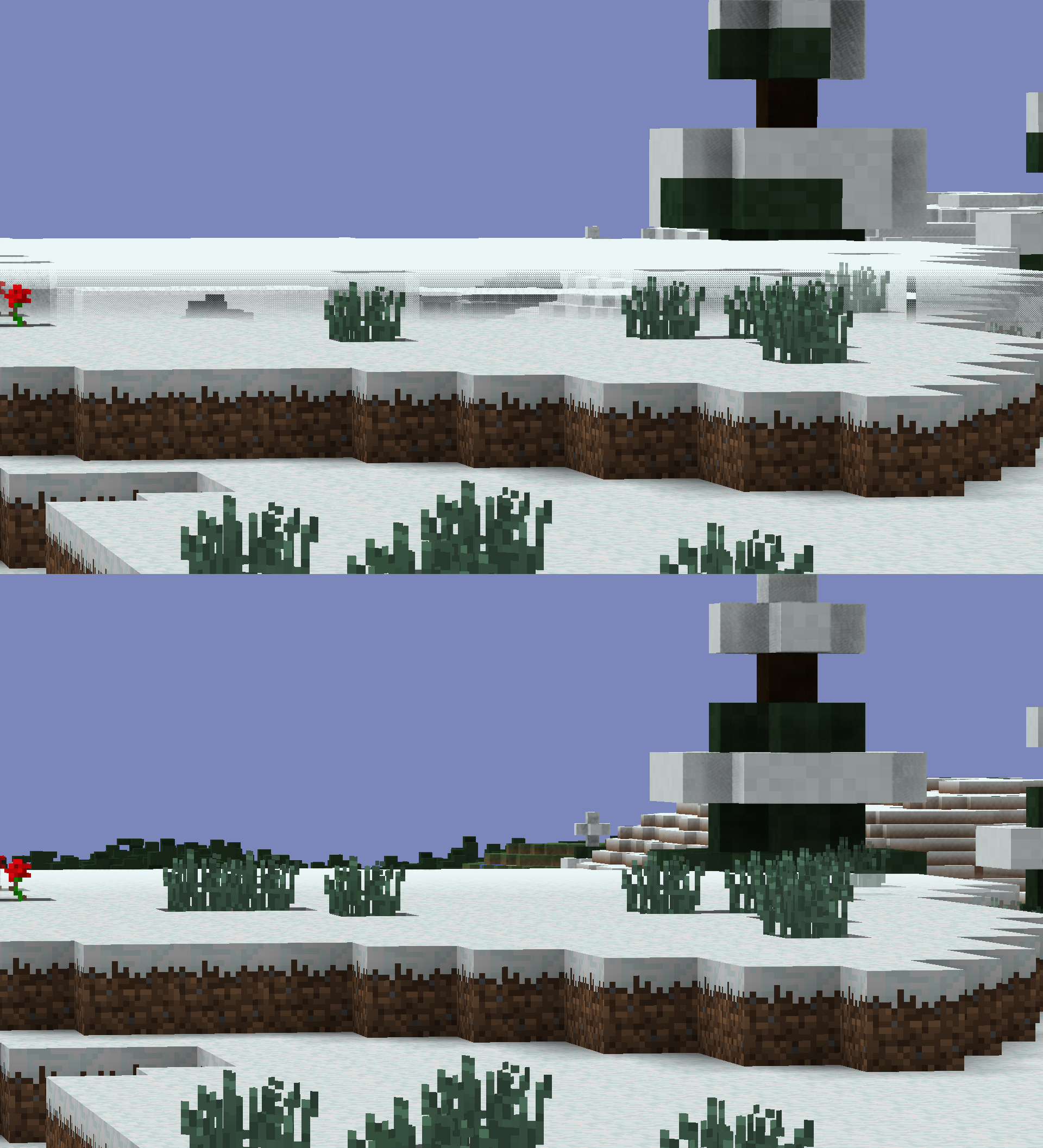
(The bottom picture is with this mod installed, "Tint With Avoided Blocks" in DH's config is enabled)
This mod seems to be needed at least as a hopefully temporary solution since over on Distant Horizons' issue tracker the issue about this problem was closed without resolution and seems to be a "won't fix" because it's "expected behavior".
So then Minecraft itself should change?
This mod achieves what it does by making the snow layer block non-opaque and transparent, because that's what Distant Horizons checks for when it chooses blocks to avoid/tint blocks below with.
- Gameplay-wise this means that snow layers now let light through. Even though it's unrealistic, you can now have skylight come underground through snow on top of glass without people noticing it!
- (1.20.1) Performance-wise this means that there's now an additional check whether the current block is a snow layer block every time the game checks whether the block is opaque when it needs to decide whether to render a block side or not, which is obviously far from ideal.
- (1.21.10) Loading time-wise this means that there's now an additional check
whether the current block is a snow layer block every time the game
checks whether the block is opaque when it needs to build block shape
cache upon loading/reloading a resourcepack (to later decide whether to
render a block side or not based on that information), which is
obviously far from ideal, but still better than it was on 1.20.1.
Installation
Please refer to version changelogs for information on installation requirements
License
DHSnowFix is licensed under MIT.
Available Versions
How to Install DHSnowFix on Your Server
Order Server
Order a Minecraft Java server with at least 3 GB RAM (4 GB recommended).
Set fabric Loader
In the panel under "Egg", select the fabric loader and matching Minecraft version (1.21.10).
Install Mod
Open the mod browser in the dashboard and search for "DHSnowFix". Click "Install" – done! Alternatively, upload the .jar via SFTP to the /mods folder.
Compatibility
Mod Loaders
Minecraft Versions
1.21.10, 1.20.1
Server-side
~ OptionalRecommended RAM
4 GB(min. 3 GB)Frequently Asked Questions
DHSnowFix server crashes on startup – what to do?
Most common cause: wrong fabric version or insufficient RAM. Check the server log (latest.log) for "OutOfMemoryError" or "Mixin" errors. With Mado Hosting: ensure at least 3 GB RAM is allocated and the loader matches the mod version (1.21.10). You can switch loaders with one click in the panel.
Is DHSnowFix compatible with fabric?
DHSnowFix officially supports fabric for Minecraft 1.21.10, 1.20.1. The Mado dashboard automatically detects incompatible loader combinations.
Server lagging with DHSnowFix – how to optimize performance?
Recommended RAM: 4 GB (per 8 players). Use /spark profiler to check if DHSnowFix consumes the most tick time. Common fixes: reduce server view-distance to 8-10, install "performant" or "starlight" as supplementary mods on Forge. With Mado Hosting, your server runs on NVMe SSDs with dedicated CPU cores for minimal latency.
Similar Mods




Rent Modded Server
Install DHSnowFix with just one click on your server.