
DiabloLoot
DiabloLoot is a mod that at least tries to add grindy ARPG aspects to the game we all love and play, Minecraft.
Screenshots

About this Mod

DiabloLoot is a mod that at least tries to add grindy ARPG aspects to the game we all love and play, Minecraft.
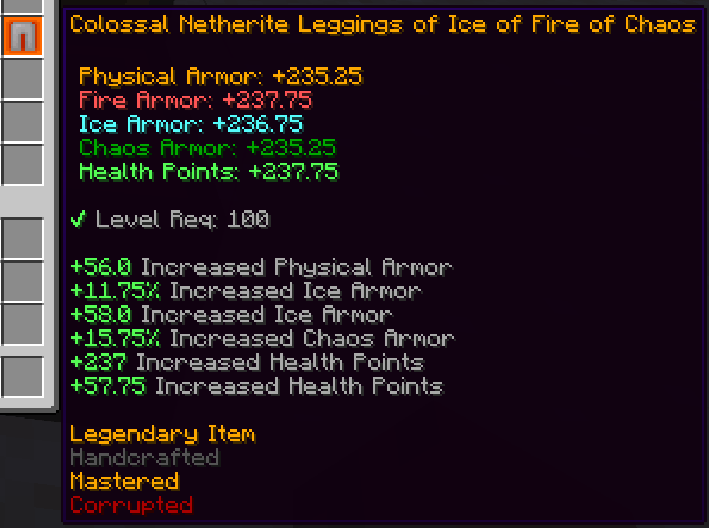
It is a dominant mod, so it will affect every single mod you pick and change them a lot. Mobs stats will be rerolled, items in the config files will be custom generated DL items, and will prevent you from wearing specific items.
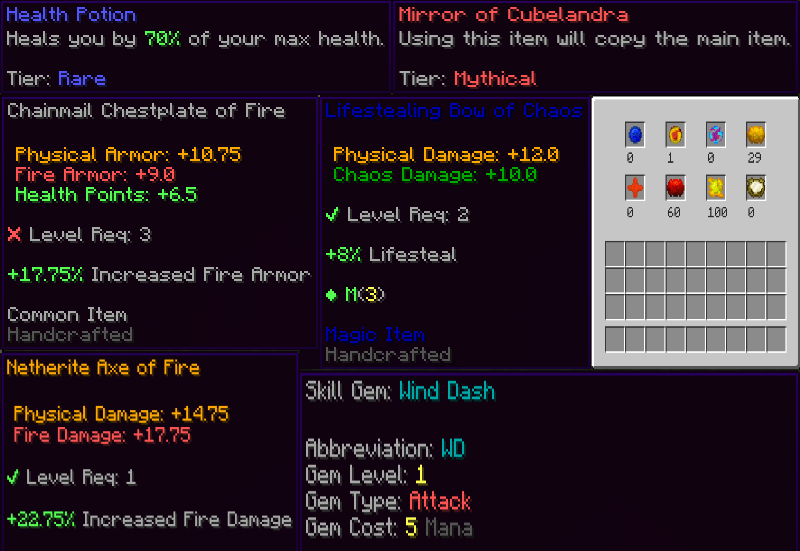
DL adds 3 types of skills of 3 levels that could be binded to items and a complicated currency-based item crafting system along with an in-depth gearing system; suffixes, prefixes, base modifiers. DL makes handling with currencies easier by adding the currency stash.

It also adds completely new HUDs removing the old ones. Size, style whatever you want to change is also customizable. There are two types: one is spherical, and the other is bar-shaped.
Creating compatible items:
You can add custom mod items. You have to specify the minimum-maximum item level like modid:item_name:45-75. It can be both created or dropped items, they will be bound to the levels given here. Directory: /config/diabloloot

Creating your custom unique items:
It is easy because it only has few parameters you can basically copy the example ones. There is no limit in values and amount of uniques you can create."id" in the file MUST match the file name. "chance" / "chanceIn" is the drop chance so making it 50/100 would be %50. This is how the file should look like: Directory: /config/diabloloot/uniques

Modifier Library

Creating custom bosses:
Note: entitySize only affects the gui. It says entityNameHexColor but you should use decimals instead. Use lastPage option wisely, as it will make the mod understand whether it should not render the next page button or not. You also can add your boss IDs to unique items mobDrops option. Directory: /config/diabloloot/bosses


He is a good boi
Available Versions
How to Install DiabloLoot on Your Server
Order Server
Order a Minecraft Java server with at least 3 GB RAM (4 GB recommended).
Set forge Loader
In the panel under "Egg", select the forge loader and matching Minecraft version (1.16.5).
Install Mod
Open the mod browser in the dashboard and search for "DiabloLoot". Click "Install" – done! Alternatively, upload the .jar via SFTP to the /mods folder.
Compatibility
Mod Loaders
Minecraft Versions
1.16.5, 1.15.2, 1.14.4
Server-side
✓ RequiredRecommended RAM
4 GB(min. 3 GB)Frequently Asked Questions
DiabloLoot server crashes on startup – what to do?
Most common cause: wrong forge version or insufficient RAM. Check the server log (latest.log) for "OutOfMemoryError" or "Mixin" errors. With Mado Hosting: ensure at least 3 GB RAM is allocated and the loader matches the mod version (1.16.5). You can switch loaders with one click in the panel.
Is DiabloLoot compatible with forge?
DiabloLoot officially supports forge for Minecraft 1.16.5, 1.15.2, 1.14.4. The Mado dashboard automatically detects incompatible loader combinations.
Server lagging with DiabloLoot – how to optimize performance?
Recommended RAM: 4 GB (per 8 players). Use /spark profiler to check if DiabloLoot consumes the most tick time. Common fixes: reduce server view-distance to 8-10, install "performant" or "starlight" as supplementary mods on Forge. With Mado Hosting, your server runs on NVMe SSDs with dedicated CPU cores for minimal latency.
Similar Mods



![[TaCZ] Timeless and Classics Zero](https://cdn.modrinth.com/data/SzzJttH8/fd27766d2bb8390d284696b1dbd358f87e081439_96.webp)


Rent Modded Server
Install DiabloLoot with just one click on your server.