Digital Items 3
Digitalize your item and send them wirelessly via CC:T
Screenshots
About this Mod
This project is the successor to the original Digital Items 2 mod.
There is no significat diferrences from Digital Items 2, but all things related to energy consumption are not implemented yet.
This mod allows you to turn your items into numbers (called IDs), which you can store or send to your friends and then turn them back into their item form.
Every ID is unique, can't be guessed, and can only be used once.
No duplication or cloning of items is possible.
The process of turning an item into an ID is called 'digitization' and turning it back is called 'rematerialization'.
Items that are digitized begin to 'decay'. If they are left digitized for too long, they are gone.
You can reset their 'decay countdown' by 'refreshing' an item ID or partially rematerializing it.
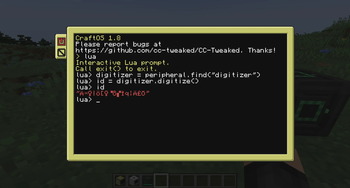
You can retrieve information about digitized items via their ID and items inside the digitizer itself.
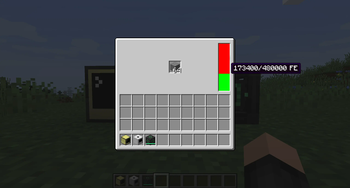
All of these operations are performed inside the 'digitizer', and require a configurable amount of energy.
These operations are exposed in the form of a peripheral for the CC: Tweaked mod.
You can read more at the documentation page
Available Versions
How to Install Digital Items 3 on Your Server
Order Server
Order a Minecraft Java server with at least 3 GB RAM (4 GB recommended).
Set fabric Loader
In the panel under "Egg", select the fabric loader and matching Minecraft version (1.20.1).
Install Mod
Open the mod browser in the dashboard and search for "Digital Items 3". Click "Install" – done! Alternatively, upload the .jar via SFTP to the /mods folder.
Compatibility
Mod Loaders
Minecraft Versions
1.20.1, 1.20
Server-side
✓ RequiredRecommended RAM
4 GB(min. 3 GB)Frequently Asked Questions
Digital Items 3 server crashes on startup – what to do?
Most common cause: wrong fabric version or insufficient RAM. Check the server log (latest.log) for "OutOfMemoryError" or "Mixin" errors. With Mado Hosting: ensure at least 3 GB RAM is allocated and the loader matches the mod version (1.20.1). You can switch loaders with one click in the panel.
Is Digital Items 3 compatible with fabric and forge?
Digital Items 3 officially supports fabric, forge for Minecraft 1.20.1, 1.20. Note: Forge and Fabric mods are NOT cross-compatible – pick one loader and stick with it. The Mado dashboard automatically detects incompatible loader combinations.
Server lagging with Digital Items 3 – how to optimize performance?
Recommended RAM: 4 GB (per 8 players). Use /spark profiler to check if Digital Items 3 consumes the most tick time. Common fixes: reduce server view-distance to 8-10, install "performant" or "starlight" as supplementary mods on Forge. With Mado Hosting, your server runs on NVMe SSDs with dedicated CPU cores for minimal latency.
Similar Mods


Rent Modded Server
Install Digital Items 3 with just one click on your server.