
Digsites
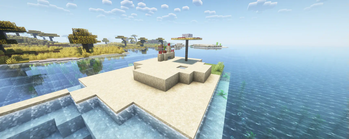
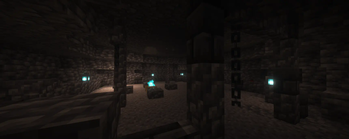
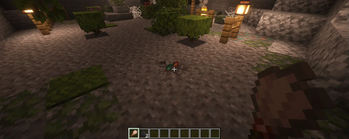
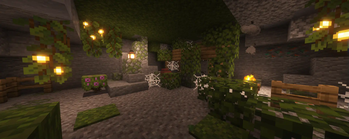
A data-driven mod that adds dig site structures into your world which can do various things over time
Screenshots
About this Mod
Summary
This mod aims to enhance archeology, promote adventure, and provide players access to resources through custom structures that replace gravel and sand with their suspicious counterparts over time. This encourages players to revisit these sites now and then for potential loot.
Potential risks and new types of events/custom behavior are planned for the future.
Customizability
Digsites are designed to be very customizable.
Digsites are defined with a digsite type. Each digsite type has a JSON file that defines the size, the frequency of events, and the kind of events that can occur at a digsite. These JSON files can be included in data packs under worldgen/digsites.
Digsites can be created with commands like createDigsite or can be naturally spawned by including digsite place markers in custom structures using the command placeDigsiteMarker while holding an item to place a marker. These markers are automatically removed when generated into the world.
A default data pack is included with the mod which includes some basic content to play with. This data pack is enabled by default when creating a new world but can be disabled.
Bugs
Feel free to report any issues you find with the mod. This project was a learning process for me :p
Available Versions
How to Install Digsites on Your Server
Order Server
Order a Minecraft Java server with at least 4 GB RAM (6 GB recommended).
Set fabric Loader
In the panel under "Egg", select the fabric loader and matching Minecraft version (1.21.4).
Install Mod
Open the mod browser in the dashboard and search for "Digsites". Click "Install" – done! Alternatively, upload the .jar via SFTP to the /mods folder.
Compatibility
Mod Loaders
Minecraft Versions
1.21.4, 1.21.3, 1.21.2 (+1 more)
Server-side
✓ RequiredRecommended RAM
6 GB(min. 4 GB)Frequently Asked Questions
Digsites server crashes on startup – what to do?
Most common cause: wrong fabric version or insufficient RAM. Check the server log (latest.log) for "OutOfMemoryError" or "Mixin" errors. With Mado Hosting: ensure at least 4 GB RAM is allocated and the loader matches the mod version (1.21.4). You can switch loaders with one click in the panel.
Is Digsites compatible with fabric and neoforge?
Digsites officially supports fabric, neoforge for Minecraft 1.21.4, 1.21.3, 1.21.2. The Mado dashboard automatically detects incompatible loader combinations.
Server lagging with Digsites – how to optimize performance?
Recommended RAM: 6 GB (per 5 players). Use /spark profiler to check if Digsites consumes the most tick time. Common fixes: reduce server view-distance to 8-10, install "performant" or "starlight" as supplementary mods on Forge. With Mado Hosting, your server runs on NVMe SSDs with dedicated CPU cores for minimal latency.
Similar Mods




Rent Modded Server
Install Digsites with just one click on your server.