
Discord-Linker
Easiest Minecraft–Discord link! NO bot setup or configuration files! Add chat bridges, view stats and inventories, run commands and more!
Screenshots
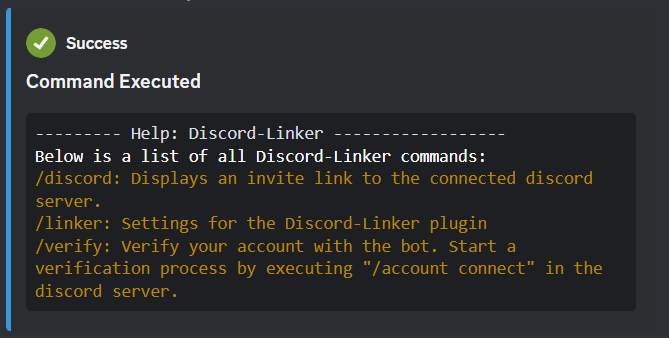
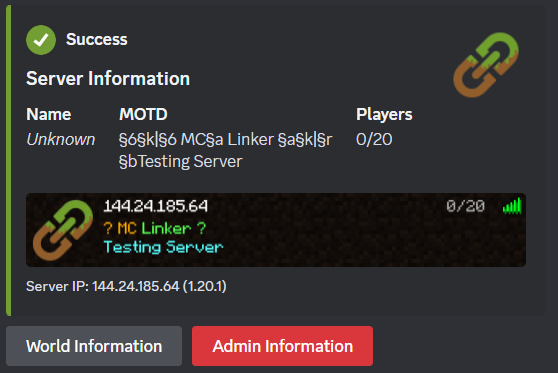
About this Mod
Discord-Linker
The server-side plugin/mod for MC Linker — the easiest way to connect your Minecraft server with Discord.
No custom bot creation or configuration files needed!
Features
- Chat Bridge — Relay messages bidirectionally between Minecraft and Discord
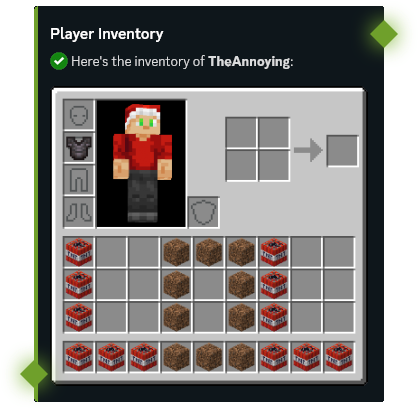
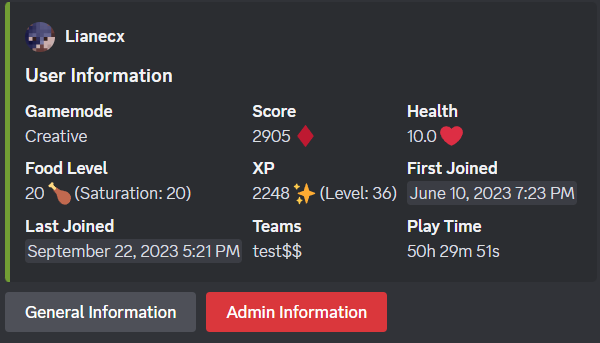
- Player Stats — View player statistics, advancements, and inventories from Discord
- Command Execution — Run Minecraft commands directly from Discord with tab completions
- Server Moderation — Ban, kick, and manage players from Discord
- Account Linking — Connect Discord accounts with Minecraft players
- Status Channels — Display live online player counts in Discord
- Synced Roles — Sync Discord roles with Minecraft teams or LuckPerms groups
- Console Forwarding — Forward your server console output to a Discord channel
Setup
- Invite the MC Linker Discord bot from the App Directory or from Top.gg
- Download the plugin
- Install it on your Minecraft server and restart
- Run
/connect pluginin Discord and follow the instructions - You can now run
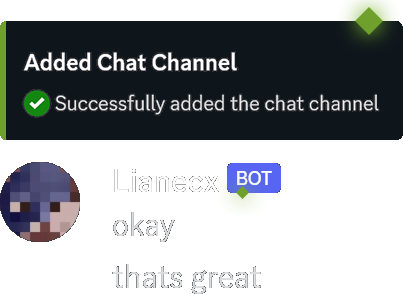
/chatchannel add #channelin Discord to set up a chat bridge
In-Game Commands
| Command | Description |
|---|---|
/linker reload |
Reload configuration and reconnect |
/linker connect <code> |
Connect server to Discord bot |
/linker disconnect |
Disconnect server from Discord |
/linker bot_port [port] |
Get or set the bot port (for custom-bot connections) |
/linker debug |
Toggle debug mode |
/verify <code> |
Verify your Minecraft account with Discord |
/discord |
Get the Discord server invite link |
/dm <user> <message> |
Send a Discord DM to a user (accepts Discord username/id or, if linked, MC username/uuid) |
Plugin Integrations (Hooks)
Discord-Linker supports optional integrations with popular permission plugins to power the Synced Roles feature:
| Hook | Platform | Description |
|---|---|---|
| LuckPerms | All platforms | Sync Discord roles with LuckPerms groups. Supports live group change events. |
| Vault | Spigot only | Sync Discord roles with any Vault-compatible permission plugin's groups. |
If both LuckPerms and Vault are present, LuckPerms takes priority. Vanilla Minecraft teams are used as a fallback when neither hook is available.
Discord Bot Commands
Run /help in Discord for a full list of commands, or check the MC Linker Guide for more details.
Available Versions
How to Install Discord-Linker on Your Server
Order Server
Order a Minecraft Java server with at least 3 GB RAM (4 GB recommended).
Set bukkit Loader
In the panel under "Egg", select the bukkit loader and matching Minecraft version (26.1.2).
Install Mod
Open the mod browser in the dashboard and search for "Discord-Linker". Click "Install" – done! Alternatively, upload the .jar via SFTP to the /mods folder.
Compatibility
Mod Loaders
Minecraft Versions
26.1.2, 26.1.1, 26.1 (+70 more)
Server-side
✗ UnsupportedRecommended RAM
4 GB(min. 3 GB)Frequently Asked Questions
Discord-Linker server crashes on startup – what to do?
Most common cause: wrong bukkit version or insufficient RAM. Check the server log (latest.log) for "OutOfMemoryError" or "Mixin" errors. With Mado Hosting: ensure at least 3 GB RAM is allocated and the loader matches the mod version (26.1.2). You can switch loaders with one click in the panel.
Is Discord-Linker compatible with bukkit and fabric and forge and neoforge and paper and purpur and spigot?
Discord-Linker officially supports bukkit, fabric, forge, neoforge, paper, purpur, spigot for Minecraft 26.1.2, 26.1.1, 26.1. Note: Forge and Fabric mods are NOT cross-compatible – pick one loader and stick with it. The Mado dashboard automatically detects incompatible loader combinations.
Server lagging with Discord-Linker – how to optimize performance?
Recommended RAM: 4 GB (per 8 players). Use /spark profiler to check if Discord-Linker consumes the most tick time. Common fixes: reduce server view-distance to 8-10, install "performant" or "starlight" as supplementary mods on Forge. With Mado Hosting, your server runs on NVMe SSDs with dedicated CPU cores for minimal latency.
Similar Mods






Rent Modded Server
Install Discord-Linker with just one click on your server.
Details
- License
- Creative Commons Attribution Non Commercial 4.0 International
- Server-side
- Unsupported