
DiscordLoom
Create a direct link between your Minecraft and Discord servers with DiscordLoomConnect, ensuring only whitelisted players have access.
Screenshots


About this Mod
DiscordLoom is a mod designed to merge the diverse functionalities of Discord with the Minecraft server whitelist, enhancing the efficiency of administrative actions.
The main focus of DiscordLoom is to facilitate efficient integration of the gaming and communication platforms, ensuring that only authorized, whitelisted players can access the server, hence providing a secure and cooperative gameplay environment.
Key Features
Discord Role Synchronization: This mod allows for the automatic syncing of roles between Discord and LuckPerms. For instance, if a player is promoted to a new role on Discord, they will also receive this new role in LuckPerms.
Mandatory Voice Channel: DiscordLoom also features a mandatory voice channel requirement, ensuring that all whitelisted players are also part of the voice chat in Discord which further promotes cooperation and communication.
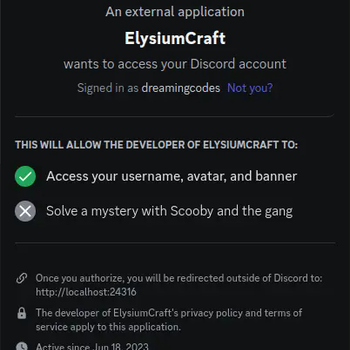
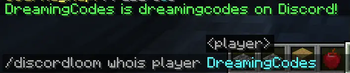
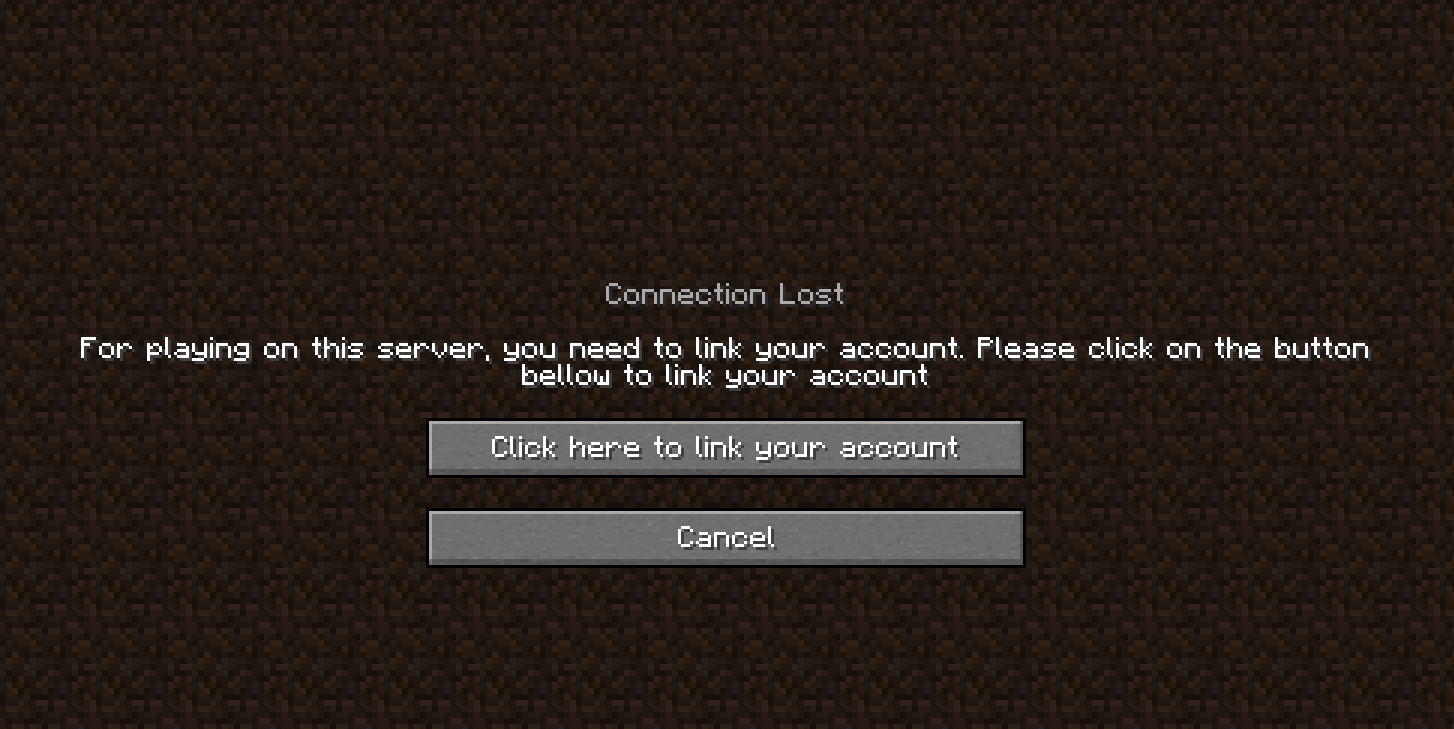
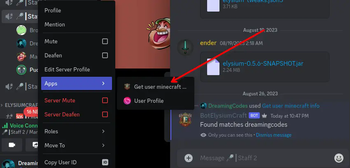
In-Game Link Process: All necessary linking processes are integrated in-game, making it easy for players to connect their Discord accounts with their respective Minecraft server accounts.
Ban sync: Minecraft banned players get banned also on discord. BanHammer is also supported
In the future, it will also link the Discord chat to offer a more immersing experience.
Required Mods
- [SERVER] LuckPerms: for the enhanced functionality of permissions management.
Experience a whole new gaming environment with DiscordLoomConnect, where communication and gameplay overlap for a better gaming experience.
Available Versions
How to Install DiscordLoom on Your Server
Order Server
Order a Minecraft Java server with at least 3 GB RAM (4 GB recommended).
Set fabric Loader
In the panel under "Egg", select the fabric loader and matching Minecraft version (1.21.1).
Install Mod
Open the mod browser in the dashboard and search for "DiscordLoom". Click "Install" – done! Alternatively, upload the .jar via SFTP to the /mods folder.
Compatibility
Mod Loaders
Minecraft Versions
1.21.1, 1.21, 1.20.6 (+9 more)
Server-side
✓ RequiredRecommended RAM
4 GB(min. 3 GB)Frequently Asked Questions
DiscordLoom server crashes on startup – what to do?
Most common cause: wrong fabric version or insufficient RAM. Check the server log (latest.log) for "OutOfMemoryError" or "Mixin" errors. With Mado Hosting: ensure at least 3 GB RAM is allocated and the loader matches the mod version (1.21.1). You can switch loaders with one click in the panel.
Is DiscordLoom compatible with fabric and quilt?
DiscordLoom officially supports fabric, quilt for Minecraft 1.21.1, 1.21, 1.20.6. The Mado dashboard automatically detects incompatible loader combinations.
Server lagging with DiscordLoom – how to optimize performance?
Recommended RAM: 4 GB (per 8 players). Use /spark profiler to check if DiscordLoom consumes the most tick time. Common fixes: reduce server view-distance to 8-10, install "performant" or "starlight" as supplementary mods on Forge. With Mado Hosting, your server runs on NVMe SSDs with dedicated CPU cores for minimal latency.
Similar Mods






Rent Modded Server
Install DiscordLoom with just one click on your server.