
Disintegrator
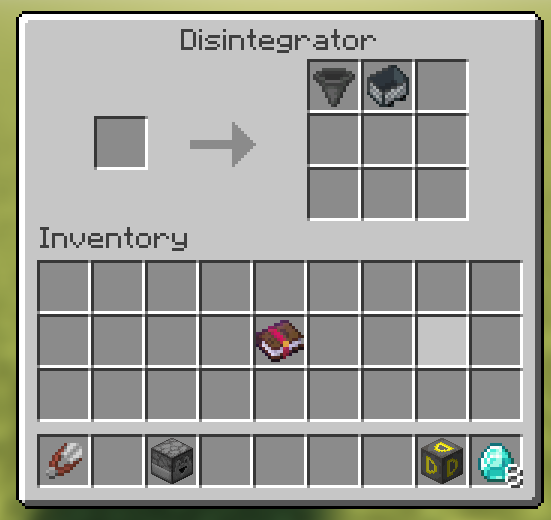
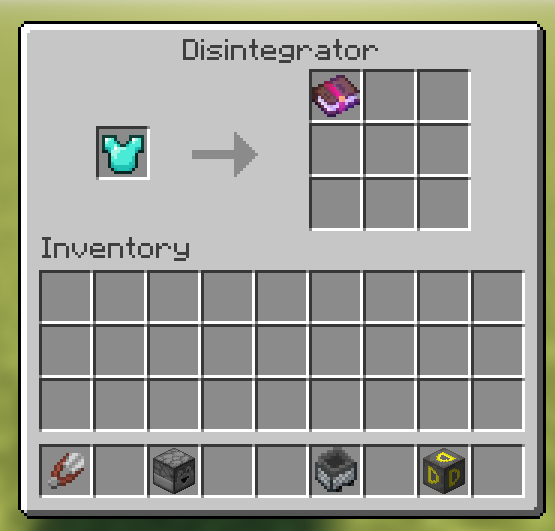
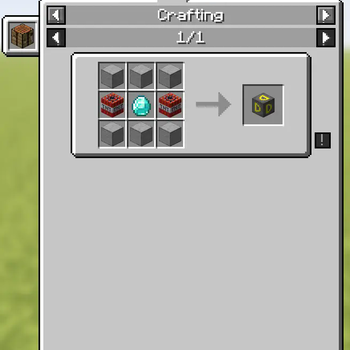
Disintegrator mod allows you to get ingredients back from items. You can also transfer enchantments from tools & armor to books.
Screenshots
About this Mod
Introducing the Disintegrator mod for Minecraft, a powerful tool that revolutionizes item management and enchantment transfer. With the Disintegrator, you gain the ability to break down items into their craftable parts, providing a new level of resource management and recycling in your Minecraft world. No longer will your inventory be cluttered with unused items. Simply place an item into the Disintegrator and watch as it disintegrates, yielding its constituent materials for future use in crafting.
But that's not all! The Disintegrator goes beyond mere item breakdown. It also offers a unique solution for enchantment preservation. When you have enchanted tools, armor, or weapons that have served their purpose, the Disintegrator allows you to remove those enchantments and transfer them onto books. This way, you can preserve the valuable enchantments and use them later on other items, creating a powerful arsenal of enchanted gear.
With the Disintegrator mod, you have the power to streamline your inventory, reduce waste, and make the most of your enchantments. Unleash your creativity and resourcefulness as you embark on new adventures in the vast Minecraft universe!
Available Versions
How to Install Disintegrator on Your Server
Order Server
Order a Minecraft Java server with at least 3 GB RAM (4 GB recommended).
Set fabric Loader
In the panel under "Egg", select the fabric loader and matching Minecraft version (1.20.1).
Install Mod
Open the mod browser in the dashboard and search for "Disintegrator". Click "Install" – done! Alternatively, upload the .jar via SFTP to the /mods folder.
Compatibility
Mod Loaders
Minecraft Versions
1.20.1, 1.20, 1.19.4
Server-side
✓ RequiredRecommended RAM
4 GB(min. 3 GB)Frequently Asked Questions
Disintegrator server crashes on startup – what to do?
Most common cause: wrong fabric version or insufficient RAM. Check the server log (latest.log) for "OutOfMemoryError" or "Mixin" errors. With Mado Hosting: ensure at least 3 GB RAM is allocated and the loader matches the mod version (1.20.1). You can switch loaders with one click in the panel.
Is Disintegrator compatible with fabric?
Disintegrator officially supports fabric for Minecraft 1.20.1, 1.20, 1.19.4. The Mado dashboard automatically detects incompatible loader combinations.
Server lagging with Disintegrator – how to optimize performance?
Recommended RAM: 4 GB (per 8 players). Use /spark profiler to check if Disintegrator consumes the most tick time. Common fixes: reduce server view-distance to 8-10, install "performant" or "starlight" as supplementary mods on Forge. With Mado Hosting, your server runs on NVMe SSDs with dedicated CPU cores for minimal latency.
Similar Mods






Rent Modded Server
Install Disintegrator with just one click on your server.