
Dispenser Breeding
Automate Animal breeding via dispensers
Screenshots
About this Mod
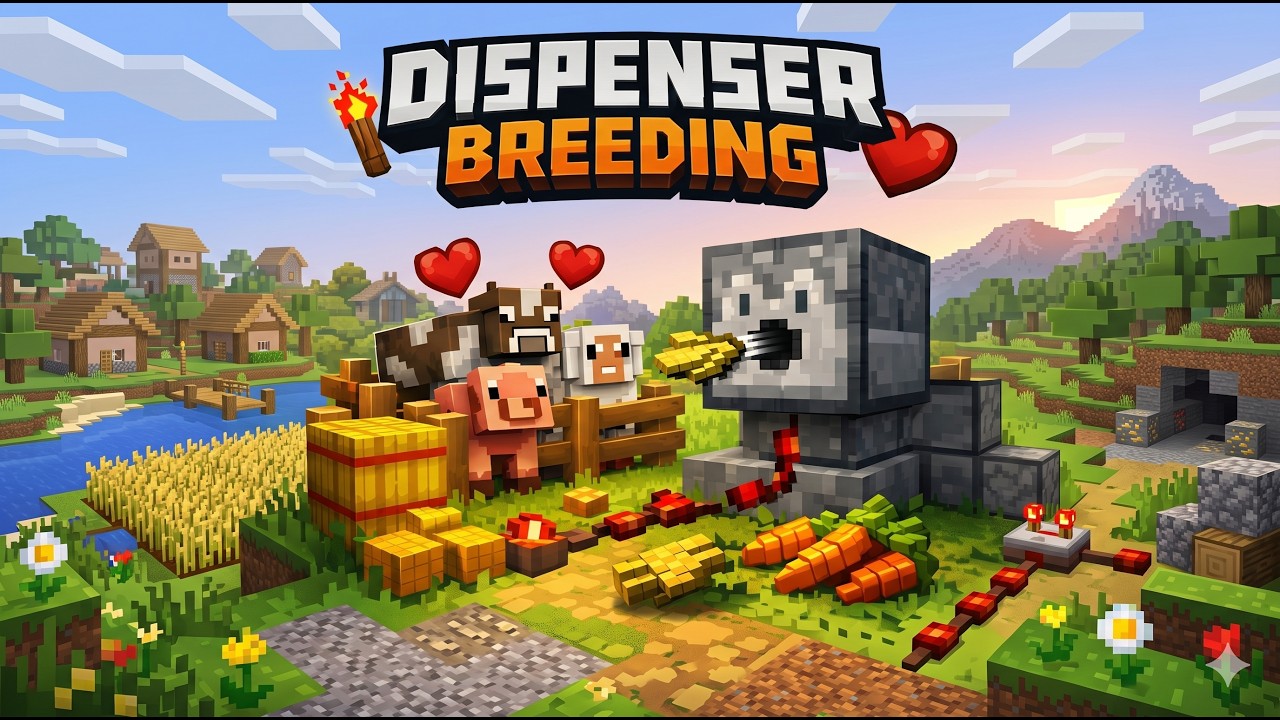
Automate Animal breeding via dispensers.




🐄 Dispenser Breeding
Dispenser Breeding adds simple, server-side breeding automation to Minecraft (Server Side Only).
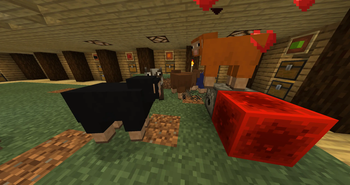
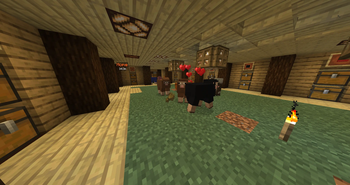
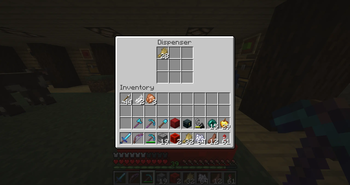
Dispensers can instantly feed nearby animals using their normal breeding food, and animals can also detect valid breeding items dropped on the ground, walk to them, and consume them automatically.
The result is a breeding system that feels vanilla, works naturally in farms, and requires no client-side installation.
🧠 Example use cases
- 🏭 Fully automated animal breeding pens
- ⚡ Redstone-powered breeding systems
- 🌾 Semi-automatic farms where food is dropped into enclosures
- 🐑 Passive breeding setups without manual feeding
✨ Features
🐑 Works with vanilla breeding rules
Animals only respond to their normal breeding food.⚡ Dispenser-based breeding
If a dispenser fires a valid breeding item at a nearby animal, the animal is fed instantly.🌾 Ground item breeding
Animals detect dropped breeding food, walk to it, consume one item, and enter love mode.🐄 Supports all standard animals
Cows, sheep, pigs, chickens, and more — no setup required.🖥️ Server-side only
No client install needed.⚙️ Configurable
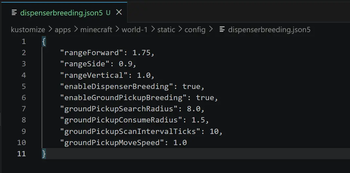
Behaviour can be tuned via a JSON5 config file.
🔧 How it works
Dispenser feeding
When a dispenser fires:
- If a nearby animal can be bred → it is fed instantly
- Otherwise → the item is dispensed normally
Ground item feeding
Animals will:
- Detect nearby breeding items
- Walk towards valid food
- Consume one item from the stack
- Enter love mode ❤️
Works with:
- Dispenser-dropped items
- Player-dropped items
📦 Installation
Requirements
- Minecraft: 26.1
- Loader: Fabric
- Dependency: Fabric API
Standard installation
- Install Fabric
- Download the mod → https://modrinth.com/mod/dispenser-breeding
- Drop the
.jarinto yourmodsfolder - Ensure Fabric API is installed
- Start your game/server
🐳 Docker (itzg/minecraft-server)
- name: VERSION
  value: "26.1.2"
- name: TYPE
  value: "FABRIC"
- name: MODRINTH_PROJECTS
  value: |
    fabric-api
    dispenserbreeding
⚙️ Configuration
A config file is generated automatically:
config/dispenserbreeding.json5
You can tweak:
- 🔭 Dispenser range
- 🐄 Enable/disable breeding features
- 🌾 Ground item detection radius
- ⚡ Movement speed & scan frequency
📥 Download
- Modrinth → https://modrinth.com/mod/dispenser-breeding
- GitHub → https://github.com/mattcoulter7/dispenser-breeding
🚧 Development status
Supported versions:
- 26.1
- 26.1.1
- 26.1.2
Built and published automatically via GitHub Actions.
❤️ Credits
Built with Fabric and designed to feel as close to vanilla as possible.
Available Versions
How to Install Dispenser Breeding on Your Server
Order Server
Order a Minecraft Java server with at least 3 GB RAM (4 GB recommended).
Set fabric Loader
In the panel under "Egg", select the fabric loader and matching Minecraft version (26.1.2).
Install Mod
Open the mod browser in the dashboard and search for "Dispenser Breeding". Click "Install" – done! Alternatively, upload the .jar via SFTP to the /mods folder.
Compatibility
Mod Loaders
Minecraft Versions
26.1.2, 26.1.1, 26.1
Server-side
✓ RequiredRecommended RAM
4 GB(min. 3 GB)Frequently Asked Questions
Dispenser Breeding server crashes on startup – what to do?
Most common cause: wrong fabric version or insufficient RAM. Check the server log (latest.log) for "OutOfMemoryError" or "Mixin" errors. With Mado Hosting: ensure at least 3 GB RAM is allocated and the loader matches the mod version (26.1.2). You can switch loaders with one click in the panel.
Is Dispenser Breeding compatible with fabric?
Dispenser Breeding officially supports fabric for Minecraft 26.1.2, 26.1.1, 26.1. The Mado dashboard automatically detects incompatible loader combinations.
Server lagging with Dispenser Breeding – how to optimize performance?
Recommended RAM: 4 GB (per 8 players). Use /spark profiler to check if Dispenser Breeding consumes the most tick time. Common fixes: reduce server view-distance to 8-10, install "performant" or "starlight" as supplementary mods on Forge. With Mado Hosting, your server runs on NVMe SSDs with dedicated CPU cores for minimal latency.
Similar Mods



Rent Modded Server
Install Dispenser Breeding with just one click on your server.