
Dive Into the Abyss
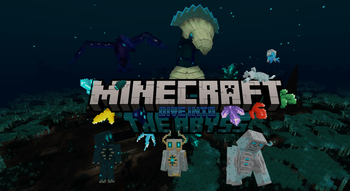
Venture into a dark new dimension born of a fallen Ancient Civilization, uncover the deep secrets lurking beneath its shadows, and brave the Temples, the Ancient City, and its Citadel as you choose whether to resist the Corruption… or join it.
Screenshots
About this Mod

Overview
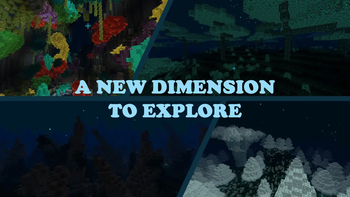
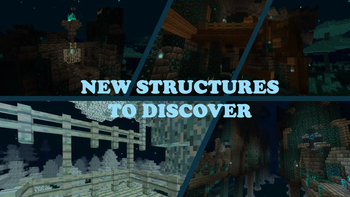
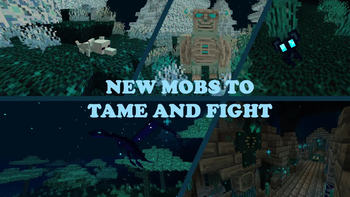
The Abyss is a dark and mysterious place, filled with ancient ruins of a long-gone civilization. The player will have to explore the Abyss to find new resources, new mobs, new structures, and defeat the Contagion!
This mod adds a new dimension revolving around the ancient city ambiance, adding unique lore and
gameplay mechanics. The new dimension Abyss is intended to be reached after the End to offer the player
a new challenge and a new experience. The Abyss is a dark and mysterious place, filled with ancient ruins
of a long-gone civilization. The player will have to explore the Abyss to find new resources, new mobs, and
new structures.
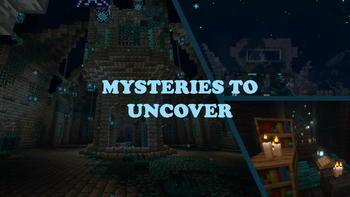
Where does the corruption come from ? What is the Radiance that seems to fight the darkness ?
Will you choose to fight the darkness or to become a part of it ?
How to enter The Abyss
To join the abyss, jump into the void under any vanilla dimension. See more ways to enter the Abyss.
Specifications
Recommended version: 1.1.X Neoforge 1.21.1
Minecraft: 1.20.4 - 1.21.3
Mod Loader: Forge, Neoforge
Available langages: English ; Français
New content is already in progress... Stay tuned!
Links
For more information, go check the wiki: Dive Into The Abyss: Abyss Github Wiki
To report bug or suggest new ideas, you can directly open an issue on the github: Abyss Github: issue
Download on Curse Forge
Available Versions
How to Install Dive Into the Abyss on Your Server
Order Server
Order a Minecraft Java server with at least 4 GB RAM (6 GB recommended).
Set forge Loader
In the panel under "Egg", select the forge loader and matching Minecraft version (1.21.3).
Install Mod
Open the mod browser in the dashboard and search for "Dive Into the Abyss". Click "Install" – done! Alternatively, upload the .jar via SFTP to the /mods folder.
Compatibility
Mod Loaders
Minecraft Versions
1.21.3, 1.21.1, 1.21 (+2 more)
Server-side
✓ RequiredRecommended RAM
6 GB(min. 4 GB)Frequently Asked Questions
Dive Into the Abyss server crashes on startup – what to do?
Most common cause: wrong forge version or insufficient RAM. Check the server log (latest.log) for "OutOfMemoryError" or "Mixin" errors. With Mado Hosting: ensure at least 4 GB RAM is allocated and the loader matches the mod version (1.21.3). You can switch loaders with one click in the panel.
Is Dive Into the Abyss compatible with forge and neoforge?
Dive Into the Abyss officially supports forge, neoforge for Minecraft 1.21.3, 1.21.1, 1.21. The Mado dashboard automatically detects incompatible loader combinations.
Server lagging with Dive Into the Abyss – how to optimize performance?
Recommended RAM: 6 GB (per 5 players). Use /spark profiler to check if Dive Into the Abyss consumes the most tick time. Common fixes: reduce server view-distance to 8-10, install "performant" or "starlight" as supplementary mods on Forge. With Mado Hosting, your server runs on NVMe SSDs with dedicated CPU cores for minimal latency.
Similar Mods




Rent Modded Server
Install Dive Into the Abyss with just one click on your server.