
Divine Relics
God of War content in Minecraft!
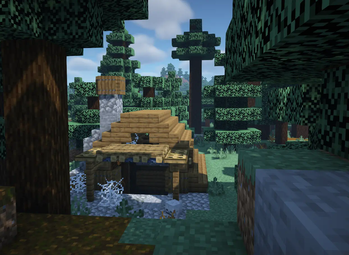
Screenshots
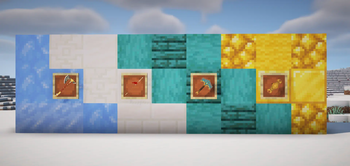

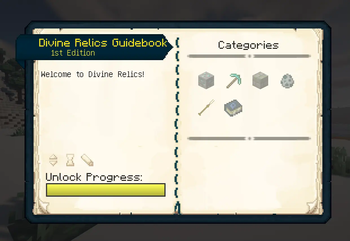
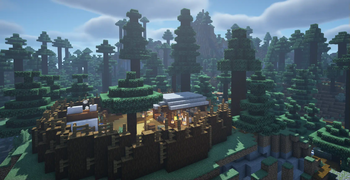
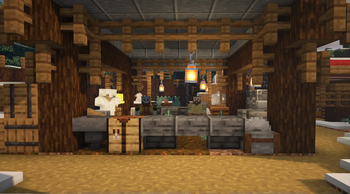
About this Mod

“The nature of a thing is more important than the form of a thing.” — Brok
Mod's trailer:
Warning: If you play with shaders via Oculus, make sure to also download Iris/Oculus & GeckoLib Compat, otherwise you won't be able to see Divine Relics mob animations!
Dependencies: Divine Relics requires Patchouli and GeckoLib!
Divine Relics is an adventure mod that introduces content from the God of War games into Minecraft, focusing mainly on the last two games set in the Norse pantheon.
Uncover hidden structures and ancient dungeons, discover and mine rare, long-forgotten ores, craft extraordinary tools, wield legendary weapons and relics, encounter formidable enemies, and engage in epic boss fights that challenge your skills and strategy!
Mod's features:
- A complete guidebook with the lore explanation
- Detailed config covering many aspects of the mod allowing easy customization for players
- Custom structures and dungeons
- New ores and tool tiers
- Legendary weapons and relics from the games with new combat mechanics
- Mobs and bosses with custom animations
The mod is currently available only on Forge, but it may receive a Fabric update in the future.
Credits
Huge shoutout to the following people who helped creating this project a lot:
- My best friend Caranthir who helped with testing, building, and provided various ideas.
- Szombie for the beautiful Leviathan Axe, Draupnir Spear, Mjölnir, and Guardian Shield models! You should definitely check out his other works — this guy is a genius.
How can I start?
Survival Mode
Upon spawning into the world, you receive a guidebook on Divine Relics. Dive into its pages to familiarize yourself with its contents. Progress through your adventure to gradually unveil new information and notes, ultimately leading you to all the legendary relics!Creative Mode
If you're looking to quickly explore the mod's features without diving into extended gameplay, simply grant yourself all the achievements from Divine Relics with the following command:/advancement grant @p from divinerelics:root
This will unlock all the information in the guidebook, allowing you to discover and read about everything the mod has to offer right away.
Available Versions
How to Install Divine Relics on Your Server
Order Server
Order a Minecraft Java server with at least 3 GB RAM (4 GB recommended).
Set forge Loader
In the panel under "Egg", select the forge loader and matching Minecraft version (1.19.2).
Install Mod
Open the mod browser in the dashboard and search for "Divine Relics". Click "Install" – done! Alternatively, upload the .jar via SFTP to the /mods folder.
Compatibility
Mod Loaders
Minecraft Versions
1.19.2
Server-side
✓ RequiredRecommended RAM
4 GB(min. 3 GB)Frequently Asked Questions
Divine Relics server crashes on startup – what to do?
Most common cause: wrong forge version or insufficient RAM. Check the server log (latest.log) for "OutOfMemoryError" or "Mixin" errors. With Mado Hosting: ensure at least 3 GB RAM is allocated and the loader matches the mod version (1.19.2). You can switch loaders with one click in the panel.
Is Divine Relics compatible with forge?
Divine Relics officially supports forge for Minecraft 1.19.2. The Mado dashboard automatically detects incompatible loader combinations.
Server lagging with Divine Relics – how to optimize performance?
Recommended RAM: 4 GB (per 8 players). Use /spark profiler to check if Divine Relics consumes the most tick time. Common fixes: reduce server view-distance to 8-10, install "performant" or "starlight" as supplementary mods on Forge. With Mado Hosting, your server runs on NVMe SSDs with dedicated CPU cores for minimal latency.
Similar Mods




Rent Modded Server
Install Divine Relics with just one click on your server.