
Diary of an 8-Bit Warrior
Experience Aetheria like a Terrarian! Complete quests, kill bosses, and level up your skills! Maybe you'll even meet Runt and his friends…
Screenshots
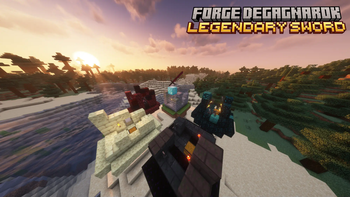
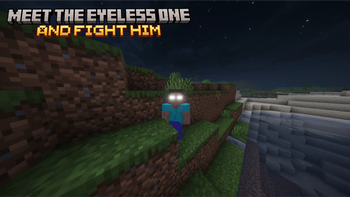
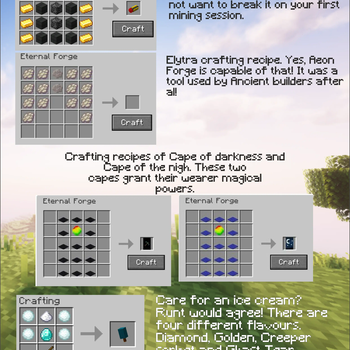
About this Mod

Diary of an 8-Bit Warrior, coming to Minecraft
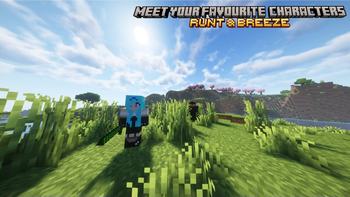
Ever dreamed of playing in Aetheria next to Runt, Breeze, and their friends? It's now possible! Will you be a hero like Kolb or a minion of the evil, serving Herobrine?
That's up to you in this RPG-like mod, a recreation of the universe from the popular book series Diary of an 8-Bit Warrior by Cube Kid.

Join us on Discord!
Check our other links!
Aetheria, playable.

In Team Minus, we're are all fans of the book series, and wanted, like you, to play in this universe like Kolb or Ione used to. With this idea in mind, we decided to make this experience a reality and share it with other players so their dreams can come true!
We base ourselves as much as possible on the original books written by Cube Kid, and plan to include all the content we can see in the Aetherian universe in this mod.
The features are developed on our free time, so it might take time to update, please forgive us! If you want to keep in touch with us, join our Discord!
Lost?
Don't worry, it might not be easy to really know what to do at first.
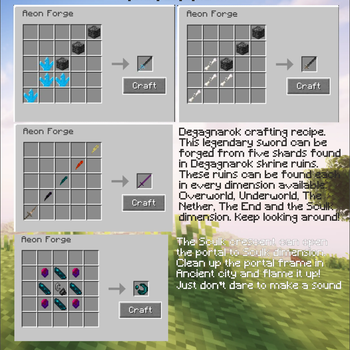
Our mod adds new gear (tools, weapons, armors, more?) that you can try to get to defeat the evil, Herobrine, in an peic boss fight!
Of course, quests will guide you in your long jounrey to become the savior of Aetheria. (feature not implemented yet)
All content will be available on our wiki and is availble to read on the Curseforge page.
Installation Troubleshooting
For the best experience, follow this installation tutorial.
- Download and install the Modrinth App.
- Create a new instance in version Neoforge 1.21.1 Stable (if you don't see an option for Stable, keep it that way) (Neoforge 21.1.209)
- Open the "Install content" menu.
- In the "Mods" section, search for "Diary of an 8-Bit Warrior" an click "Install"
- Go back to the instance. Curios API and Geckolib should have automatically been installed as well. If not, go back to manually install them
- Optionally, for better performance, we recommend using Sodium and Lithium.
It is not recommended to play using Optifine, as it is known to break other mods. We provide no official support for players using deprecated versions of the mod (Latest: 2.2, MC 1.21.1, NF 21.1.209)
Licensing
© 2025 Team Minus - All Rights Reserved, unless otherwise specified.
This project is an independent creation based on Cube Kid's book series Diary of an 8-Bit Warrior and its spinoffs and is not affiliated with or endorsed by Cube Kid, Minecraft, Mojang Studios, or Microsoft. All rights to the original works remain with their respective owners.
Poverty and famine - © Adam Sporka - Kingdom Come Deliverance Original soundtrack
"Wario" - © Nintendo - "Wario" is a trademark owned by Nintendo
Alagard font - © Hewett Tsoi
Available Versions
How to Install Diary of an 8-Bit Warrior on Your Server
Order Server
Order a Minecraft Java server with at least 3 GB RAM (4 GB recommended).
Set forge Loader
In the panel under "Egg", select the forge loader and matching Minecraft version (1.21.1).
Install Mod
Open the mod browser in the dashboard and search for "Diary of an 8-Bit Warrior". Click "Install" – done! Alternatively, upload the .jar via SFTP to the /mods folder.
Compatibility
Mod Loaders
Minecraft Versions
1.21.1, 1.20.1
Server-side
✓ RequiredRecommended RAM
4 GB(min. 3 GB)Frequently Asked Questions
Diary of an 8-Bit Warrior server crashes on startup – what to do?
Most common cause: wrong forge version or insufficient RAM. Check the server log (latest.log) for "OutOfMemoryError" or "Mixin" errors. With Mado Hosting: ensure at least 3 GB RAM is allocated and the loader matches the mod version (1.21.1). You can switch loaders with one click in the panel.
Is Diary of an 8-Bit Warrior compatible with forge and neoforge?
Diary of an 8-Bit Warrior officially supports forge, neoforge for Minecraft 1.21.1, 1.20.1. The Mado dashboard automatically detects incompatible loader combinations.
Server lagging with Diary of an 8-Bit Warrior – how to optimize performance?
Recommended RAM: 4 GB (per 8 players). Use /spark profiler to check if Diary of an 8-Bit Warrior consumes the most tick time. Common fixes: reduce server view-distance to 8-10, install "performant" or "starlight" as supplementary mods on Forge. With Mado Hosting, your server runs on NVMe SSDs with dedicated CPU cores for minimal latency.
Similar Mods




Rent Modded Server
Install Diary of an 8-Bit Warrior with just one click on your server.