
Donations
Adds donation events to Minecraft
Screenshots
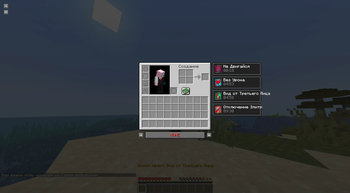
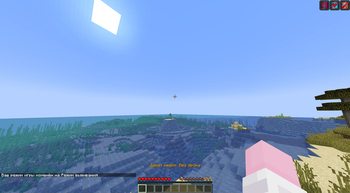
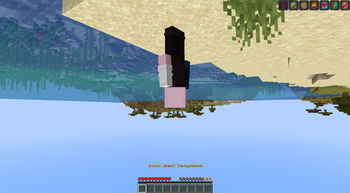
About this Mod
Donations mod is an innovative Minecraft add-on designed specifically to support streamers in their content. This mod provides unique in-game events and effects that are activated automatically when donations are received through the DonationAlerts platform.
Mod features
Events and Effects: The Donations Mod introduces a variety of events and effects into the game that create interesting and unique moments during the broadcast.
Easy Control: The mod provides a simple plug and play mechanism. To enable or disable the mod, the streamer can use the key bindings in the key settings.
Informative Messages: Important notifications and messages related to the state of the mod are displayed in the game. For example, "Connected" and "Disconnected" report the current state of the connection to DonationAlerts.
Event Settings: The mod provides the streamer with the ability to customize events and effects. This allows you to adapt the gaming experience in accordance with the level of donation.
Unique Effects: The mod provides a range of unique effects, including damage cancellation, special cameras, control changes, temporal slowdown, and more.
List of available events and effects
Damage cancellation
Dropping an item
Bows off
Jump off
Mobs off
Limiting communication with friends
Screamer
Slow motion
Cinematic camera
Blocking character movement
Switch to third person view
Screen flip
Reverse control
Server Kick
Turning off the elytra
Add effect
Change control
How to use?
1. Use the command /donations token
2. Set the bind key to connect and disconnect in minecraft settings.
3. Activate the connect key and play.
Available Versions
How to Install Donations on Your Server
Order Server
Order a Minecraft Java server with at least 3 GB RAM (4 GB recommended).
Set fabric Loader
In the panel under "Egg", select the fabric loader and matching Minecraft version (1.21.8).
Install Mod
Open the mod browser in the dashboard and search for "Donations". Click "Install" – done! Alternatively, upload the .jar via SFTP to the /mods folder.
Compatibility
Mod Loaders
Minecraft Versions
1.21.8, 1.21.7, 1.21.6 (+4 more)
Server-side
✗ UnsupportedRecommended RAM
4 GB(min. 3 GB)Frequently Asked Questions
Donations server crashes on startup – what to do?
Most common cause: wrong fabric version or insufficient RAM. Check the server log (latest.log) for "OutOfMemoryError" or "Mixin" errors. With Mado Hosting: ensure at least 3 GB RAM is allocated and the loader matches the mod version (1.21.8). You can switch loaders with one click in the panel.
Is Donations compatible with fabric and quilt?
Donations officially supports fabric, quilt for Minecraft 1.21.8, 1.21.7, 1.21.6. The Mado dashboard automatically detects incompatible loader combinations.
Server lagging with Donations – how to optimize performance?
Recommended RAM: 4 GB (per 8 players). Use /spark profiler to check if Donations consumes the most tick time. Common fixes: reduce server view-distance to 8-10, install "performant" or "starlight" as supplementary mods on Forge. With Mado Hosting, your server runs on NVMe SSDs with dedicated CPU cores for minimal latency.
Similar Mods




Rent Modded Server
Install Donations with just one click on your server.