
Dreambound
A balanced KeepInventory alternative that saves your gear when you sleep.
Screenshots
About this Mod
🌙 Dreambound
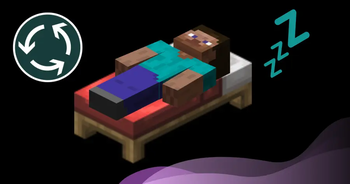
A balanced KeepInventory alternative where beds act as true checkpoints - respawn with your saved gear intact, dropping only the new loot you gathered on your run.
Are you tired of the zero-stakes gameplay of keepInventory, but frustrated by the punishing setbacks of vanilla death drops? Dreambound bridges the gap by turning Minecraft into a soft extraction survival experience.
Note: Dreambound is 100% Server-Side. Your players do not need to install this mod on their clients to play! Works with singleplayer as well.
How It Works
Dreambound changes how players approach exploration and risk:
- The Checkpoint: When you successfully sleep in a bed (or set your spawn with a fully-charged Respawn Anchor in the Nether), Dreambound takes a hidden "snapshot" of your exact inventory and experience level.
- The Adventure: Go explore, mine, and fight knowing your core loadout is safe.
- The Nightmare: If you die, your world state rolls back to the snapshot. You will wake up in your bed holding the exact gear you had when you went to sleep.
- The Leftovers: Any new loot, blocks, or items you picked up after your snapshot will be dropped at your death coordinate for you to go retrieve.
Balanced & Exploit-Free
Dreambound isn't a blind rollback, it uses strict state-intersection math to ensure players cannot duplicate items or get free repairs.
- No Item Duplication: If you sleep holding a Diamond Block, place it in the world, and then die, you will wake up with 0 Diamond Blocks. You only keep what you didn't consume.
- No Free Repairs: Wear and tear is permanent. If you sleep with a brand-new sword and heavily damage it during your adventure before dying, you will wake up with that same damaged sword.
- XP Rollbacks: You will respawn with the exact XP you had when you slept. Any extra XP you gained during the run is dropped at your death location.
Universal Graves Compatibility
Dreambound features native, seamless compatibility with Universal Graves (unaffiliated).
If both mods are installed, they work together perfectly: the gear from your dream snapshot stays safely in your inventory, while all of your newly gathered loot is neatly packed into a grave at your death location.
Trinkets Updated Compatibility
Dreambound also supports Trinkets Updated (unaffiliated) when installed. Trinket slots are included in your dream snapshot just like your main inventory — forfeited trinkets drop at your death location, and your snapshot trinkets are restored to their correct slots on respawn.
Commands
Dreambound includes built-in commands to easily manage snapshots and server configurations:
/dreambound status— Shows you your current dream snapshot status (how many item slots and XP are saved)./dreambound status <player>— (Requires OP) Checks the snapshot status of a specific player./dreambound reload— (Requires OP) Reloads the configuration file without requiring a server restart.
Configurable
dreambound.properties lets you tweak:
- Enable/Disable bed or respawn anchor snapshots individually.
- Toggle XP restoration, or set an "Experience Loss Percentage" (e.g., lose 10% of your saved XP on death as a penalty).
- Toggle player chat notifications so players know exactly when their dream state is saved or restored.
- Enable/Disable the Universal Graves integration.
- Enable/Disable snapshot deletion when a bed or respawn anchor is destroyed.
Installation & Dependencies
Drop the .jar into your server's mods folder.
Required Dependencies:
Optional Dependencies:
- Universal Graves — grave integration
- Trinkets Updated — trinket slot protection
Dreambound is licensed under the MIT License.
Available Versions
How to Install Dreambound on Your Server
Order Server
Order a Minecraft Java server with at least 3 GB RAM (4 GB recommended).
Set fabric Loader
In the panel under "Egg", select the fabric loader and matching Minecraft version (26.1.2).
Install Mod
Open the mod browser in the dashboard and search for "Dreambound". Click "Install" – done! Alternatively, upload the .jar via SFTP to the /mods folder.
Compatibility
Mod Loaders
Minecraft Versions
26.1.2, 26.1.1, 26.1
Server-side
✓ RequiredRecommended RAM
4 GB(min. 3 GB)Frequently Asked Questions
Dreambound server crashes on startup – what to do?
Most common cause: wrong fabric version or insufficient RAM. Check the server log (latest.log) for "OutOfMemoryError" or "Mixin" errors. With Mado Hosting: ensure at least 3 GB RAM is allocated and the loader matches the mod version (26.1.2). You can switch loaders with one click in the panel.
Is Dreambound compatible with fabric?
Dreambound officially supports fabric for Minecraft 26.1.2, 26.1.1, 26.1. The Mado dashboard automatically detects incompatible loader combinations.
Server lagging with Dreambound – how to optimize performance?
Recommended RAM: 4 GB (per 8 players). Use /spark profiler to check if Dreambound consumes the most tick time. Common fixes: reduce server view-distance to 8-10, install "performant" or "starlight" as supplementary mods on Forge. With Mado Hosting, your server runs on NVMe SSDs with dedicated CPU cores for minimal latency.
Similar Mods




Rent Modded Server
Install Dreambound with just one click on your server.