
Drone Works
Automated agricultural drones capable of harvesting your crops and storing resources
Screenshots
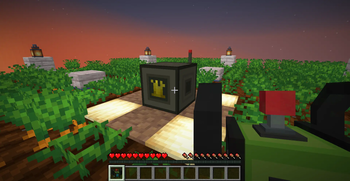
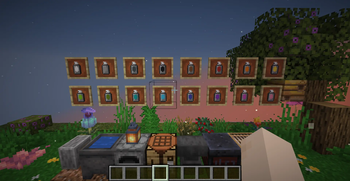
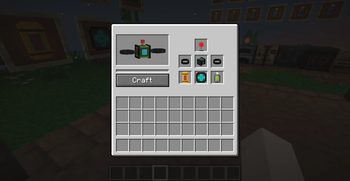
About this Mod

About
Drone Works is a Minecraft Fabric 1.21.8 mod that adds smart agricultural drones to automate your farming.
Farming is relaxing... but repetitive.
With Drone Works, you can craft drones that automatically harvest your carrots, wheat, potatoes, and beets, letting you focus on building, exploring, or trading instead.
Simply craft a drone using the Box Block, link it to a Station, and it will harvest crops within a 10-block radius, automatically depositing everything into the station’s inventory.
Stations are fully Hopper-compatible, allowing complete automation.
Sit back, relax, and let your drones handle the hard work . ✨
Features
Smart Farming
- Automatically harvests mature carrots, wheat, potatoes, and beets
- Works in a 10-block radius around the station
Customizable Drones
- Choose from 16 colors using Paint Bombs
- Crafted easily in the Box Block
Station System
- Stores all harvested crops
- Fully Hopper-compatible
Lightweight & Easy
- Simple to set up
- Optimized and fits perfectly into any automated base
Compatibility
| Minecraft | Loader | Status | Notes |
|---|---|---|---|
| 1.21.8 | Fabric | ✅ Supported | Recommended version |
| 1.21.x | Fabric | ⚠️ Planned | Use Minecraft 1.21.8 or higher |
| < 1.21 | — | ❌ Not supported | Use Minecraft 1.21.8 or higher |
Screenshots / Media
📸 Coming soon
Credits & License
👤 Developed by Xen0r-star
📄 License: MIT
Available Versions
How to Install Drone Works on Your Server
Order Server
Order a Minecraft Java server with at least 3 GB RAM (4 GB recommended).
Set fabric Loader
In the panel under "Egg", select the fabric loader and matching Minecraft version (1.21.8).
Install Mod
Open the mod browser in the dashboard and search for "Drone Works". Click "Install" – done! Alternatively, upload the .jar via SFTP to the /mods folder.
Compatibility
Mod Loaders
Minecraft Versions
1.21.8
Server-side
✗ UnsupportedRecommended RAM
4 GB(min. 3 GB)Frequently Asked Questions
Drone Works server crashes on startup – what to do?
Most common cause: wrong fabric version or insufficient RAM. Check the server log (latest.log) for "OutOfMemoryError" or "Mixin" errors. With Mado Hosting: ensure at least 3 GB RAM is allocated and the loader matches the mod version (1.21.8). You can switch loaders with one click in the panel.
Is Drone Works compatible with fabric?
Drone Works officially supports fabric for Minecraft 1.21.8. The Mado dashboard automatically detects incompatible loader combinations.
Server lagging with Drone Works – how to optimize performance?
Recommended RAM: 4 GB (per 8 players). Use /spark profiler to check if Drone Works consumes the most tick time. Common fixes: reduce server view-distance to 8-10, install "performant" or "starlight" as supplementary mods on Forge. With Mado Hosting, your server runs on NVMe SSDs with dedicated CPU cores for minimal latency.
Similar Mods



Rent Modded Server
Install Drone Works with just one click on your server.