
Ducky Updater: ReWork
Simple utility for update mods using Modrinth API
Screenshots
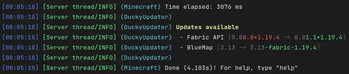
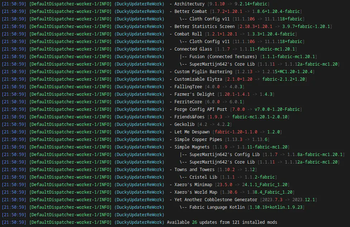
About this Mod









Ducky Updater: ReWork
Simple utility for update mods using Modrinth API
Support
·
Report Bug
·
Request Feature
Table of Contents
About The Project
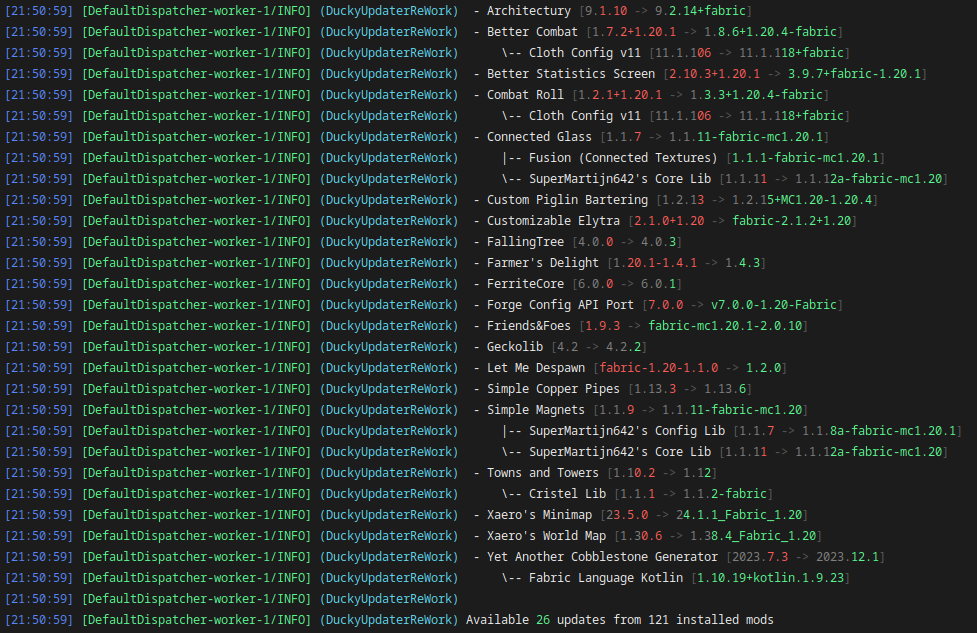
Mod that give possibility to update mods without using third-party launchers
ReWorked version of old Ducky Updater that has many issues, legacy code and bad performance
Built With





Usage
Commands and permissions
Client
| Command | OP | Permission | Description |
|---|---|---|---|
/durw-client check datapack |
❌ | none |
Check for datapack updates |
/durw-client check fabric |
❌ | none |
Check for fabirc updates |
/durw-client clear-cache |
❌ | none |
Clear database aka cache |
/durw-client ignore by datapack-list |
❌ | none |
List ignored datapacks |
/durw-client ignore by fabric-list |
❌ | none |
List ignored fabric mods |
/durw-client ignore by mod-id <modId> <ignore> |
❌ | none |
Ignore mod updates by mod id |
/durw-client ignore by fabric-id <projectId> <ignore> |
❌ | none |
Ignore mod updates by fabric id |
/durw-client ignore by datapack-id <projectId> <ignore> |
❌ | none |
Ignore mod updates by datapack file name |
/durw-client update fabric-all |
❌ | none |
Update all fabric mods |
/durw-client update datapack-all |
❌ | none |
Update all datapacks |
/durw-client update by mod-ids <modIds> |
❌ | none |
Update specific fabric mod(s) by mod ids |
/durw-client update by fabric-ids <projectIds> |
❌ | none |
Update specific fabric mod(s) by project ids |
/durw-client update by datapack-ids <projectIds> |
❌ | none |
Update specific datapack(s) by project ids |
/durw-client config download-mode <mode> |
❌ | none |
Setup downloading mod |
/durw-client config file-action <action> |
❌ | none |
Setup file action |
/durw-client config check-update-on-boot <check> |
❌ | none |
Setup update checking on boot |
Server
| Command | OP | Permission | Description |
|---|---|---|---|
/durw-server check datapack |
✅ | none |
Check for datapack updates |
/durw-server check fabric |
✅ | none |
Check for fabirc updates |
/durw-server clear-cache |
✅ | none |
Clear database aka cache |
/durw-server ignore by datapack-list |
✅ | none |
List ignored datapacks |
/durw-server ignore by fabric-list |
✅ | none |
List ignored fabric mods |
/durw-server ignore by mod-id <modId> <ignore> |
✅ | none |
Ignore mod updates by mod id |
/durw-server ignore by fabric-id <projectId> <ignore> |
✅ | none |
Ignore mod updates by fabric id |
/durw-server ignore by datapack-id <projectId> <ignore> |
✅ | none |
Ignore mod updates by datapack file name |
/durw-server update fabric-all |
✅ | none |
Update all fabric mods |
/durw-server update datapack-all |
✅ | none |
Update all datapacks |
/durw-server update by mod-ids <modIds> |
✅ | none |
Update specific fabric mod(s) by mod ids |
/durw-server update by fabric-ids <projectIds> |
✅ | none |
Update specific fabric mod(s) by project ids |
/durw-server update by datapack-ids <projectIds> |
✅ | none |
Update specific datapack(s) by project ids |
/durw-server config download-mode <mode> |
✅ | none |
Setup downloading mod |
/durw-server config file-action <action> |
✅ | none |
Setup file action |
/durw-server config check-update-on-boot <check> |
✅ | none |
Setup update checking on boot |
Before 2025.4.1
Client
| Command | OP | Permission | Description |
|---|---|---|---|
/durw-client check |
❌ | none |
Check for updates |
/durw-client ignore by mod-id <modId> <ignore> |
❌ | none |
Ignore mod updates by mod id |
/durw-client ignore by project-id <projectId> <ignore> |
❌ | none |
Ignore mod updates by project id |
/durw-client update all |
❌ | none |
Update all mods |
/durw-client update by mod-ids <modIds> |
❌ | none |
Update specific mod(s) by mod ids |
/durw-client update by project-ids <projectIds> |
❌ | none |
Update specific mod(s) by project ids |
/durw-client config download-mode <mode> |
❌ | none |
Setup downloading mod |
/durw-client config file-action <action> |
❌ | none |
Setup file action |
/durw-client config check-update-on-boot <check> |
❌ | none |
Setup update checking on boot |
Server
| Command | OP | Permission | Description |
|---|---|---|---|
/durw-server check |
✅ | none |
Check for updates |
/durw-server ignore by mod-id <modId> <ignore> |
✅ | none |
Ignore mod updates by mod id |
/durw-server ignore by project-id <projectId> <ignore> |
✅ | none |
Ignore mod updates by project id |
/durw-server update all |
✅ | none |
Update all mods |
/durw-server update by mod-ids <modIds> |
✅ | none |
Update specific mod(s) by mod ids |
/durw-server update by project-ids <projectIds> |
✅ | none |
Update specific mod(s) by project ids |
/durw-server config download-mode <mode> |
✅ | none |
Setup downloading mod |
/durw-server config file-action <action> |
✅ | none |
Setup file action |
/durw-server config check-update-on-boot <check> |
✅ | none |
Setup update checking on boot |
{
  // Check updates on every server/client boot
  "checkUpdatesOnBoot": true,
  // Download Modes
  // PARALLEL -> Download and work with multiplied files at the same time (Default)
  // SEQUENTIALLY -> Download and work with file one by one (Recommended for bad network)
  "downloadMode": "PARALLEL",
  // File Action
  // ARCHIVE -> Making a ZIP file with the old version of all updated mods (Default)
  // DELETE -> Delete all old files (Best for server's that have small disk, use on own risk)
  // DISABLE -> Add to end of old files suffix .disable
  "fileAction": "ARCHIVE"
}
Contributing
Contributions are what make the open source community such an amazing place to learn, inspire, and create. Any
contributions you make are greatly appreciated.
If you have a suggestion that would make this better, please fork the repo and create a pull request. You can also
simply open an issue with the tag "enhancement".
Don't forget to give the project a star! Thanks again!
- Fork the Project
- Create your Feature Branch (
git checkout -b feature/AmazingFeature) - Commit your Changes (
git commit -m 'Add some AmazingFeature') - Push to the Branch (
git push origin feature/AmazingFeature) - Open a Pull Request
License
Distributed under the MIT License. See LICENSE for more information.
Available Versions
How to Install Ducky Updater: ReWork on Your Server
Order Server
Order a Minecraft Java server with at least 3 GB RAM (4 GB recommended).
Set fabric Loader
In the panel under "Egg", select the fabric loader and matching Minecraft version (26.1.2).
Install Mod
Open the mod browser in the dashboard and search for "Ducky Updater: ReWork". Click "Install" – done! Alternatively, upload the .jar via SFTP to the /mods folder.
Compatibility
Mod Loaders
Minecraft Versions
26.1.2, 26.1.1, 26.1 (+21 more)
Server-side
~ OptionalRecommended RAM
4 GB(min. 3 GB)Frequently Asked Questions
Ducky Updater: ReWork server crashes on startup – what to do?
Most common cause: wrong fabric version or insufficient RAM. Check the server log (latest.log) for "OutOfMemoryError" or "Mixin" errors. With Mado Hosting: ensure at least 3 GB RAM is allocated and the loader matches the mod version (26.1.2). You can switch loaders with one click in the panel.
Is Ducky Updater: ReWork compatible with fabric?
Ducky Updater: ReWork officially supports fabric for Minecraft 26.1.2, 26.1.1, 26.1. The Mado dashboard automatically detects incompatible loader combinations.
Server lagging with Ducky Updater: ReWork – how to optimize performance?
Recommended RAM: 4 GB (per 8 players). Use /spark profiler to check if Ducky Updater: ReWork consumes the most tick time. Common fixes: reduce server view-distance to 8-10, install "performant" or "starlight" as supplementary mods on Forge. With Mado Hosting, your server runs on NVMe SSDs with dedicated CPU cores for minimal latency.
Similar Mods





Rent Modded Server
Install Ducky Updater: ReWork with just one click on your server.