
Durability Sucks
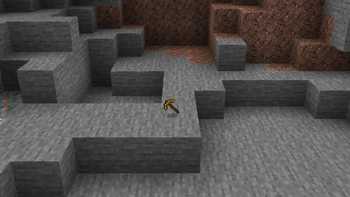
Removes durability, with a tag that lets you add it back to specific items!
Screenshots
About this Mod
Durability Sucks!
Have you ever been playing Minecraft and think, "Man, I wish I didn't have to make 200 iron pickaxes while mining. I wish I could just have one tool and not have to worry about it breaking"?
GOOD NEWS! I killed it.
Why?
Well, frankly, I don't like durability. While it works great as a survival mechanic, modern Minecraft's endgame with Mending has basically made it more of a nuisance than a proper mechanic.
So, I removed it! It removes some tedium from the earlygame progression AND (most importantly) the endgame sandbox of Minecraft.
Wait, why is there a tag to add it back then?
Some mods use durability as a central mechanic for balancing their items. I get it, it's really convenient! Easy system to give powerful items limited uses. Only problem is, with other mods that do this job there's no way to add durability back to items that require it for their function!
So, I, using the help of my good friend and actual professional modder Liz, made Durability Sucks to fix that.
How do I add durability back to items?
Using a datapack, add the tag willowmod:break_anyway to your given item and it will start taking damage again! You can find an example datapack here, and if you're looking for a way to make the datapack automatically load for every world check out Paxi! (It's what I use.)
Where can I see this mod in action?
I'm working on a second version of a major modpack of mine, New World, which will utilize this mod and its specific functionality to make for an overhauled endgame sandbox experience!
Available Versions
How to Install Durability Sucks on Your Server
Order Server
Order a Minecraft Java server with at least 3 GB RAM (4 GB recommended).
Set neoforge Loader
In the panel under "Egg", select the neoforge loader and matching Minecraft version (1.21.1).
Install Mod
Open the mod browser in the dashboard and search for "Durability Sucks". Click "Install" – done! Alternatively, upload the .jar via SFTP to the /mods folder.
Compatibility
Mod Loaders
Minecraft Versions
1.21.1
Server-side
✓ RequiredRecommended RAM
4 GB(min. 3 GB)Frequently Asked Questions
Durability Sucks server crashes on startup – what to do?
Most common cause: wrong neoforge version or insufficient RAM. Check the server log (latest.log) for "OutOfMemoryError" or "Mixin" errors. With Mado Hosting: ensure at least 3 GB RAM is allocated and the loader matches the mod version (1.21.1). You can switch loaders with one click in the panel.
Is Durability Sucks compatible with neoforge?
Durability Sucks officially supports neoforge for Minecraft 1.21.1. The Mado dashboard automatically detects incompatible loader combinations.
Server lagging with Durability Sucks – how to optimize performance?
Recommended RAM: 4 GB (per 8 players). Use /spark profiler to check if Durability Sucks consumes the most tick time. Common fixes: reduce server view-distance to 8-10, install "performant" or "starlight" as supplementary mods on Forge. With Mado Hosting, your server runs on NVMe SSDs with dedicated CPU cores for minimal latency.
Similar Mods



![[TaCZ] Timeless and Classics Zero](https://cdn.modrinth.com/data/SzzJttH8/fd27766d2bb8390d284696b1dbd358f87e081439_96.webp)


Rent Modded Server
Install Durability Sucks with just one click on your server.