
Dyeable
A vanilla-style mod that gives the player the ability to mix dyes to create millions of unique colors and paint blocks.
Screenshots
About this Mod
Dyeable
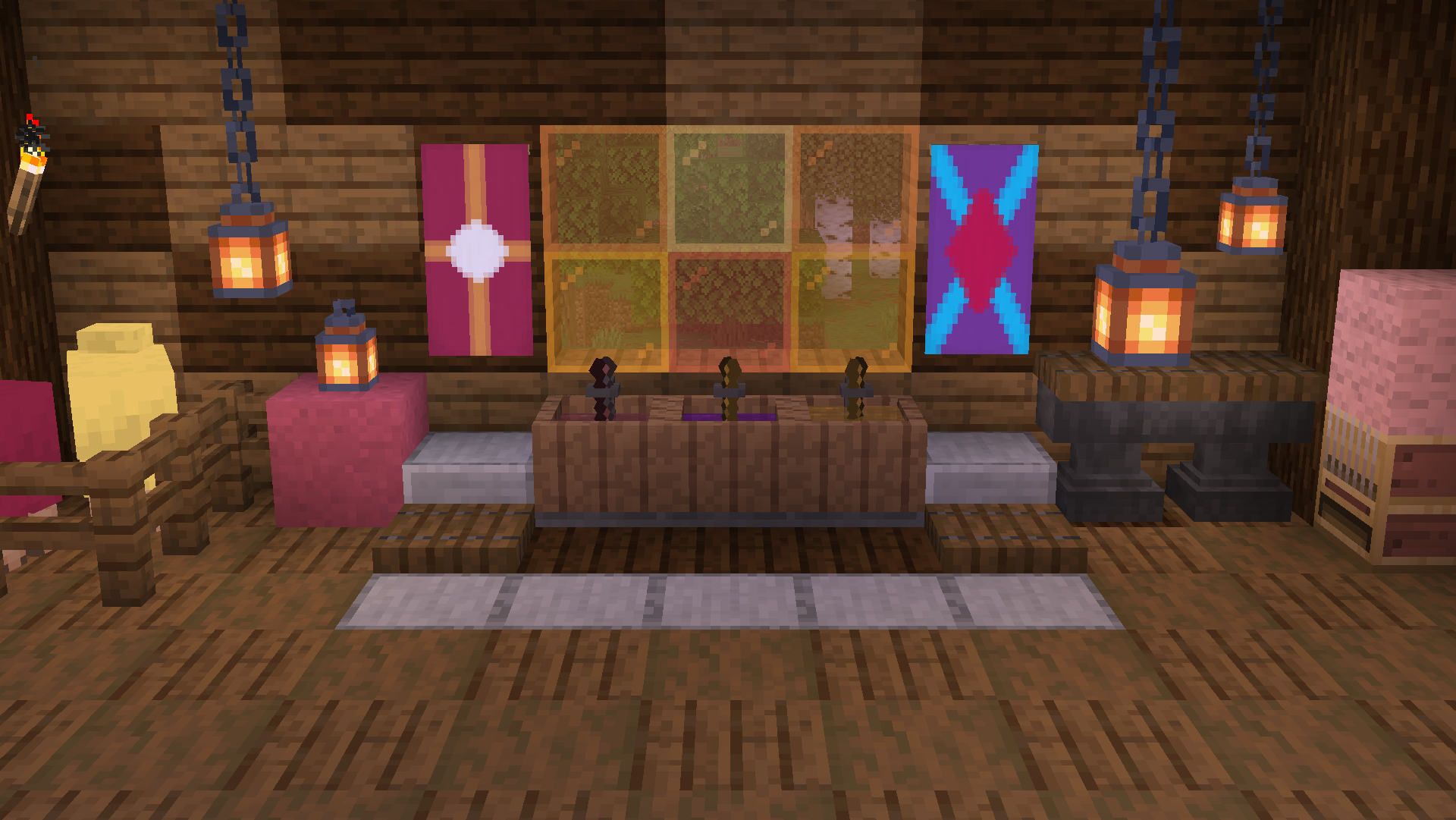
This mod introduces a "vanilla-style" way to mix dyes to create millions of unique dye colors and paint nearly any block in the game!
Features
Dye Vat
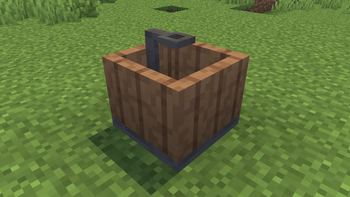
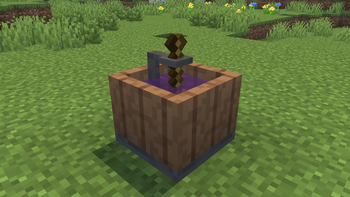
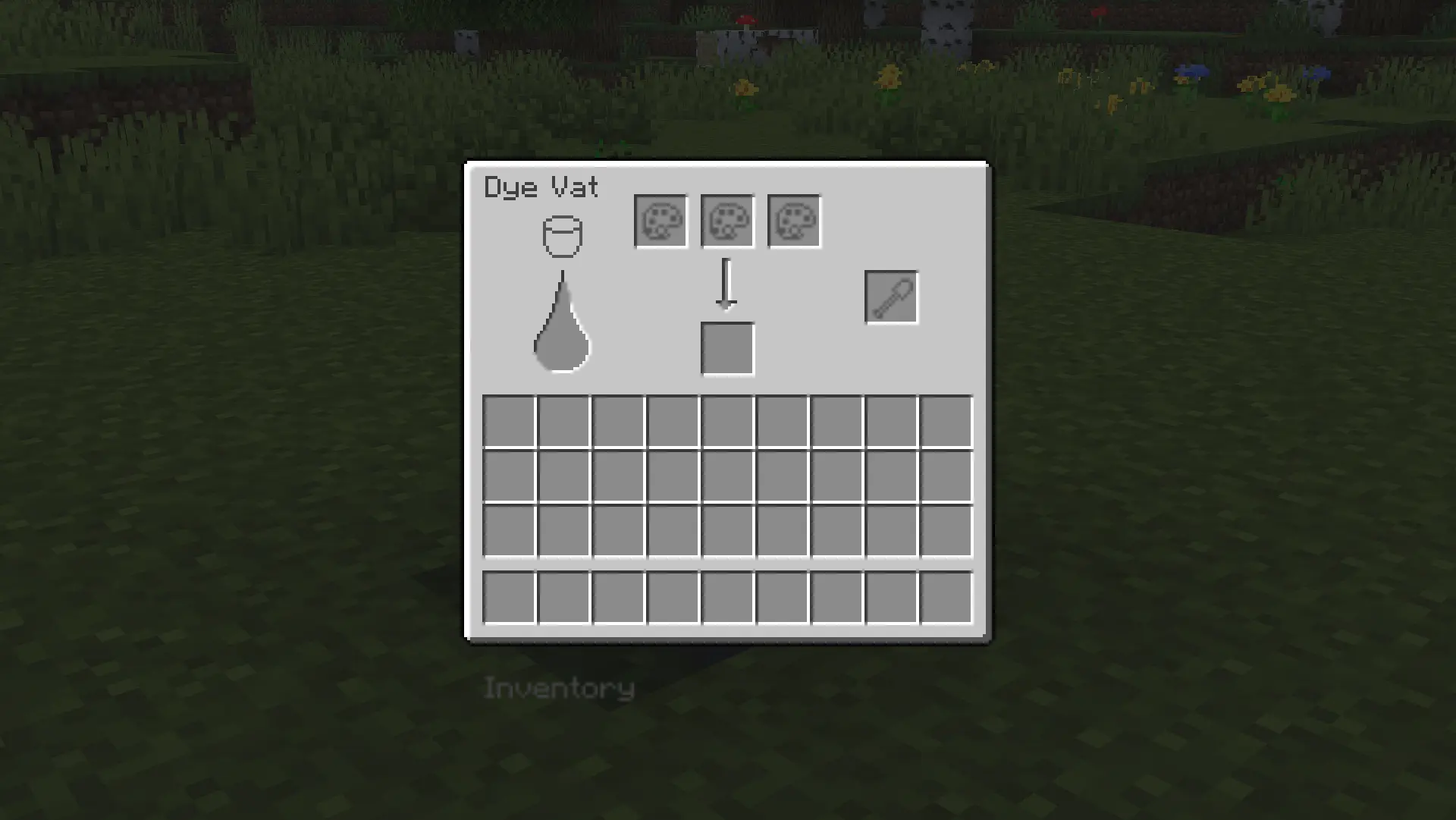
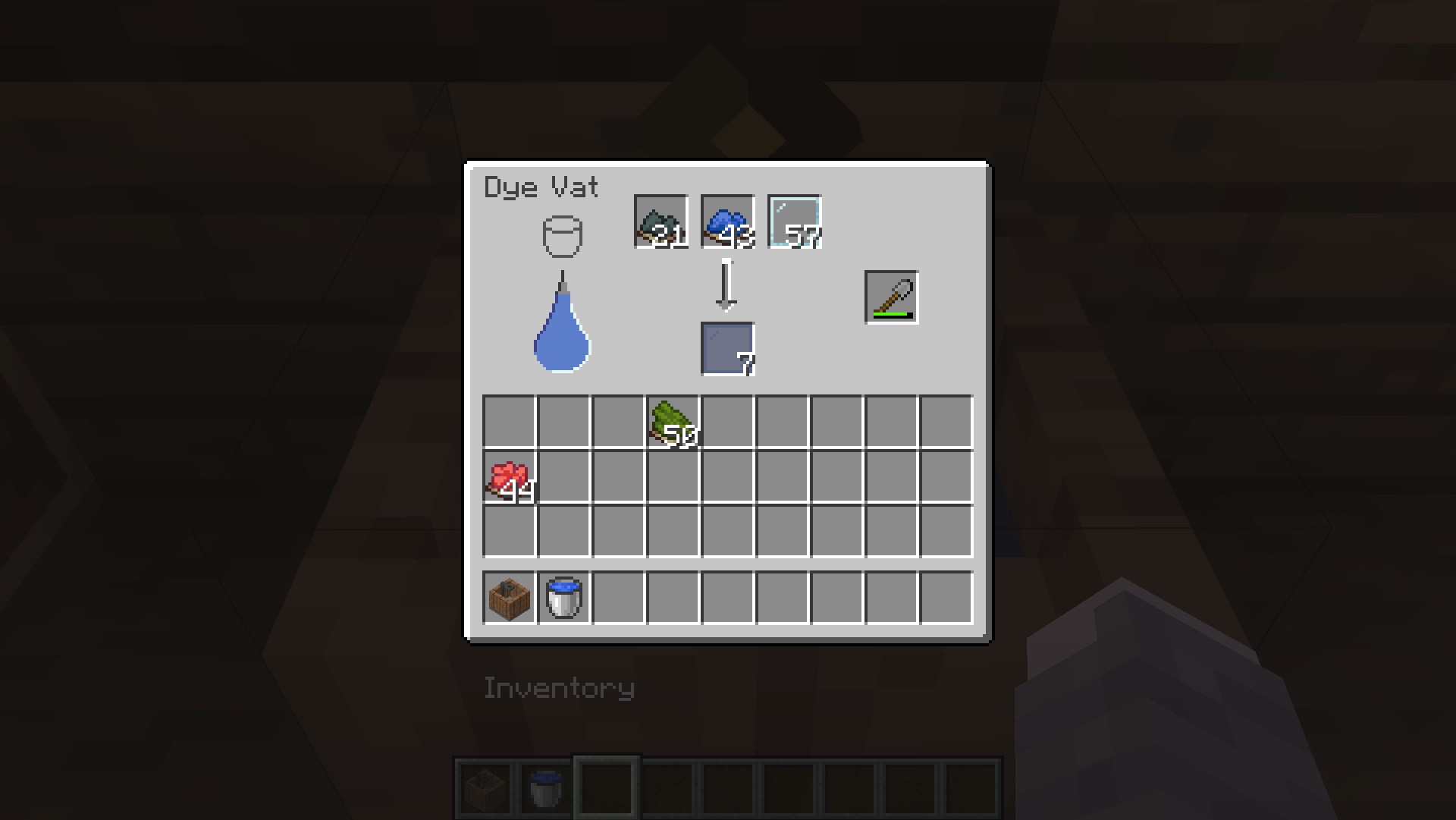
The Dye Vat is used to mix dyes and dye items. Using the Dye Vat requires 3 things to function:
- Water input
- Shovel
- 2 or more input items
Water is replenished by filling the block with a water bucket, similarly to a cauldron. A shovel can be placed in the shovel slot. Shovels lose durability as they mix, and better shovels mix faster, increasing further with efficiency.
Dye Mixing
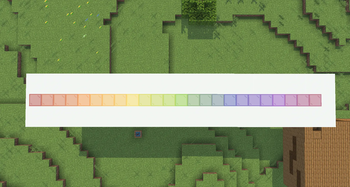
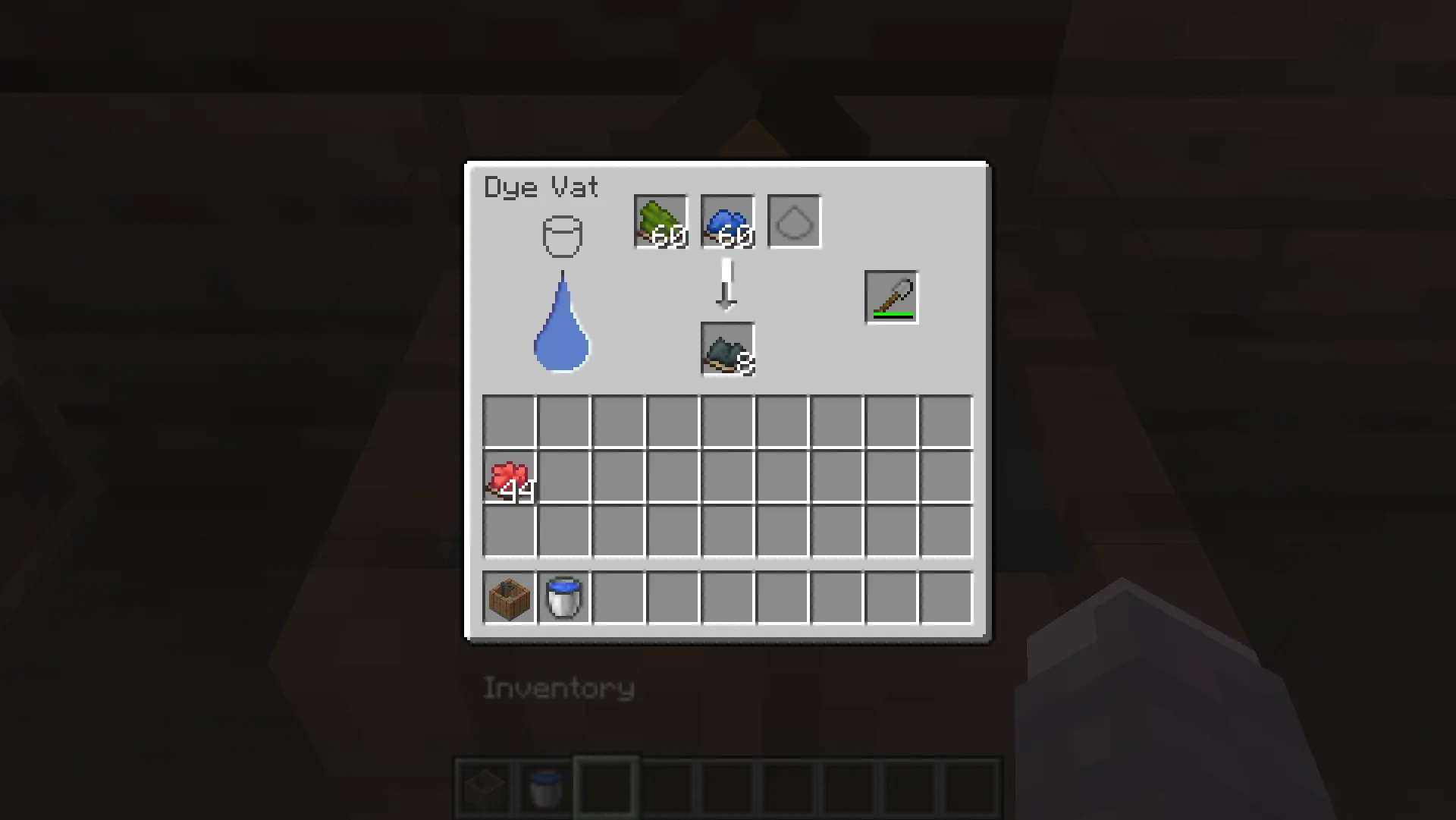
2 or more dyes can be mixed together in the vat at a time to create a unique Mixed Dye. A Mixed Dye can only have a total of 10 colors or additives put into it; any more, and it no longer accepts them.
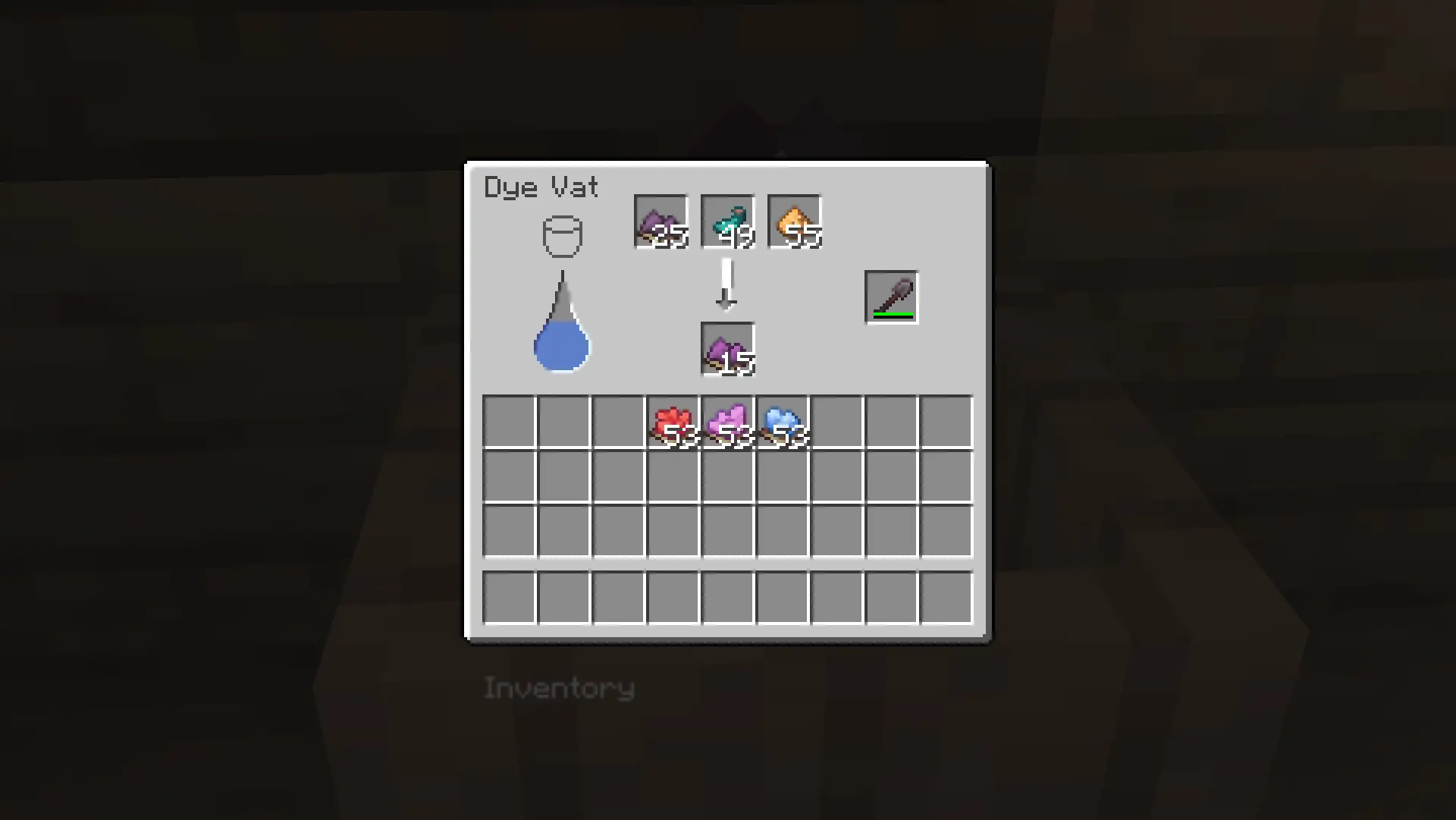
Additives are items that don't directly affect the dye's hue in the mixing process, but instead alter its brightness or saturation:
- Glowstone is used to make dyes more saturated and colorful
- Glow Ink Sacs are used to make dyes brighter without totally washing them out.
- Ink Sacs are used to make dyes darker.
- Gunpowder is used to make dyes dull and less colorful.
Item Dyeing
Blocks and items can also be put in the Dye Vat, and can be mixed with multiple dyes at a time. Only one type of dyeable item can be dyed at a time; any attempts will be unsuccessful. The current dyeable items are:
- Wool
- Carpets
- Concrete
- Concrete Powder
- Terracotta
- Glass / Stained Glass
- Glass Panes / Stained Glass Panes
- Banners (only affects base color when put in vat)
- Beds
- Shulker Boxes
Paint Mixing
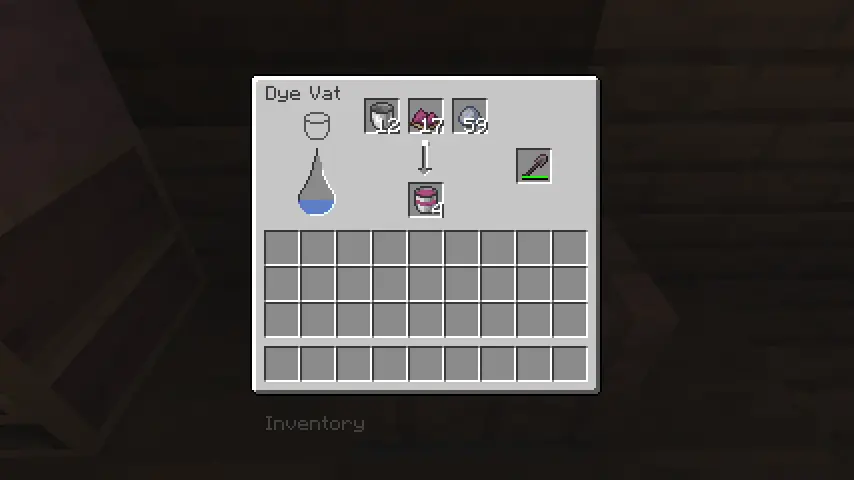
By putting any type of dye, a clay ball, and a bucket in the input of the Dye Vat, the output will result in a Paint Bucket given the pigment of your input's dye. Each Paint Bucket has 64 uses and will convert to a regular bucket once empty; Paint Buckets cannot be refilled or mixed with other paints.
Block Painting
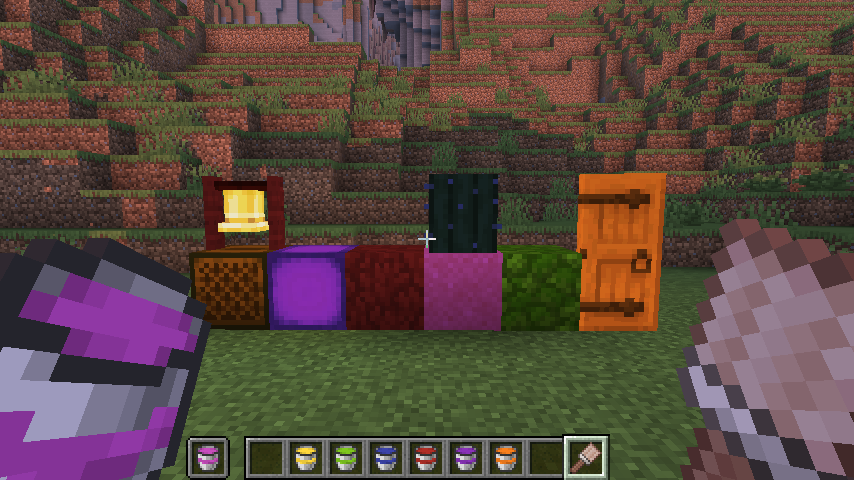
Nearly any block in the game can be painted, as long as you have a Paint Bucket and a Paintbrush. To paint a block, put the paint of your choice in your offhand and the Paintbrush in your main hand; Right-clicking will paint that block. You can use the Paint Scraper to remove paint from any painted objects. (Due to limitations in rendering pipelines, any greyscale paints like greys or white do not affect the saturation of a texture, only brightness)
Wallpaper Crafting
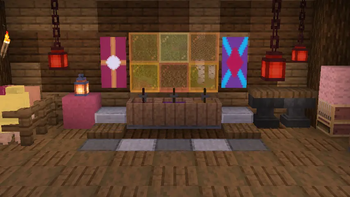
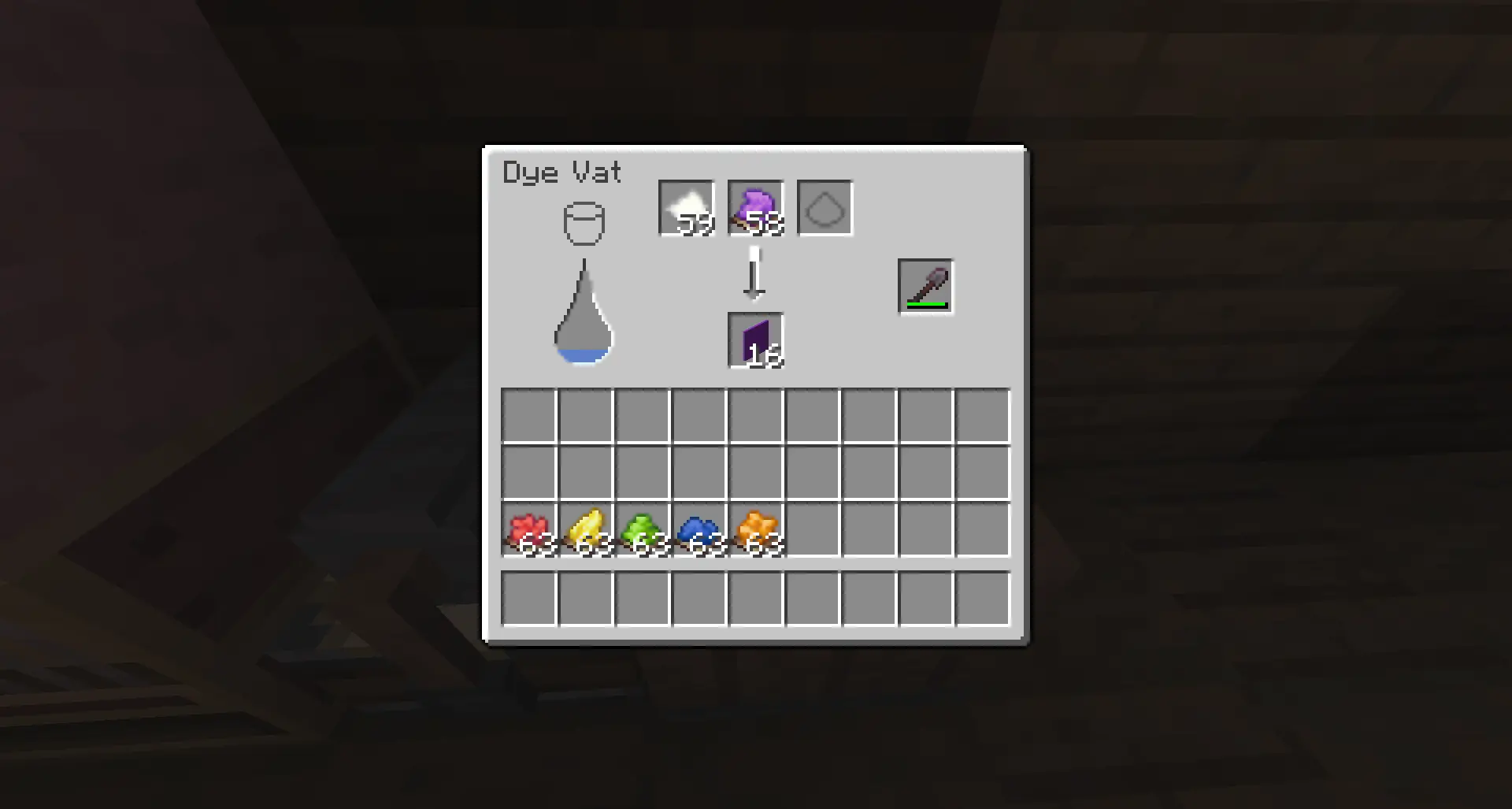
Wallpapers are placeable items that are very similar to how banners function. A base Wallpaper can be crafted by putting paper and any dye(s) in the Dye Vat, making 4 at a time per piece of paper.
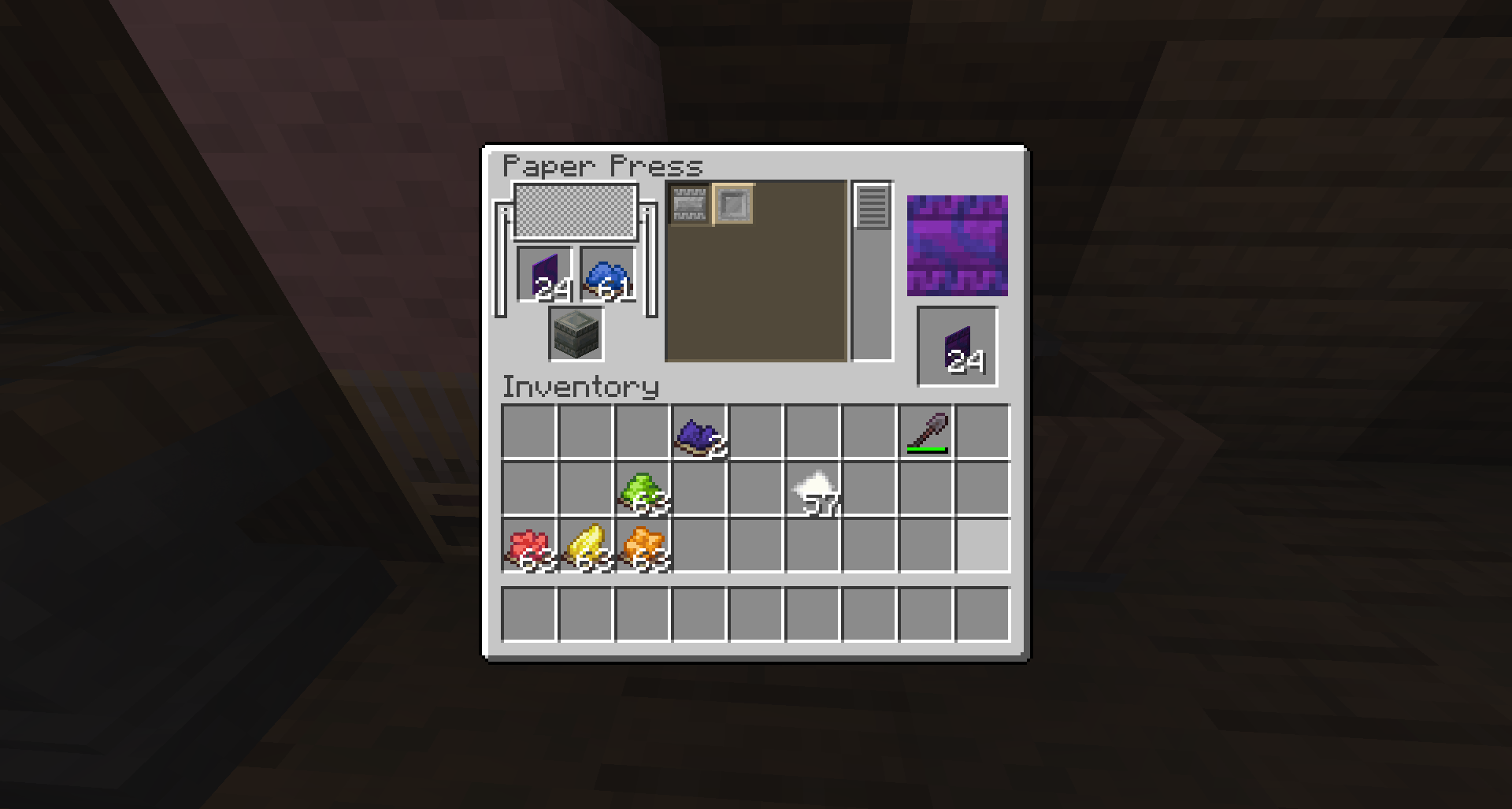
A wallpaper can be put into the Paper Press to add up to 12 patterns on its face; dyes are used to color patterns. Certain types of blocks can be put in the block slot to add an overlay.
Wallpaper Usage
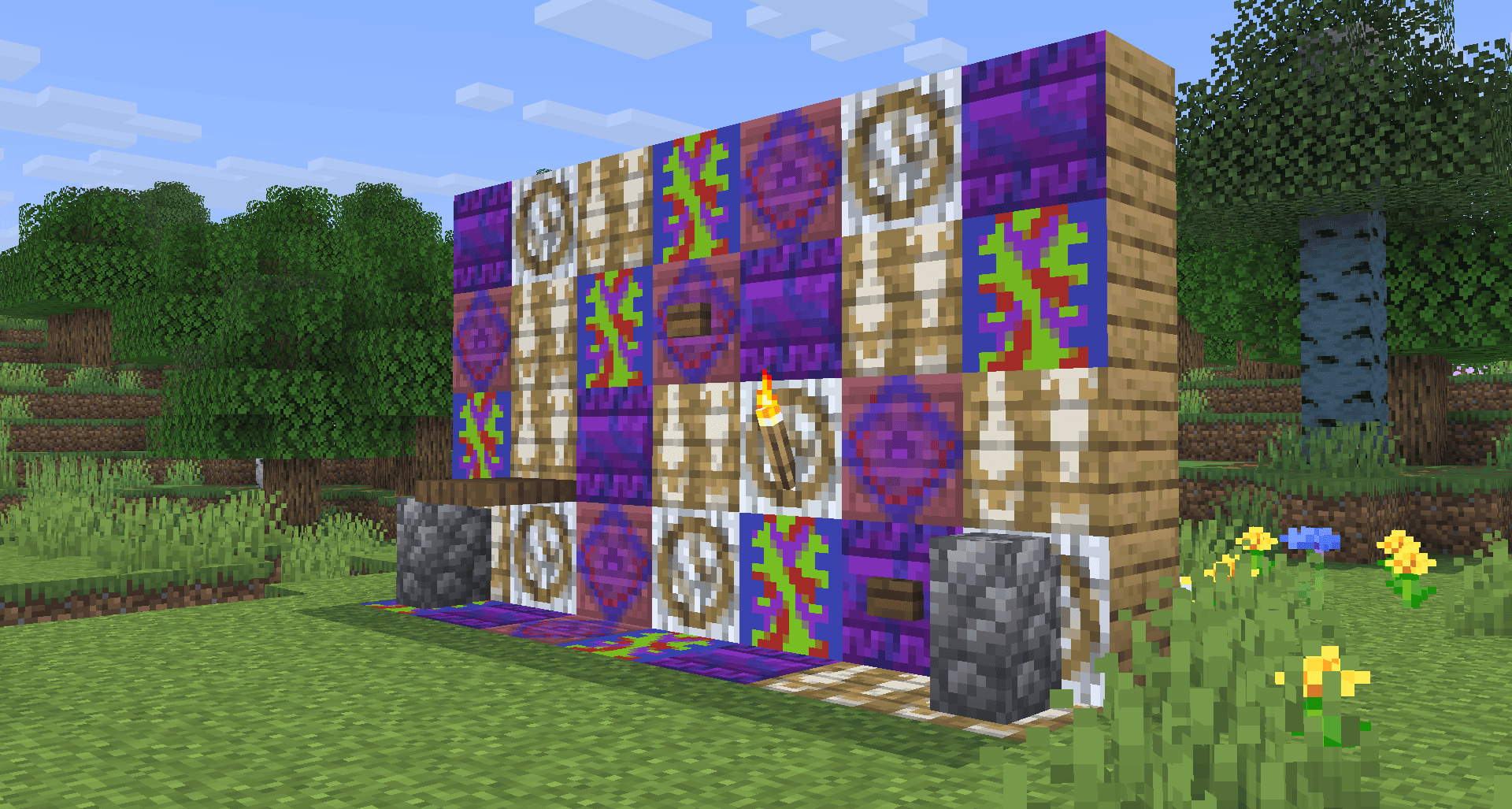
Wallpapers can be placed on any solid 16x16 face, whether it's on walls, floors, or ceilings. Wallpapers aren't actually blocks, so they don't take up a block's space, allowing for the placement of torches, fences, doors, buttons, levers, etc. on them. Wallpaper is also completely immune to water and lava.
Banner Making
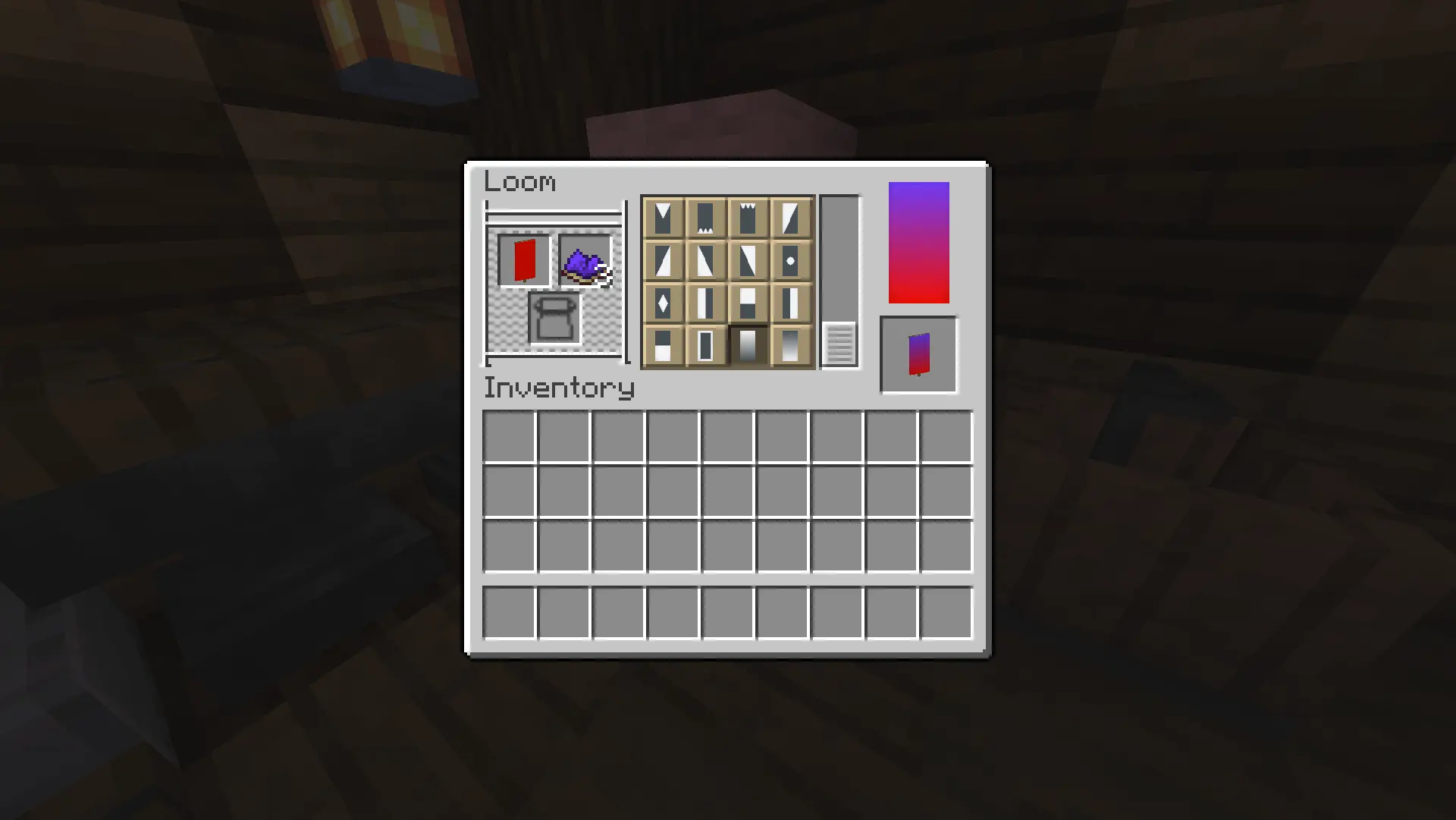
While certainly not a new feature, this mod allows Mixed Dyes to be used as a pattern color source in a Loom, increasing the original 809 quadrillion amount of possible banners to somewhere over one quinvigintillion (1 followed by 78 zeroes) banners (Note: this is mostly a guess, im not sure exactly how many of the 16,777,216 RGB colors are possible in my system, i just made a rough estimate).
Sheep Dyeing
Again, not a new feature, but mixed dyes can be used on sheep for an infinite wool source. Breeding mixed dyed sheep results in a baby with the exact mix of the wool colors of the 2 parents, no estimation.
End
I hope you find this mod useful for building, and if you encounter any bugs or have feedback, please let me know! Thank you.
Available Versions
How to Install Dyeable on Your Server
Order Server
Order a Minecraft Java server with at least 3 GB RAM (4 GB recommended).
Set fabric Loader
In the panel under "Egg", select the fabric loader and matching Minecraft version (26.1.2).
Install Mod
Open the mod browser in the dashboard and search for "Dyeable". Click "Install" – done! Alternatively, upload the .jar via SFTP to the /mods folder.
Compatibility
Mod Loaders
Minecraft Versions
26.1.2
Server-side
✓ RequiredRecommended RAM
4 GB(min. 3 GB)Frequently Asked Questions
Dyeable server crashes on startup – what to do?
Most common cause: wrong fabric version or insufficient RAM. Check the server log (latest.log) for "OutOfMemoryError" or "Mixin" errors. With Mado Hosting: ensure at least 3 GB RAM is allocated and the loader matches the mod version (26.1.2). You can switch loaders with one click in the panel.
Is Dyeable compatible with fabric?
Dyeable officially supports fabric for Minecraft 26.1.2. The Mado dashboard automatically detects incompatible loader combinations.
Server lagging with Dyeable – how to optimize performance?
Recommended RAM: 4 GB (per 8 players). Use /spark profiler to check if Dyeable consumes the most tick time. Common fixes: reduce server view-distance to 8-10, install "performant" or "starlight" as supplementary mods on Forge. With Mado Hosting, your server runs on NVMe SSDs with dedicated CPU cores for minimal latency.
Rent Modded Server
Install Dyeable with just one click on your server.