
Easy LLM Voice
Easy LLM Voice is a Fabric mod that connects Minecraft's Simple Voice Chat mod with external AI agents over WebSocket.
Screenshots
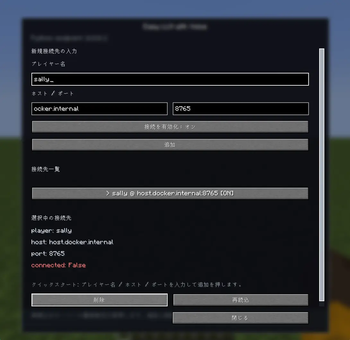

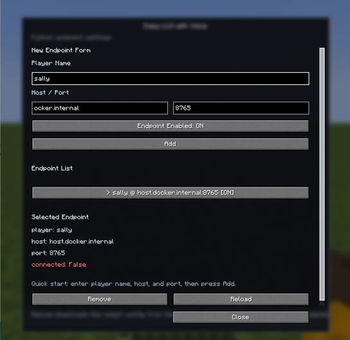
About this Mod
Below is the Japanese README.
Easy LLM Voice
Easy LLM Voice is a Fabric mod that connects Minecraft's Simple Voice Chat mod with external AI agents over WebSocket.
With this mod, AI agents can speak and listen in-game through the Simple Voice Chat mod.
By using the repository below, you can implement and develop AI agents that play Minecraft together with players while having voice conversations.
For detailed usage instructions for this mod, please also refer to that repository.
\- Easy LLM Voice Agent: https://github.com/Koichiro-terao/Easy-LLM-Voice-Agent-in-Minecraft
When using Easy LLM Voice Agent, please install the following mods as well.
- Easy LLM: https://legacy.curseforge.com/minecraft/mc-mods/easy-llm
- Simple Voice Chat: https://www.curseforge.com/minecraft/mc-mods/simple-voice-chat
Features
- Sends audio from the Simple Voice Chat mod to an external program
- Plays audio received from an external program inside Minecraft
- Associates audio with an in-game Minecraft player, allowing voice to be shared based on the Simple Voice Chat mod's distance attenuation and audible range
- Manages endpoints for multiple AI agents from the GUI
Requirements
- Minecraft
1.21 - Java
21 - Fabric Loader
0.16.9or later - Fabric API
- Simple Voice Chat mod
- External program
In this README, "external program" refers to a WebSocket server implemented on the AI agent side, for example in Python. Easy LLM Voice Agent is provided as a sample program.
Installation
Place the following files in the server-side mods folder:
- Easy LLM Voice mod
- Easy LLM mod
- Fabric API
- Simple Voice Chat mod
If you want to configure connection destinations from the GUI, also install easy-llm-voice-fabric-1.0.0+mc1.21.jar on the Minecraft client used for configuration.
Connection Model
In this mod, Minecraft acts as a WebSocket client.
Therefore, you need to start a WebSocket server in the external program, then register its host and port from the mod GUI.
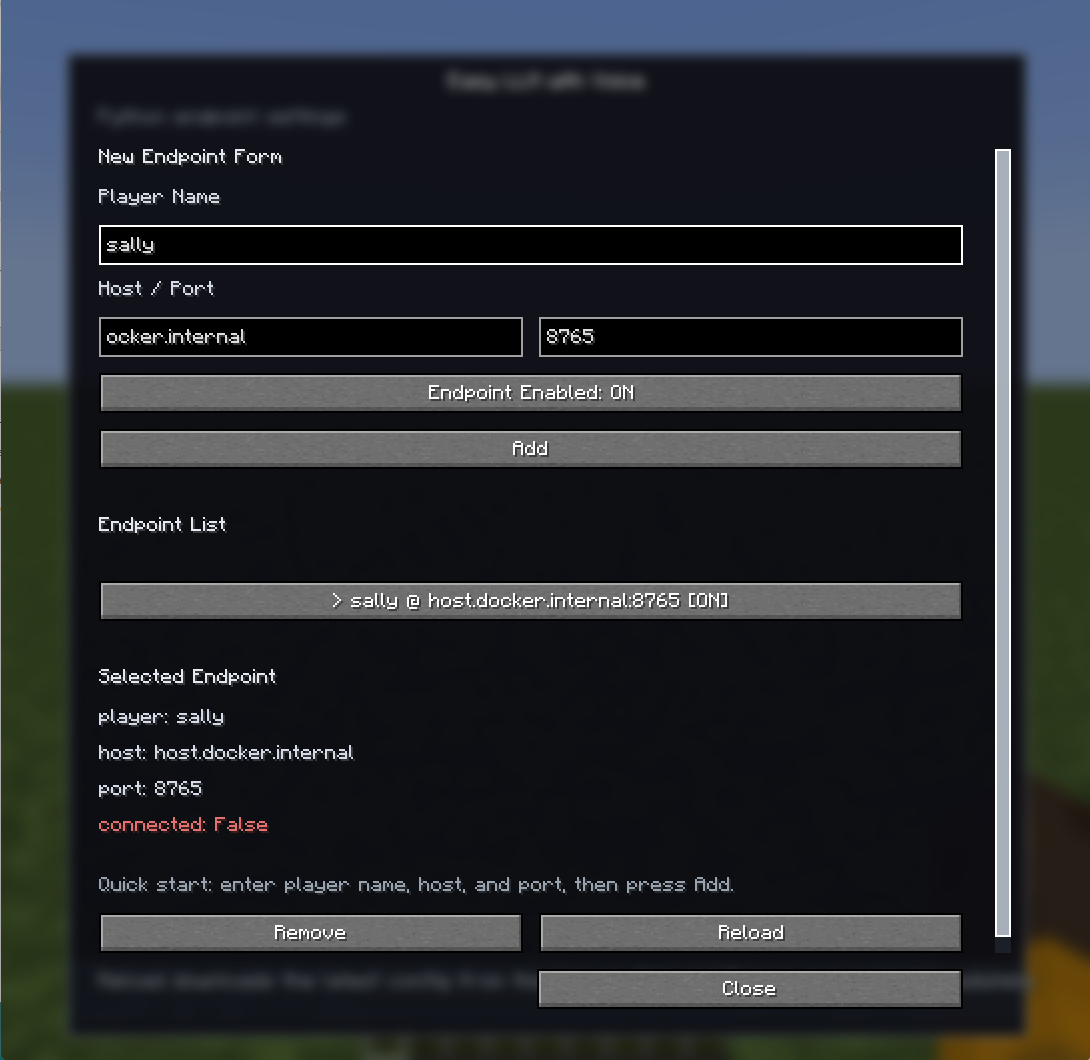
GUI fields:
player name: The in-game Minecraft player name to associate with the voicehost: The hostname or IP address of the external programport: The port number of the external program
Usage
- Install this mod and its required dependencies on the Minecraft server.
- Start the external program.
- Join Minecraft and press "v" key to open the GUI.(If the key binding conflicts with Simple Voice Chat mod, please change the key binding in the settings.)
- Enter
player name,host, andport, then add the connection destination. - After adding the connection destination, select it from the list and confirm that
connected: Trueis shown in the details panel. If the display does not update, reopen the GUI or clickReload.
Once connected, the external program can receive audio that the target player can hear and play audio from the target player's position.
Notes
- This mod does not run an AI agent, speech recognition, or speech synthesis by itself.
- Prepare LLMs, speech recognition, speech synthesis, Mineflayer, and any other required components on the external program side.
- The server settings and UDP port settings for the Simple Voice Chat mod must be configured separately.
- Install the same version of
Easy LLM Voiceon both the server and the client that uses the GUI.
License
All Rights Reserved.
Unauthorized reproduction and redistribution are strictly prohibited.
Credits
- Simple Voice Chat by Max Henkel / henkelmax
Official site: https://modrepo.de/minecraft/voicechat
Modrinth: https://modrinth.com/plugin/simple-voice-chat
Easy LLM Voice (JP)
Easy LLM Voice は、Minecraft の Simple Voice Chat mod と外部 AI エージェントを WebSocket で接続するための Fabric MOD です。
この MOD を利用することで、AI エージェントが、Simple Voice Chat mod を通してゲーム内で会話できるようにします。
以下のリポジトリを利用することで、Minecraft を会話しながら一緒に遊べる AI エージェントを実装・開発できます。
この MOD の詳細な使用方法も記述されているため、参照してください。
\- Easy LLM Voice Agent: https://github.com/Koichiro-terao/Easy-LLM-Voice-Agent-in-Minecraft
Easy LLM Voice Agent を利用する場合は、以下の MOD もあわせて導入してください。
- Easy LLM: https://legacy.curseforge.com/minecraft/mc-mods/easy-llm
- Simple Voice Chat: https://www.curseforge.com/minecraft/mc-mods/simple-voice-chat
主な機能
- Simple Voice Chat mod の音声を外部プログラムへ送信
- 外部プログラムから送られた音声を Minecraft 内で再生
- 音声を Minecraft 内のプレイヤーに紐づけ、Simple Voice Chat mod の距離減衰や聞こえる範囲に基づいた音声共有
- 複数の AI エージェント用 endpoint を GUI から管理
動作環境
- Minecraft
1.21 - Java
21 - Fabric Loader
0.16.9以上 - Fabric API
- Simple Voice Chat mod
- 外部プログラム
ここでの外部プログラムとは、Python などで実装した AI エージェント側の WebSocket サーバーを指します。 Easy LLM Voice Agentがサンプルプログラムとなります。
導入方法
サーバー側の mods フォルダに以下を入れてください。
- Easy LLM Voice mod
- Easy LLM mod
- Fabric API
- Simple Voice Chat mod
GUI から接続先を設定する場合は、設定を行う Minecraft クライアント側にも easy-llm-voice-fabric-1.0.0+mc1.21.jar を入れてください。
接続の考え方
この MOD では、Minecraft 側が WebSocket クライアントとして動作します。
そのため、外部プログラム側で WebSocket サーバーを起動し、MOD の GUI からその host と port を登録します。
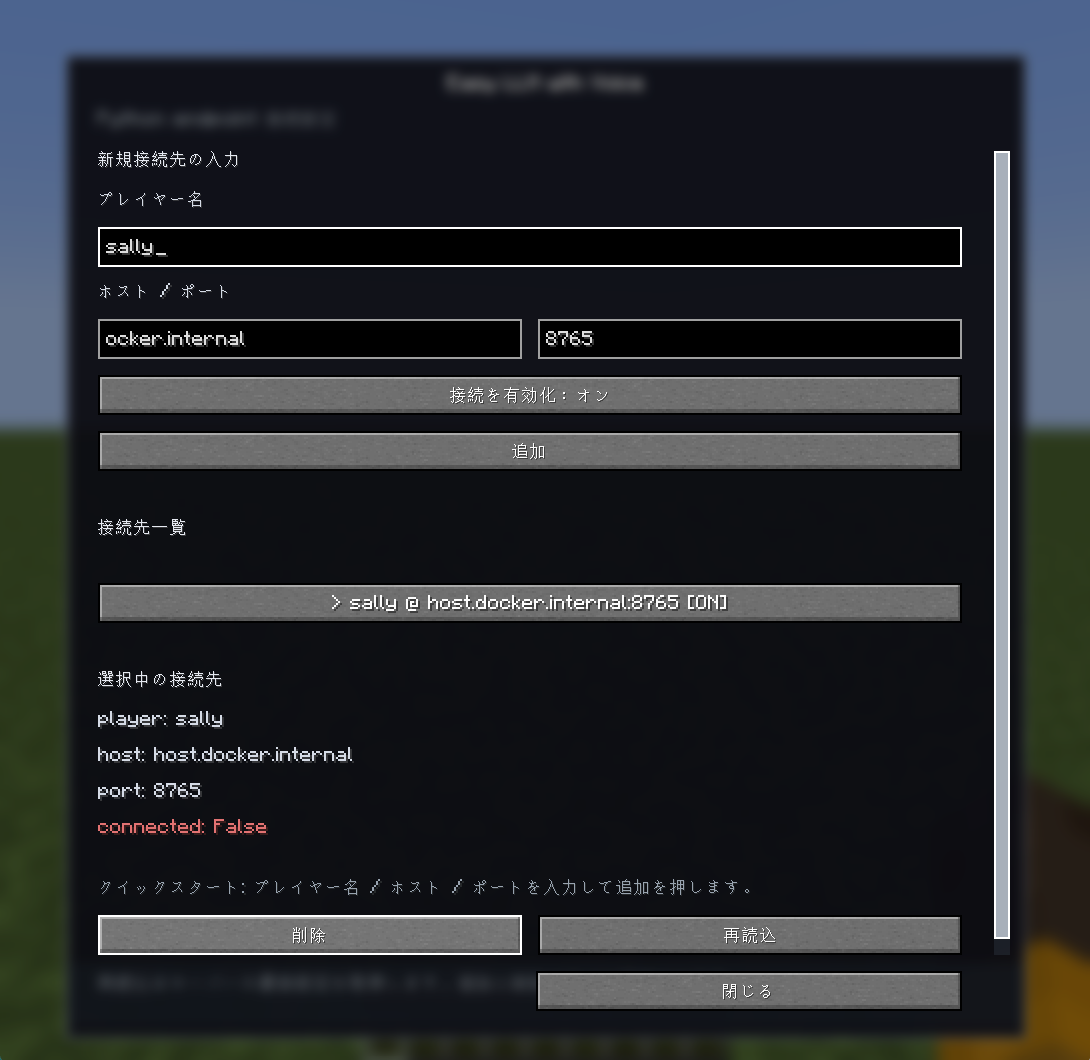
GUI で設定する項目:
player name: 音声を紐づける Minecraft 内のプレイヤー名host: 外部プログラムのホスト名または IP アドレスport: 外部プログラムのポート番号
使い方
- Minecraft サーバーに MOD と依存 MOD を導入します。
- 外部プログラムを起動します。
- Minecraft に入り、
vキーを押して GUI を開きます。(simple voice chat mod とキーがバッティングしている場合は設定からキーバインドを変更してください) player name、host、portを入力して接続先を追加します。- 接続先を追加したあと、一覧から接続先を選択し、詳細欄の
connected: Trueを確認します。 表示が更新されない場合は、GUI を開き直すか再読込を押してください。
接続後、外部プログラムは対象プレイヤーが聞こえる音声を受け取り、対象プレイヤーの位置から音声を再生できます。
注意
- この MOD だけでは AI エージェント、音声認識、音声合成は実行されません。
- LLM、音声認識、音声合成、Mineflayer などは外部プログラム側で用意してください。
- Simple Voice Chat mod のサーバー設定や UDP ポート設定も別途必要です。
- サーバーと GUI を使うクライアントには、同じバージョンの
Easy LLM Voiceを入れてください。
License
All Rights Reserved.
Unauthorized reproduction and redistribution are strictly prohibited.
Credits
- Simple Voice Chat by Max Henkel / henkelmax
Official site: https://modrepo.de/minecraft/voicechat
Modrinth: https://modrinth.com/plugin/simple-voice-chat
Available Versions
How to Install Easy LLM Voice on Your Server
Order Server
Order a Minecraft Java server with at least 3 GB RAM (4 GB recommended).
Set fabric Loader
In the panel under "Egg", select the fabric loader and matching Minecraft version (1.21).
Install Mod
Open the mod browser in the dashboard and search for "Easy LLM Voice". Click "Install" – done! Alternatively, upload the .jar via SFTP to the /mods folder.
Compatibility
Mod Loaders
Minecraft Versions
1.21
Server-side
✓ RequiredRecommended RAM
4 GB(min. 3 GB)Frequently Asked Questions
Easy LLM Voice server crashes on startup – what to do?
Most common cause: wrong fabric version or insufficient RAM. Check the server log (latest.log) for "OutOfMemoryError" or "Mixin" errors. With Mado Hosting: ensure at least 3 GB RAM is allocated and the loader matches the mod version (1.21). You can switch loaders with one click in the panel.
Is Easy LLM Voice compatible with fabric?
Easy LLM Voice officially supports fabric for Minecraft 1.21. The Mado dashboard automatically detects incompatible loader combinations.
Server lagging with Easy LLM Voice – how to optimize performance?
Recommended RAM: 4 GB (per 8 players). Use /spark profiler to check if Easy LLM Voice consumes the most tick time. Common fixes: reduce server view-distance to 8-10, install "performant" or "starlight" as supplementary mods on Forge. With Mado Hosting, your server runs on NVMe SSDs with dedicated CPU cores for minimal latency.
Similar Mods





Rent Modded Server
Install Easy LLM Voice with just one click on your server.