
Easy Multi Item Sorter
Making multi-item sorters has never been easier
Screenshots
About this Mod
Building a Multi Item Sorter (or MIS) is always complex, prone to breaking, and overall, not fun to build. I couldn't find one online that met my demands. Some were too expensive, others too large or too slow...
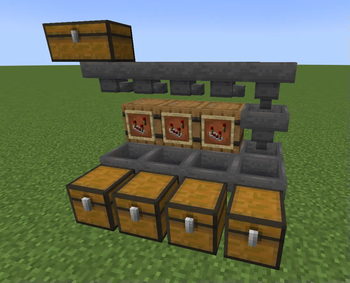
So, I decided to make this. Instead of your MIS looking clustered with redstone and minecart circuits, you get this very simple design.
How does it work?
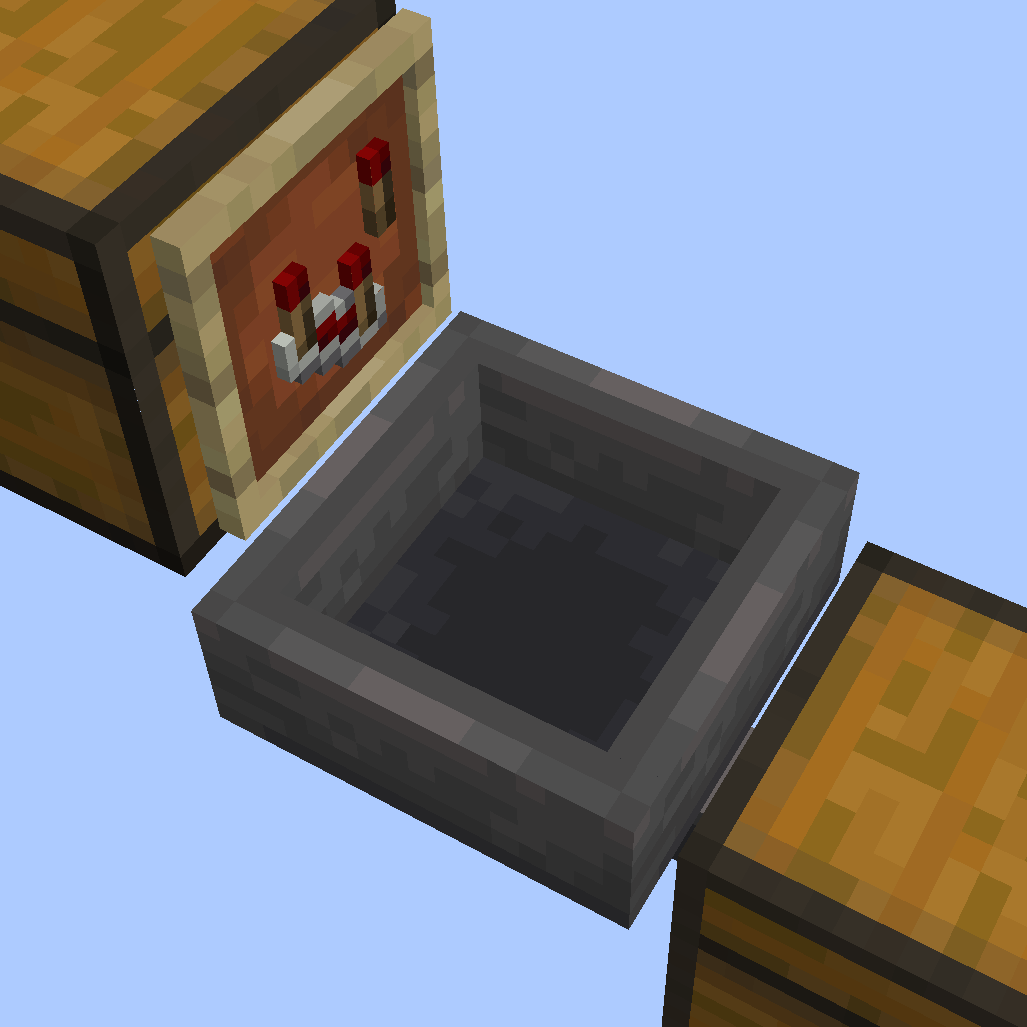
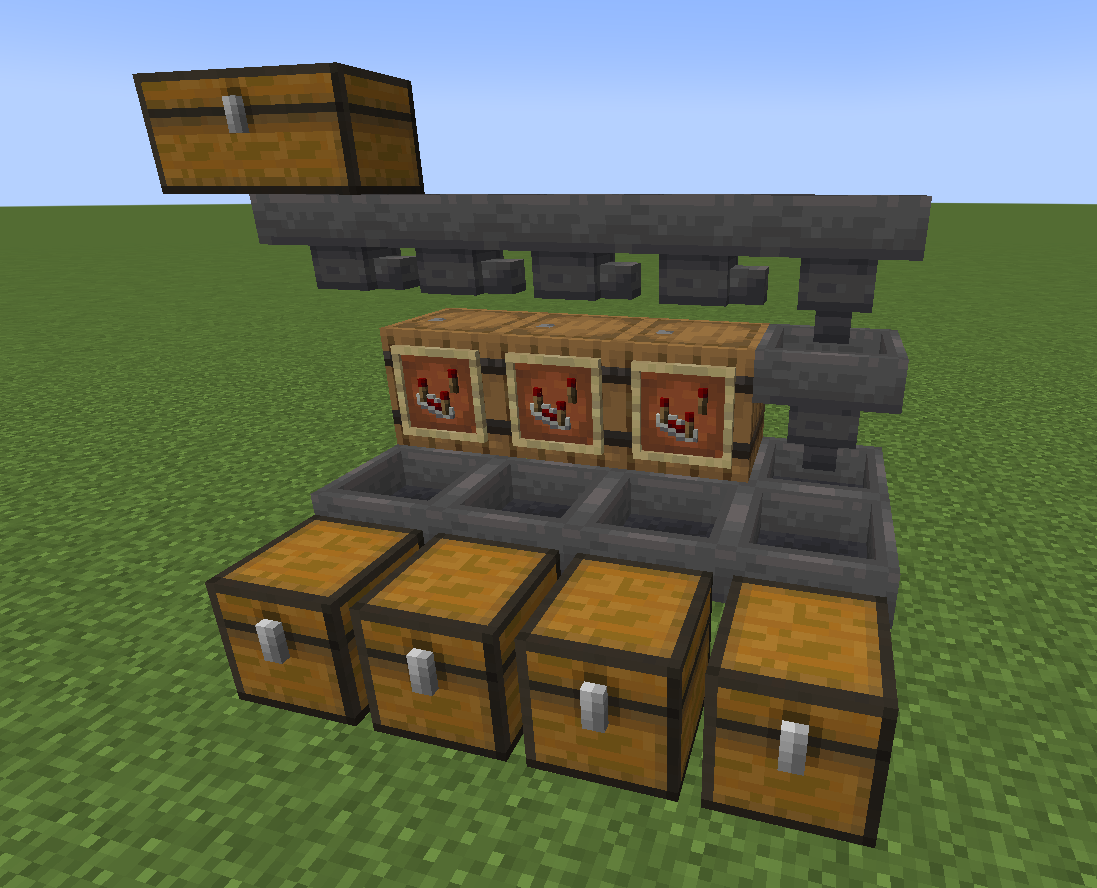
Slap an item frame on any container with a comparator in it. The container with the item frame on it, we'll call the filtering container.
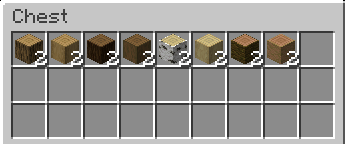
Place any stackable item in the filtering container making sure it has at least two of the items. The items you place in the filtering container will be the items that are being filtered.
Again, it MUST have at least two of the items in the container or it will not see the item for filtering.
The filtering container will pull items it already has inside it from any containers above it. So, this is typically where you'd place a line of hoppers. As the items get transported down the hopper line, the filtering containers will snatch all the items that match their contents.
The filtered items go in the hopper directly below the item frame:
You can then point that hopper into a chest where you'll be able to access your filtered items. You can also have the hopper point into another hopper or even replace the hopper with a chest. Any container that can hold items will do.
Do not place a hopper on the underside of the filtering container, that would just mess up your filtering placement. The hopper goes below the item frame, not below the filtering container.
Got hoppers that are faster than vanilla? Like the Super Hopper? Well, if you plan on using hoppers that are faster than regular hoppers, you will need to adjust the filtering rate of your MIS. The default speed is 1 item per 8 ticks, same as a vanilla hopper. However, you can set the MIS to 1 item per tick with
/trigger easy_mis_fast_mode
You can also slow things down by 4 times if you have a not-so-great pc with
/trigger easy_mis_slow_mode
and back to default with /trigger easy_mis_normal_mode
I recommend using regular-speed hoppers if you don't have great computer specs.
See my other mods
Available Versions
How to Install Easy Multi Item Sorter on Your Server
Order Server
Order a Minecraft Java server with at least 3 GB RAM (4 GB recommended).
Set datapack Loader
In the panel under "Egg", select the datapack loader and matching Minecraft version (26.1.2).
Install Mod
Open the mod browser in the dashboard and search for "Easy Multi Item Sorter". Click "Install" – done! Alternatively, upload the .jar via SFTP to the /mods folder.
Compatibility
Mod Loaders
Minecraft Versions
26.1.2, 26.1.1, 26.1 (+12 more)
Server-side
✓ RequiredRecommended RAM
4 GB(min. 3 GB)Frequently Asked Questions
Easy Multi Item Sorter server crashes on startup – what to do?
Most common cause: wrong datapack version or insufficient RAM. Check the server log (latest.log) for "OutOfMemoryError" or "Mixin" errors. With Mado Hosting: ensure at least 3 GB RAM is allocated and the loader matches the mod version (26.1.2). You can switch loaders with one click in the panel.
Is Easy Multi Item Sorter compatible with datapack and fabric and forge and neoforge and quilt?
Easy Multi Item Sorter officially supports datapack, fabric, forge, neoforge, quilt for Minecraft 26.1.2, 26.1.1, 26.1. Note: Forge and Fabric mods are NOT cross-compatible – pick one loader and stick with it. The Mado dashboard automatically detects incompatible loader combinations.
Server lagging with Easy Multi Item Sorter – how to optimize performance?
Recommended RAM: 4 GB (per 8 players). Use /spark profiler to check if Easy Multi Item Sorter consumes the most tick time. Common fixes: reduce server view-distance to 8-10, install "performant" or "starlight" as supplementary mods on Forge. With Mado Hosting, your server runs on NVMe SSDs with dedicated CPU cores for minimal latency.
Similar Mods


Rent Modded Server
Install Easy Multi Item Sorter with just one click on your server.