
EatStats
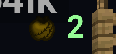
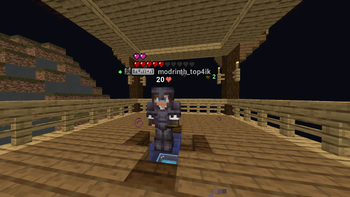
EatStats — client mod: shows other players’ gapple / notch / totem use above their head in PvP.
Screenshots

About this Mod
🍎 EatStats: Professional PvP Tracker
EatStats is a high-performance client-side mod for Fabric, designed specifically for competitive PvP players. It tracks your opponents' golden apple consumption and totem usage in real-time, displaying precise statistics directly next to their nameplates.
🚀 Key Features:
- Precise Tracking : Separate counters for Golden Apples (Gapples) and Enchanted Golden Apples (Charms).
- Totem Pop Counter : Instantly captures and displays every totem pop from enemies in your vicinity.
- PvP-Oriented Reset : Apple counters automatically reset to zero the moment you deal damage to the target.
- Smart Detection : Tracks all players within a 40-block radius, even if they are behind you or out of your direct line of sight.
- Professional HUD : Clean, flat design without intrusive shadows or bulky boxes, blending perfectly with the vanilla interface.
🛠 Advanced Configuration (Key: "O"):
Fine-tune the HUD to your liking with our advanced settings menu (requires Cloth Config ):
- XYZ Precision Sliders : Move the HUD along three axes with instant live preview .
- Transparent Menu : The config background is translucent, allowing you to see the HUD move in real-time while adjusting sliders.
- Dynamic Scaling : Resize icons and text from 0.5x to 1.5x for optimal visibility.
- Flexible Positioning : Choose to display stats to the Right, Above, or Under the player's name.
🎨 Visual Excellence:
- Clean Colors : Uses soft Mint Green ( #98FF98 ) for apples and Pastel Red ( #FF6B6B ) for totems—no "eye-bleeding" neon palettes.
- No Rendering Bugs : Fixed common issues like double-shadow ghosting and black boxes around enchanted items.
- Depth Priority : The HUD stays on top of player models, ensuring you never lose track of vital information during intense fights.
📋 Requirements:
- Minecraft : 1.20.1
- Fabric Loader
- Fabric API
- Cloth Config API (Mandatory for the settings menu)
- Mod Menu (Recommended for easy access to configuration)
⌨️ Controls:
- O (default) — Open the Configuration & Calibration menu.
Available Versions
How to Install EatStats on Your Server
Order Server
Order a Minecraft Java server with at least 3 GB RAM (4 GB recommended).
Set fabric Loader
In the panel under "Egg", select the fabric loader and matching Minecraft version (1.20.1).
Install Mod
Open the mod browser in the dashboard and search for "EatStats". Click "Install" – done! Alternatively, upload the .jar via SFTP to the /mods folder.
Compatibility
Mod Loaders
Minecraft Versions
1.20.1
Server-side
✗ UnsupportedRecommended RAM
4 GB(min. 3 GB)Frequently Asked Questions
EatStats server crashes on startup – what to do?
Most common cause: wrong fabric version or insufficient RAM. Check the server log (latest.log) for "OutOfMemoryError" or "Mixin" errors. With Mado Hosting: ensure at least 3 GB RAM is allocated and the loader matches the mod version (1.20.1). You can switch loaders with one click in the panel.
Is EatStats compatible with fabric?
EatStats officially supports fabric for Minecraft 1.20.1. The Mado dashboard automatically detects incompatible loader combinations.
Server lagging with EatStats – how to optimize performance?
Recommended RAM: 4 GB (per 8 players). Use /spark profiler to check if EatStats consumes the most tick time. Common fixes: reduce server view-distance to 8-10, install "performant" or "starlight" as supplementary mods on Forge. With Mado Hosting, your server runs on NVMe SSDs with dedicated CPU cores for minimal latency.
Similar Mods



Rent Modded Server
Install EatStats with just one click on your server.