
EcoFlow
EcoFlow is a simple economic mod, both physical and virtual
Screenshots

About this Mod
EcoFlow

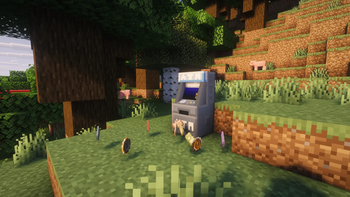
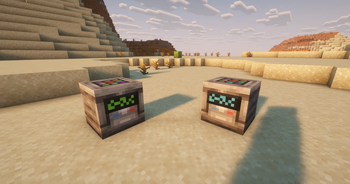
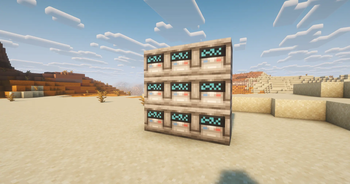
EcoFlow is a simple and intuitive economy mod for Minecraft. It combines a physical money system in the form of items with a virtual account accessible via ATMs. This mod allows players to manage their in-game finances while providing tools for administrators.
⚠️ Warning:
Money cannot be crafted and is therefore unobtainable through normal gameplay. Administrator rights are required to assign an initial balance to players.
Key Features
Physical and virtual money: Players can collect items representing money and convert them into virtual currency using ATMs.
Account management: Each player has a virtual account to store money and perform secure transactions.
Player commands:
/balance→ check your virtual balance./pay <player1> <player2> <amount>→ transfer money to another player.
Administrator commands:
/money balance <player>→ check a player's balance./money set <player> <amount>→ set a player's balance./money add <player> <amount>→ add money to a player's account.
Why use EcoFlow?
EcoFlow makes Minecraft's economy easy to understand and fun to use, whether on community servers or in solo play. Its combined item and virtual account system adds a realistic and immersive layer to in-game money management.
In Development
The mod is still in beta and will receive major updates, including the addition of cryptocurrency, mining, and even servers capable of generating fully vanilla money.
Available Versions
How to Install EcoFlow on Your Server
Order Server
Order a Minecraft Java server with at least 3 GB RAM (4 GB recommended).
Set neoforge Loader
In the panel under "Egg", select the neoforge loader and matching Minecraft version (1.21.1).
Install Mod
Open the mod browser in the dashboard and search for "EcoFlow". Click "Install" – done! Alternatively, upload the .jar via SFTP to the /mods folder.
Compatibility
Mod Loaders
Minecraft Versions
1.21.1
Server-side
~ OptionalRecommended RAM
4 GB(min. 3 GB)Frequently Asked Questions
EcoFlow server crashes on startup – what to do?
Most common cause: wrong neoforge version or insufficient RAM. Check the server log (latest.log) for "OutOfMemoryError" or "Mixin" errors. With Mado Hosting: ensure at least 3 GB RAM is allocated and the loader matches the mod version (1.21.1). You can switch loaders with one click in the panel.
Is EcoFlow compatible with neoforge?
EcoFlow officially supports neoforge for Minecraft 1.21.1. The Mado dashboard automatically detects incompatible loader combinations.
Server lagging with EcoFlow – how to optimize performance?
Recommended RAM: 4 GB (per 8 players). Use /spark profiler to check if EcoFlow consumes the most tick time. Common fixes: reduce server view-distance to 8-10, install "performant" or "starlight" as supplementary mods on Forge. With Mado Hosting, your server runs on NVMe SSDs with dedicated CPU cores for minimal latency.
Similar Mods




![CobbleDollars [Cobblemon Addon]](https://cdn.modrinth.com/data/s7N7AsqL/684040a264fc1d7f9b856ec5d2da39767398c7ad.png)
Rent Modded Server
Install EcoFlow with just one click on your server.