
Economy Datapack
Simple Economy Datapack for Minecraft
Screenshots
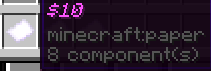
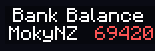
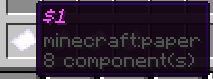
About this Mod
Request your own data pack here (You get credited for the idea, and a custom role on my discord)
This economy datapack provides an easy and intuitive way to manage in-game currency in Minecraft. It allows players to engage in player-to-player trading by simply dropping money, creating a seamless and immersive economic experience.
Purpose:
The primary function of this datapack is to offer a lightweight and straightforward economy system that integrates smoothly into any Minecraft server. Players can deposit money into their bank accounts right clicking any bank note, and withdraw it with the "/trigger withdraw" command. The system uses Minecraft's native scoreboard, making it compatible with other mods, plugins, or datapacks.
Appeal:
- Simple Trading: Drop money directly to other players to trade, making transactions quick and hassle-free.
- User-Friendly Banking: Manage your funds effortlessly with easy-to-remember commands.
- Compatibility: Built to work seamlessly with other Minecraft content, thanks to its use of the native scoreboard system.
- Lightweight: Ideal for server owners looking for an uncomplicated economy system without the overhead of complex configurations.
Work in Progress:
This datapack is actively being developed, with new features and improvements on the way. As it stands, money can only be generated or modified using the "/scoreboard player add [player] Bank [amount]" command.
Available Versions
How to Install Economy Datapack on Your Server
Order Server
Order a Minecraft Java server with at least 3 GB RAM (4 GB recommended).
Set datapack Loader
In the panel under "Egg", select the datapack loader and matching Minecraft version (1.21.11).
Install Mod
Open the mod browser in the dashboard and search for "Economy Datapack". Click "Install" – done! Alternatively, upload the .jar via SFTP to the /mods folder.
Compatibility
Mod Loaders
Minecraft Versions
1.21.11, 1.21.10, 1.21.9 (+6 more)
Server-side
✓ RequiredRecommended RAM
4 GB(min. 3 GB)Frequently Asked Questions
Economy Datapack server crashes on startup – what to do?
Most common cause: wrong datapack version or insufficient RAM. Check the server log (latest.log) for "OutOfMemoryError" or "Mixin" errors. With Mado Hosting: ensure at least 3 GB RAM is allocated and the loader matches the mod version (1.21.11). You can switch loaders with one click in the panel.
Is Economy Datapack compatible with datapack and fabric and forge and neoforge and quilt?
Economy Datapack officially supports datapack, fabric, forge, neoforge, quilt for Minecraft 1.21.11, 1.21.10, 1.21.9. Note: Forge and Fabric mods are NOT cross-compatible – pick one loader and stick with it. The Mado dashboard automatically detects incompatible loader combinations.
Server lagging with Economy Datapack – how to optimize performance?
Recommended RAM: 4 GB (per 8 players). Use /spark profiler to check if Economy Datapack consumes the most tick time. Common fixes: reduce server view-distance to 8-10, install "performant" or "starlight" as supplementary mods on Forge. With Mado Hosting, your server runs on NVMe SSDs with dedicated CPU cores for minimal latency.
Similar Mods





Rent Modded Server
Install Economy Datapack with just one click on your server.