
Equivalent Exchange
Dirt to Diamonds and Diamonds to Dirt. This is the mod that started it all.
Screenshots
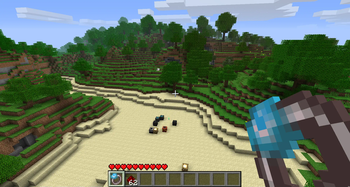
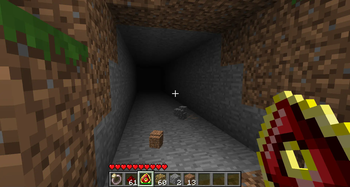
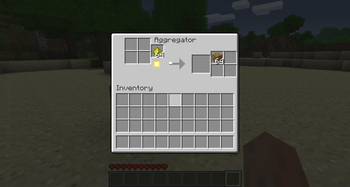
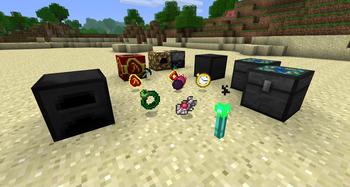
About this Mod

To summarize: this mod allows you to transmute tons of materials into other materials. It adds a lot of what is classified by many as "endgame content", to make you feel more godlike in your sandbox world. If this offends your Minecrafting sensibilities, this may not be the mod for you.
These items are psychotically expensive, so before you bash them, try acquiring the items legitimately. You'll find it's not exactly a cakewalk.
Dependencies
- v1.15, v2.08b: Risugami's ModLoader and AudioMod
- NOTE: v1.15 is a jarmod, install directly into the minecraft.jar, not in the /mods/ folder
- v3.53 (ItemSprite API): Risugami's ModLoader, AudioMod, ItemSprite API v1.2 by scokeev9
- v3.53+ (Forge): Risugami's ModLoader, ModLoader MP, AudioMod, Forge
Troubleshooting
My Klein Star doesn't provide fuel for ANYTHING / My Gem of Eternal Density doesn't condense stuff / I get pieces of the Klein Star when crafting the mod items!
Charge it up, turn it on.
When my [collector/condenser] finishes, the product disappears.
Look in the chest next to it.
Block/Item ID Conflicts
Note that this mod uses a properties file, [mod_EE.props] located
in your .minecraft directory. This file contains all the IDs for everything
in the mod, as well as your keyboard configuration. Your minecraft error log
(modloader.txt) will tell you what is causing the conflict.
If you are upgrading from 1.7.3, but are starting new worlds only, you MUST delete your mod_EE.props file. If you are trying to use the old worlds from 1.7.3 with all your awesome stuff, you MUST follow the instructions above the Download links for 1.8.1 or you will bork your props file and your items will be wonky until you fix it.
My keyboard keys conflict between two of my favorite mods!
The keyboard keys are now back to be configurable in the mod_EE.props file.
In order to configure your keys, you will need to figure out what the number representing the key you want to use is, and to do that, you must go here.
BuildCraft Autocrafting Tables won't do recipes that use the Philosopher's Stone!
Make sure you have a chest beside your autocrafting table which also contains a Philosopher's Stone. If you're using a different recipe, such as one that uses the Evertide to make slimeballs, you will need to have the appropriate item in the chest.
Specific errors/FAQ -
java.lang.NoClassDefFoundError: IItemTexture
This means you either
- Don't have ItemSprite API or
- Have the wrong version. It also may mean you can't read.
How do I charge items? How do I [control item "x"]?
The default keys are as follows:
Charge tools/items: V
Release charge/use superpower: R
Toggle the active effects of an item: G
Open the Philosopher's Stone Crafting/Transmutation: C
[Use it while charged to max to open the Transmutation Grid]
Does the Philosopher's Stone get used up in recipes?
No.
The "Groundstomp" ability of the Gravity Greaves isn't working.
Provided you have turned the movement abilities on there is something in Smart Moving and Player API which conflicts with the greave's sneaking-in-midair effect.
Archival notice
This mod is abandoned and has been uploaded for archival purposes. It was originally created Jun 6, 2011 by x3n0ph0b3. It has been uploaded to Modrinth under the ModrinthArchives account with permission from the original author.

Available Versions
How to Install Equivalent Exchange on Your Server
Order Server
Order a Minecraft Java server with at least 3 GB RAM (4 GB recommended).
Set forge Loader
In the panel under "Egg", select the forge loader and matching Minecraft version (1.1).
Install Mod
Open the mod browser in the dashboard and search for "Equivalent Exchange". Click "Install" – done! Alternatively, upload the .jar via SFTP to the /mods folder.
Compatibility
Mod Loaders
Minecraft Versions
1.1, 1.0, b1.8.1 (+2 more)
Server-side
✓ RequiredRecommended RAM
4 GB(min. 3 GB)Frequently Asked Questions
Equivalent Exchange server crashes on startup – what to do?
Most common cause: wrong forge version or insufficient RAM. Check the server log (latest.log) for "OutOfMemoryError" or "Mixin" errors. With Mado Hosting: ensure at least 3 GB RAM is allocated and the loader matches the mod version (1.1). You can switch loaders with one click in the panel.
Is Equivalent Exchange compatible with forge and modloader?
Equivalent Exchange officially supports forge, modloader for Minecraft 1.1, 1.0, b1.8.1. The Mado dashboard automatically detects incompatible loader combinations.
Server lagging with Equivalent Exchange – how to optimize performance?
Recommended RAM: 4 GB (per 8 players). Use /spark profiler to check if Equivalent Exchange consumes the most tick time. Common fixes: reduce server view-distance to 8-10, install "performant" or "starlight" as supplementary mods on Forge. With Mado Hosting, your server runs on NVMe SSDs with dedicated CPU cores for minimal latency.
Similar Mods




![CobbleDollars [Cobblemon Addon]](https://cdn.modrinth.com/data/s7N7AsqL/684040a264fc1d7f9b856ec5d2da39767398c7ad.png)
Rent Modded Server
Install Equivalent Exchange with just one click on your server.