
Effortless Crafting
Client side QoL mod that allows crafting directly from reachable chests, chain crafting long dependency items, bulk crafting tedious recipes, and other QoL tweaks. All while staying vanilla-compatible and server friendly
Screenshots
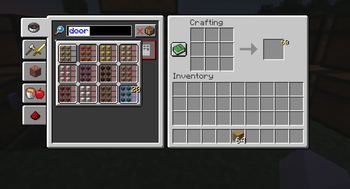
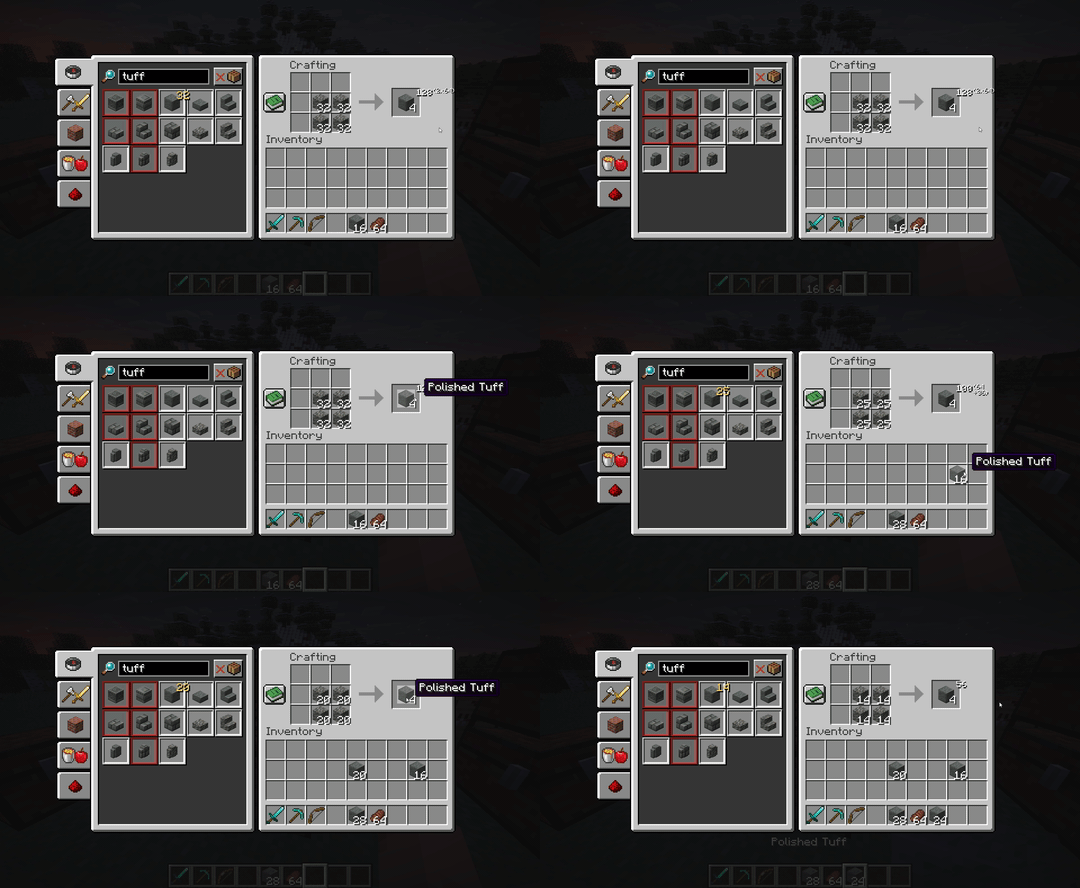
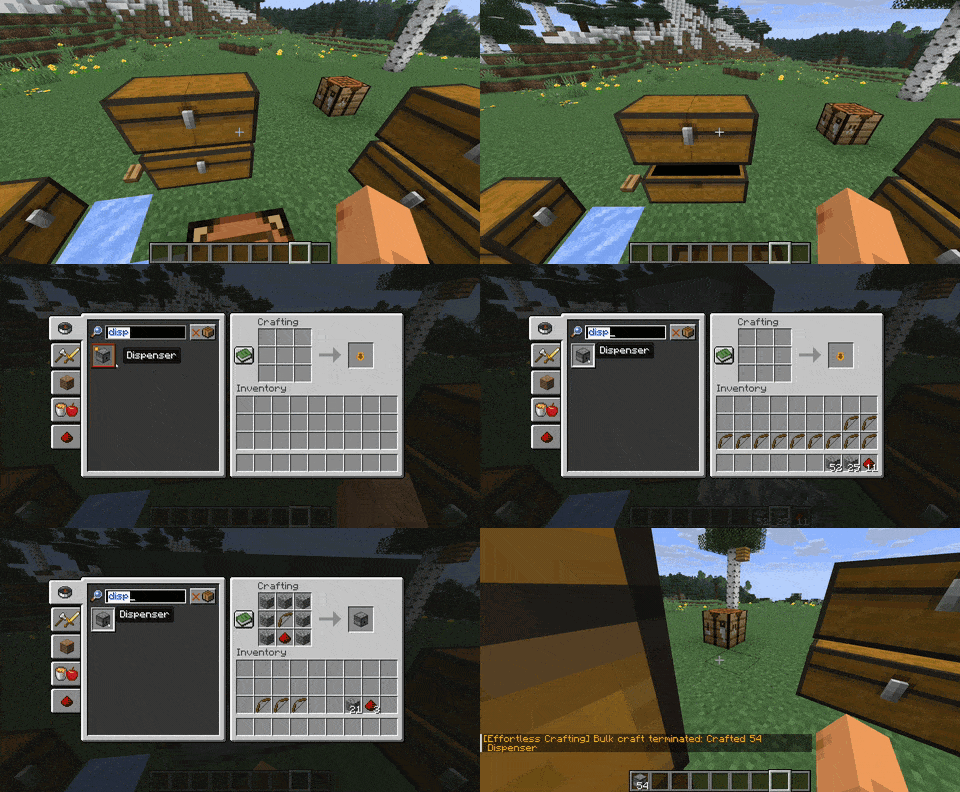
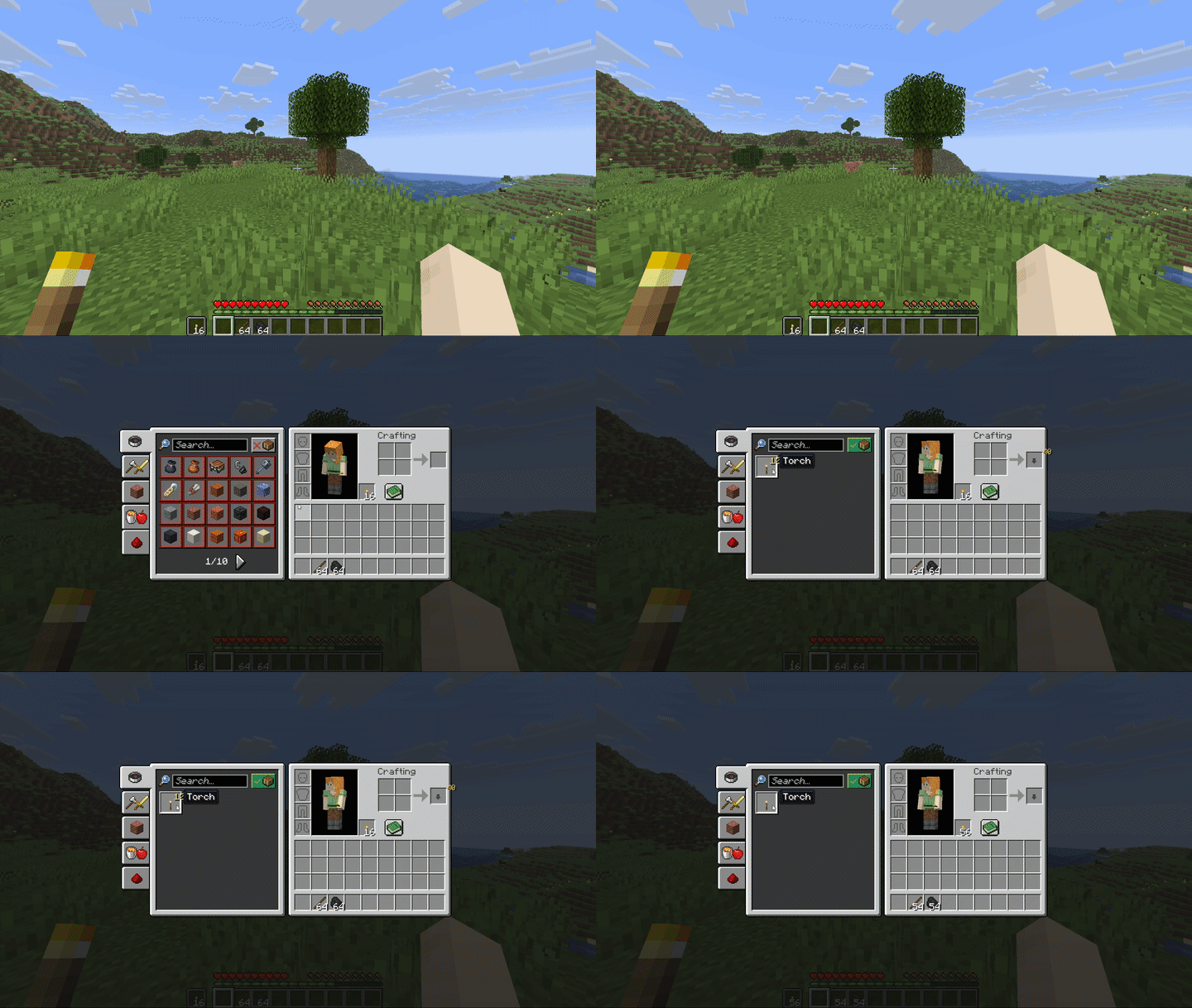
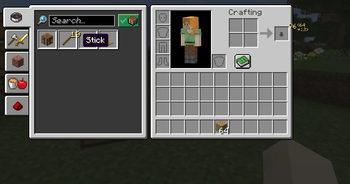
About this Mod
Effortless Crafting
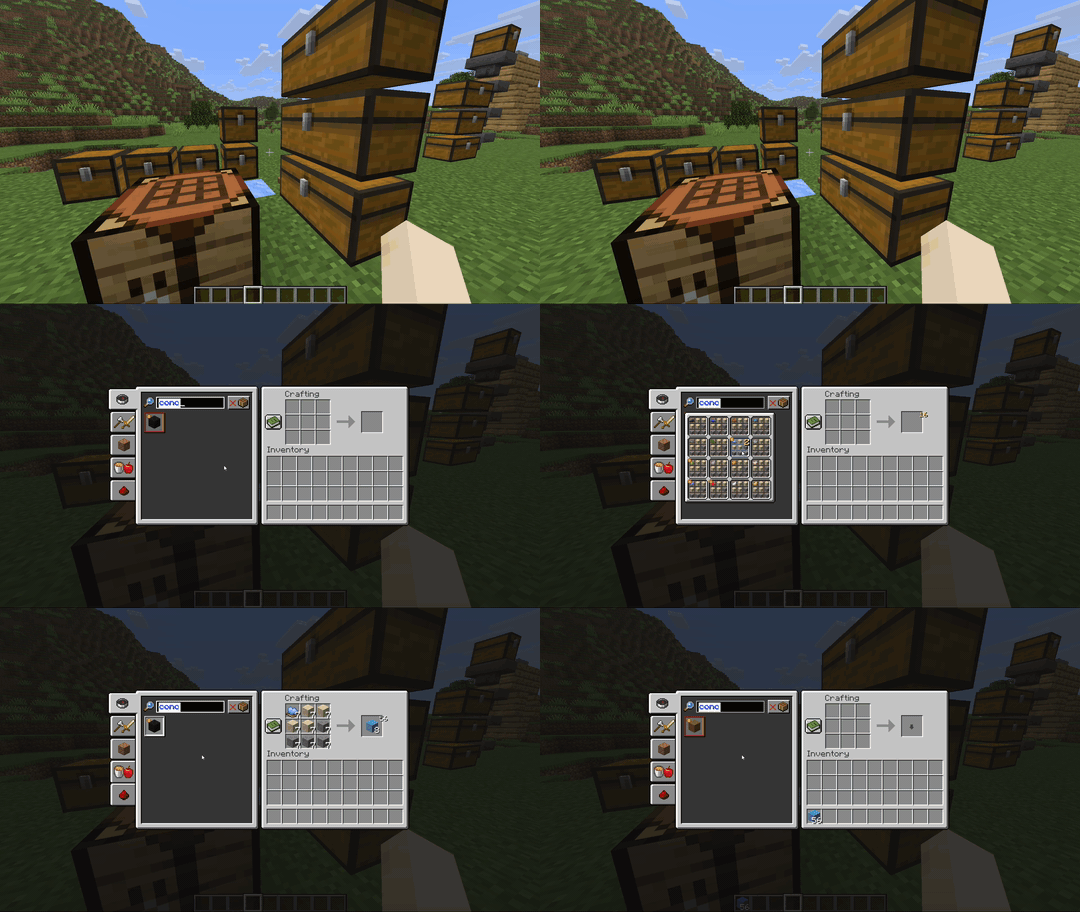
Effortless Crafting is a powerful fully client side crafting overhaul QoL mod that makes crafting faster and easier than ever! Along with many tweaks, it allows you to:
- craft using resources directly from reachable chests around you
- scroll to quickly queue / pull in or autocraft specific recipe counts
- request items with only the base ingredients, and it will automatically chain craft each step to the final result
- bulk craft tedious recipes, such as dispensers or thousands of gold nuggets from chests in a farm into blocks
To be as server-rule friendly as possible, it also caches items to minimize chest opening actions, and nearby chest usage can be completely disabled in settings.
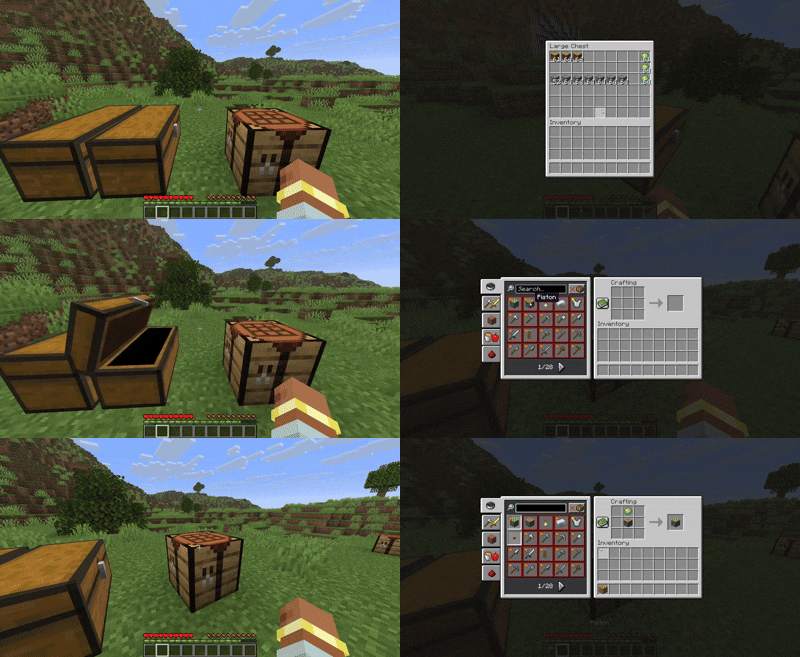
Trailer / Quick Tutorial
Some Useful Features not Addressed in the Video
- Chain Crafting: Form of autocrafting where if enabled, autocrafts every step in between as well to reach the final desired item. Ex: logs-->planks-->chest-->hopper all automatically.
- Retrieval Mode: Used for finding and quickly pulling in existing items from nearby chests, activated by double tapping ctrl or holding it and clicking the craft result slot
Right Clickon a revolving recipe opens the Vanilla variant picker, which matters if you want one exact variant instead of letting the mod resolve from the whole recipe family.- Holding
Spacebaracts as anx16multiplier while queuing or scroll-pulling. Right ClickorEsccancels any queued input before release while a request is being queued.Escwill immediately abort any crafting session initiated by the mod.- Tap
Altto autocraft whatever is currently in the grid - Hold
Altand click a recipe to instantly craft 1 of it
Quick Start
Most of the mod's power comes from recipe requests:
- Hover a recipe.
- Hold a modifier key.
- Scroll to choose how much you want.
- Release the modifier to send the request.
The three main modifiers are:
Shift: queue a normal inventory-only craftCtrl: allow nearby containers to be usedAlt: queue the craft as an autocraft request
If you prefer clicking, the same modifiers also change what recipe clicks do.
Pre-existing Vanilla behaviors
- This mod does not modify existing vanilla recipe interactions and hotkeys
- Normal recipe clicks still behave like vanilla.
- Vanilla
Shift + clickremains the familiar max-craft action unless you combine it with the mod's other modifiers. - Vanilla right click on a revolving recipe opens the variant picker.
- That variant picker matters if you want one exact variant instead of letting the mod resolve from the whole recipe family.
Modifier Controls
Combinations of these modifiers stack naturally.
| Modifier | Main meaning | On click | On scroll |
|---|---|---|---|
Shift |
Inventory-only recipe request | Elevates request to a max craft (as much as will fit in the grid at once) | Changes the queued amount, and on releasing all held modifiers sends the request. |
Ctrl |
Enable nearby containers | Adds 1 to the request with access to nearby containers | Changes the queued amount, and on releasing all held modifiers sends the request with access to nearby chests/barrels etc. |
Alt |
Autocraft this request | Instantly crafts 1 if enabled, otherwise adds 1 to the request | Changes the queued amount, and on releasing all held modifiers sends the request with autocraft applied to that request. |
Spacebar acts as an x16 multiplier while queuing or scroll-pulling.Right Click or Esc cancels any queued input before release while a request is being queued.Esc will immediately abort any crafting session initiated by the mod.
Common Combos
Ctrl + Shift + click: nearby max craftCtrl + Shift + clickwith bulk enabled: repeated nearby max crafts until resources run out or the session is stoppedAlt + Shift + click: inventory-only max craft with autocraft enabledCtrl + Alt + Shift + click: nearby max craft with autocraft enabledCtrl + Alt + scroll: nearby autocraft requestShift + Alt + scroll: inventory autocraft request (same as just alt + scroll)
Good To Know
- Turning autocraft on will craft whatever is currently in the grid. This makes it possible to request a recipe first, then autocraft it afterward without rebuilding the request.
- Manual recipes are not auto-crafted unless autocraft is turned on while something is already staged in the grid.
Alt + clickcan instantly craft 1 when Alt Click Instant Craft is enabled.- Bulk mode removes the normal queue cap and enables repeated autocrafts and repeated max crafts.
Shift + scrollover the result slot can also be used as a fast scroll to pull shortcut for crafted results.
Quality Of Life Tweaks
Smart Item Transfer
- Hotbar left-to-right: Automatically placed crafted items fill the hotbar from left to right instead of vanilla's usual right-to-left behavior to make new items easier to access
- Offhand stacking: Crafted items can be stacked directly onto the offhand slot and works for both 2x2 and 3x3 crafting grids.
Recipe Book And UI Enhancements
- Type to search: Typing can jump directly into the recipe book search bar while ignoring keys that should not become text input.
- Search history: Use the up and down arrows to cycle through previous recipe book searches.
- 3x3 auto-focus: The search bar is automatically focused when opening a crafting table.
- Yield and queue indicators: The UI can show output totals and queued counts directly on recipes.
- Chat feedback: Missing ingredient reports and bulk craft summaries are surfaced in chat.
- Recipe filter toggle: Default key
Spacebarquick toggles the craftable/uncraftable recipe filter when not being used for request scaling. - Quick Craft hotkey:
Bby default opens a nearby 3x3 crafting table when possible, otherwise falls back to the 2x2 inventory grid and focuses search.
Auto-Crafting
- Hold vs Toggle modes: By default, autocraft uses hold mode. Holding
Altsignals autocraft behavior for the current request. If preferred, autocraft can also be configured to use a toggle mode in settings. When autocraft is active, the arrow in the result slot indicates it. - Quick autocraft from the grid: If a recipe is already staged, tapping
Altcan craft it without needing to rebuild the request. - Instant craft option:
Alt + clickcan instantly craft 1 of the hovered recipe when Alt Click Instant Craft is enabled. If disabled, it behaves like a normal Alt request click instead. - Smart placement: Autocrafted items are placed intelligently, including left-to-right hotbar filling instead of vanilla's usual right-to-left behavior.
- Offhand stacking: Autocraft can stack compatible outputs into the offhand slot and works for both 2x2 and 3x3 crafting grids.
- Manual recipe safeguard: Recipes placed into the grid manually are never auto-crafted unless autocraft is turned on while that recipe is already staged.
Chain Crafting
Chain crafting extends autocraft by working backward through craftable dependencies when the final recipe is missing intermediate ingredients.
- Dependency crafting: If you request an autocraft for something like a comparator but only have logs, redstone, stone, and quartz, the mod can craft planks, sticks, redstone torches, and then the comparator.
- Ask first or always: Chain crafting can be disabled, ask for confirmation, or run automatically from the mod settings.
- Nearby-aware requests: Holding
Ctrlallows the chain planner to use cached nearby containers along with your inventory. - Partial fallback: If the full requested amount cannot be crafted but at least one final output can, the mod can offer to craft the possible amount instead.
- Conservative execution: Intermediate results go into your inventory, and each step still uses the normal autocraft placement and validation path.
- Current limitation: Bulk chain crafting is not supported yet. Bulk requests that would require chain crafting are reported instead of starting a bulk chain session.
Bulk Crafting
- Enable bulk mode: Hold
Altand click the crafting result arrow. Bulk mode is shown with an orange outline around the arrow. It remains on even after alt is released until a craft has been completed or aborted, or toggled back off. - What bulk changes: Bulk uncaps the normal queue limit, making it practical to craft large amounts of stackable and nonstackable items such as dispensers or cake if you wish.
- Bulk max craft:
Ctrl + Shift + clickwhile bulk is enabled repeatedly performs nearby max crafts until resources run out or the session is aborted. - Dynamic staging and ejection: Bulk craft brings in as many items as possible at a time and can eject outputs when needed to keep large sessions moving.
- Variant continuation: Bulk can keep crafting the same variant or switch to another available variant in the same family depending on your settings.
- Safe shutdown: Bulk sessions shut off automatically when finished, when manually aborted with
ESC, or when the game window loses focus.
Retrieval Mode
Retrieval Mode is a state exclusive to nearby crafting that lets you pull existing items directly from nearby chests instead of crafting them.
- Enable retrieval mode: Hold
Ctrland click the result slot, or double-tapCtrl(ensure neither autocraft nor bulk craft are toggled on). - What retrieval changes: Indicated by an 'X' in the result slot, this mode tells the recipe book to retrieve items from nearby containers into your inventory instead of crafting them. Manual crafting remains possible while this mode is active.
- Expanded visibility: Shows icons for all items you have seen at least once in-game, including those with no crafting recipes.
- Availability indicators: A green dot on an item icon denotes that at least 1 of that item is currently available in nearby containers to be retrieved.
Scroll To Pull
Scroll to pull is a specialized fast-output workflow that pairs well with the Spacebar x16 multiplier.
Shift + scroll downwhile hovering the result slot pulls the crafted result into your inventory, or ejects it if inventory space is unavailable.Shift + scroll downwhile hovering an inventory slot tries to pull the crafted result directly into that slot.Shift + scroll upappends the crafted result to your cursor stack.
Core Mechanics
Intelligent Resource Management
- Variant resolution: The mod can resolve revolving recipe variants based on your request, the selected variant, your settings, and the resources currently available.
- Smart chest interaction: Nearby pulls favor near-empty slots to help keep storage clean and consolidated.
- Item return and inventory restore: The mod remembers your inventory and chest layout and tries to return items to their original places after crafting.
- High-performance caching: Nearby container contents can be cached to speed up repeated crafts and improve craftability feedback.
Nearby Crafting
- Nearby container usage:
Ctrllets recipe requests use reachable storage around you in addition to your inventory. - Exact variant requests: Right click on revolving recipes to open vanilla's variant picker when you want one exact recipe instead of family-based resolution.
- Large nearby requests: Nearby requests can combine with autocraft and bulk for large multi-stage crafting sessions.
Quality Of Life Tweaks
Smart Item Transfer
- Hotbar left-to-right: Automatically placed crafted items fill the hotbar from left to right instead of vanilla's usual right-to-left behavior.
- Offhand stacking: Crafted items can be stacked into the offhand slot and work for both 2x2 and 3x3 crafting grids.
Recipe Book And UI Enhancements
- Type to search: Typing can jump directly into the recipe book search bar while ignoring keys that should not become text input.
- Search history: Use the up and down arrows to cycle through previous recipe book searches.
- Smart recipe sorting: The recipe book can prioritize recent crafts, directly craftable recipes, chain-craftable recipes, and nearby-craftable recipes while keeping vanilla sorting available in settings.
- 3x3 auto-focus: The search bar is automatically focused when opening a crafting table.
- Yield and queue indicators: The UI can show output totals and queued counts directly on recipes.
- Chat feedback: Missing ingredient reports and bulk craft summaries are surfaced in chat.
- Recipe filter toggle:
Spacebarstill supports the craftable/uncraftable recipe filter toggle when not being used for request scaling. - Recipe book navigation: Scroll or use arrow keys to easily page through the recipe book.
- Revolving craft menus & tooltips: Expanding recipes with multiple variants now clearly displays accurate tooltips for each variant.
Extra Controls
- Quick Craft hotkey:
Bby default opens a nearby 3x3 crafting table when possible, otherwise falls back to the 2x2 inventory grid and focuses search.
Customization And Filtering
High Customizability
Effortless Crafting is designed to fit different playstyles. Most behavior can be adjusted in the mod settings with Mod Menu and Cloth Config, including autocraft handling, variant behavior, queue behavior, and whether the mod is enabled at all.
Container Filtering System
- Global container blacklist: Prevent entire container types such as hoppers or ender chests from being used unless explicitly allowed with the in-world whitelist.
- In-world blacklist / whitelist: With in-world filtering enabled, hold
Ctrlinside a container UI to inspect and change that container's blacklist, neutral, or whitelist state via a clickable dot near the top of the container's UI. - Visual wireframes: Optional wireframes show filtered container states in the world.
Credits And License
This project is licensed under LGPL-3.0-or-later.
It draws inspiration and certain implementation patterns from:
- stack-to-nearby-chests by xiaocihua (LGPL-3.0)
Available Versions
How to Install Effortless Crafting on Your Server
Order Server
Order a Minecraft Java server with at least 3 GB RAM (4 GB recommended).
Set fabric Loader
In the panel under "Egg", select the fabric loader and matching Minecraft version (26.1.2).
Install Mod
Open the mod browser in the dashboard and search for "Effortless Crafting". Click "Install" – done! Alternatively, upload the .jar via SFTP to the /mods folder.
Compatibility
Mod Loaders
Minecraft Versions
26.1.2, 26.1.1, 26.1 (+3 more)
Server-side
✗ UnsupportedRecommended RAM
4 GB(min. 3 GB)Frequently Asked Questions
Effortless Crafting server crashes on startup – what to do?
Most common cause: wrong fabric version or insufficient RAM. Check the server log (latest.log) for "OutOfMemoryError" or "Mixin" errors. With Mado Hosting: ensure at least 3 GB RAM is allocated and the loader matches the mod version (26.1.2). You can switch loaders with one click in the panel.
Is Effortless Crafting compatible with fabric?
Effortless Crafting officially supports fabric for Minecraft 26.1.2, 26.1.1, 26.1. The Mado dashboard automatically detects incompatible loader combinations.
Server lagging with Effortless Crafting – how to optimize performance?
Recommended RAM: 4 GB (per 8 players). Use /spark profiler to check if Effortless Crafting consumes the most tick time. Common fixes: reduce server view-distance to 8-10, install "performant" or "starlight" as supplementary mods on Forge. With Mado Hosting, your server runs on NVMe SSDs with dedicated CPU cores for minimal latency.
Similar Mods






Rent Modded Server
Install Effortless Crafting with just one click on your server.