
Eggwars Premium
Eggwars premium mod for CubeCraft Eggwars. Includes armor durability, strength indicator, sword type, golden apple count, big emeralds, name history checker. Fully customizable sizes and colors.
Screenshots

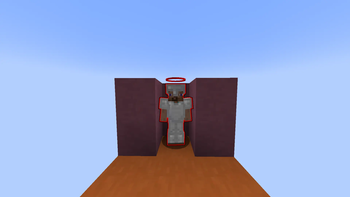
About this Mod
EggWars+
EggWars+ is a client-side quality-of-life mod designed specifically for players of Cubecraft. It enhances the in-game HUD with additional information to improve awareness during EggWars matches. It works on other servers too, however this has not been tested.
Features
Armor Durability Display
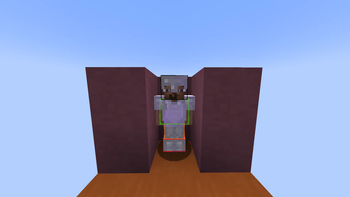
Shows real-time durability for each armor piece directly.
Strength Indicator
Displays when strength has been drank.
Sword Type Indicator
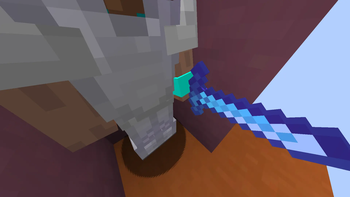
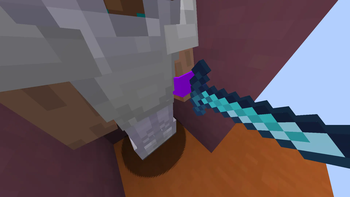
Identifies the sword being held (e.g. diamond sharpness 2, sharpness 5) without relying on textures.
Golden Apple Counter
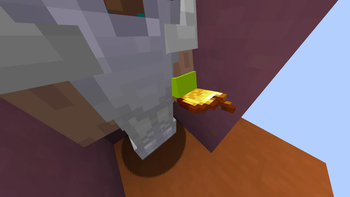
Tracks the number of golden apples being held.
Emerald Display (Big Format)
Enlarged emerald count for better visibility during gameplay.
Name History Checker
Allows you to view a player’s previous usernames.
Customization
Fully customizable colors
Adjustable sizes and positioning
Controls
Open the mod configuration GUI with: ]
(This keybind can be changed in Minecraft controls)
Important Information
This is a client-side mod and does not require server installation
Designed for Cubecraft EggWars; functionality may be limited on other servers
Does not provide gameplay advantages, only visual information
Spoiler
Data Collection Notice: This mod collects your approximate country of residence, and the number of times you have launched Minecraft with this mod installed. This data is sent to a private server and is used solely for usage statistics. It is not shared with third parties.
Available Versions
How to Install Eggwars Premium on Your Server
Order Server
Order a Minecraft Java server with at least 3 GB RAM (4 GB recommended).
Set fabric Loader
In the panel under "Egg", select the fabric loader and matching Minecraft version (1.21.11).
Install Mod
Open the mod browser in the dashboard and search for "Eggwars Premium". Click "Install" – done! Alternatively, upload the .jar via SFTP to the /mods folder.
Compatibility
Mod Loaders
Minecraft Versions
1.21.11, 1.21.10, 1.21.9 (+5 more)
Server-side
✗ UnsupportedRecommended RAM
4 GB(min. 3 GB)Frequently Asked Questions
Eggwars Premium server crashes on startup – what to do?
Most common cause: wrong fabric version or insufficient RAM. Check the server log (latest.log) for "OutOfMemoryError" or "Mixin" errors. With Mado Hosting: ensure at least 3 GB RAM is allocated and the loader matches the mod version (1.21.11). You can switch loaders with one click in the panel.
Is Eggwars Premium compatible with fabric?
Eggwars Premium officially supports fabric for Minecraft 1.21.11, 1.21.10, 1.21.9. The Mado dashboard automatically detects incompatible loader combinations.
Server lagging with Eggwars Premium – how to optimize performance?
Recommended RAM: 4 GB (per 8 players). Use /spark profiler to check if Eggwars Premium consumes the most tick time. Common fixes: reduce server view-distance to 8-10, install "performant" or "starlight" as supplementary mods on Forge. With Mado Hosting, your server runs on NVMe SSDs with dedicated CPU cores for minimal latency.
Similar Mods




![[TaCZ] Timeless and Classics Zero](https://cdn.modrinth.com/data/SzzJttH8/fd27766d2bb8390d284696b1dbd358f87e081439_96.webp)

Rent Modded Server
Install Eggwars Premium with just one click on your server.