
Eliminate Shields
Don't let shields ruin your good mood for the day :)
About this Mod
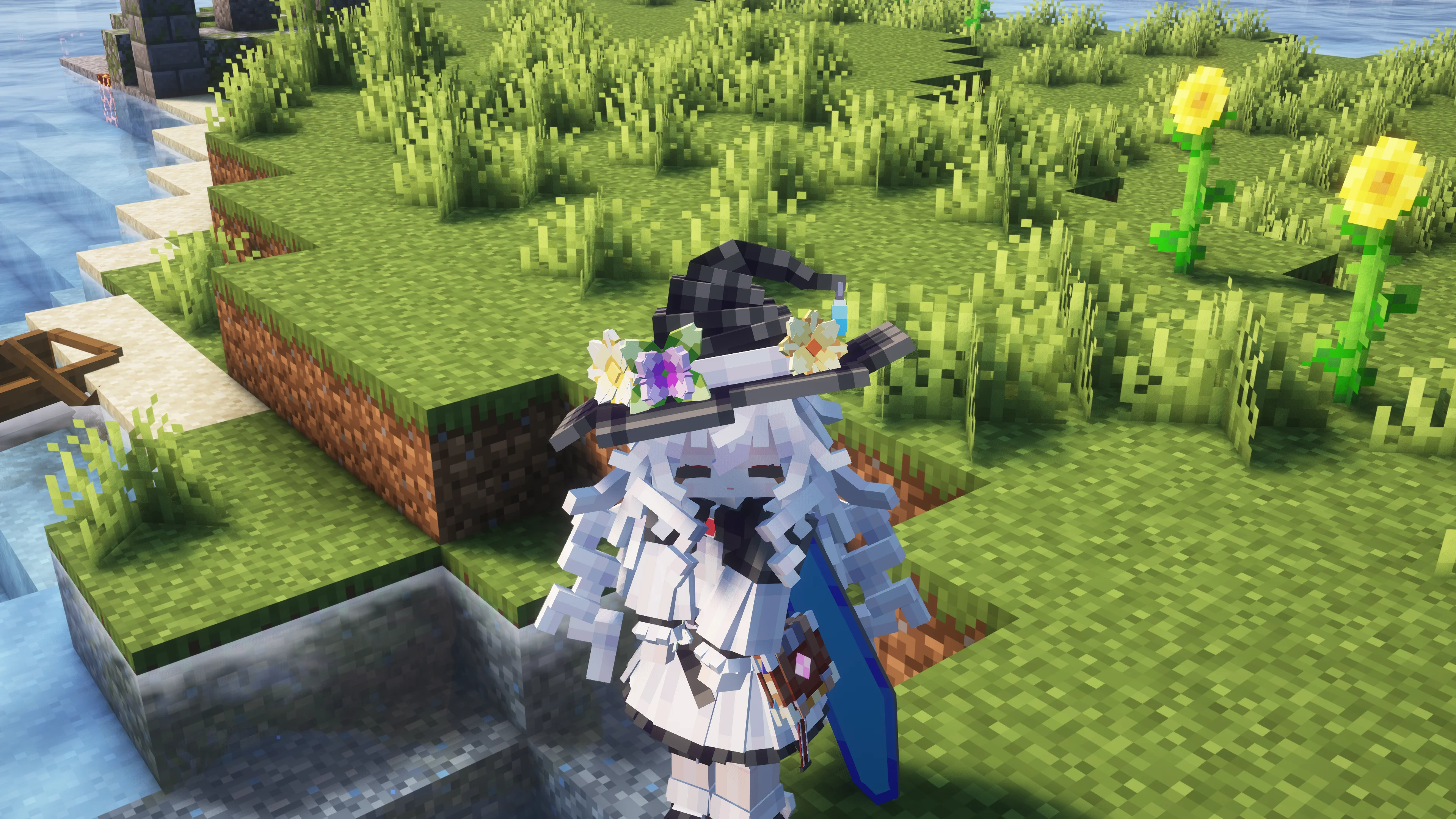
Do you love using FirstPersonModel? Enjoying those beautiful animations and the immersive Minecraft experience? But wait... what's that blocking your view? Why let a bulky shield ruin the vibe?
That's exactly why this mod was born. Most existing shield-hiding mods on the market are purely visual tweaks designed for first-person view. They often fail when you switch to third-person or use player model replacement mods (like Yes Steve Model).
Eliminate Shields uses a unique approach to hide the shield at the source. When you hold a shield in your offhand, the mod will automatically "put away" (hide) the shield after a short delay.
Universal Hiding: Whether you are in first-person, third-person, or using a custom model avatar, you won't see that annoying shield.
Instant Response: The moment you need it, simply Right-Click to block, and the shield will reappear instantly out of thin air.
Inventory Behavior:
No workarounds needed! Use the method you're most familiar with: just open your inventory to equip or unequip the shield. It's that simple :)
Configuration:
Although this mod utilizes the Cloth Config API, it is optional in a sense.
The default settings are tuned for the best experience right out of the box. However, if you wish, you can customize options such as the "shield hide delay" to perfectly match your playstyle.
Note:
I am still improving my coding skills, so if you encounter any bugs, please report them on the Issues page. Thank you for your support!
Available Versions
How to Install Eliminate Shields on Your Server
Order Server
Order a Minecraft Java server with at least 3 GB RAM (4 GB recommended).
Set neoforge Loader
In the panel under "Egg", select the neoforge loader and matching Minecraft version (1.21.3).
Install Mod
Open the mod browser in the dashboard and search for "Eliminate Shields". Click "Install" – done! Alternatively, upload the .jar via SFTP to the /mods folder.
Compatibility
Mod Loaders
Minecraft Versions
1.21.3, 1.21.2, 1.21.1 (+1 more)
Server-side
✗ UnsupportedRecommended RAM
4 GB(min. 3 GB)Frequently Asked Questions
Eliminate Shields server crashes on startup – what to do?
Most common cause: wrong neoforge version or insufficient RAM. Check the server log (latest.log) for "OutOfMemoryError" or "Mixin" errors. With Mado Hosting: ensure at least 3 GB RAM is allocated and the loader matches the mod version (1.21.3). You can switch loaders with one click in the panel.
Is Eliminate Shields compatible with neoforge?
Eliminate Shields officially supports neoforge for Minecraft 1.21.3, 1.21.2, 1.21.1. The Mado dashboard automatically detects incompatible loader combinations.
Server lagging with Eliminate Shields – how to optimize performance?
Recommended RAM: 4 GB (per 8 players). Use /spark profiler to check if Eliminate Shields consumes the most tick time. Common fixes: reduce server view-distance to 8-10, install "performant" or "starlight" as supplementary mods on Forge. With Mado Hosting, your server runs on NVMe SSDs with dedicated CPU cores for minimal latency.
Similar Mods




![[TaCZ] Timeless and Classics Zero](https://cdn.modrinth.com/data/SzzJttH8/fd27766d2bb8390d284696b1dbd358f87e081439_96.webp)

Rent Modded Server
Install Eliminate Shields with just one click on your server.