
ElytraFlow
ElytraFlow is a client-side Fabric mod for Minecraft 26.1.2 that automatically swaps your elytra back to your best chestplate when you land.
Screenshots

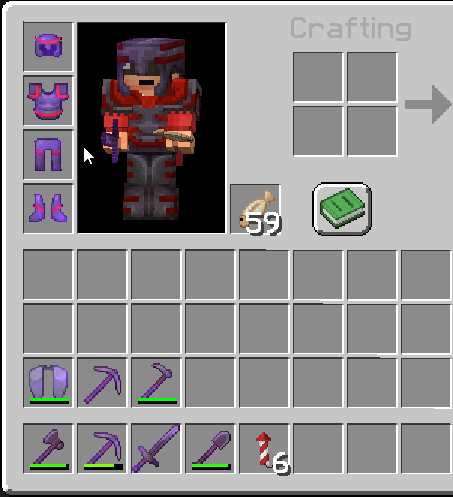
About this Mod
ElytraFlow 🪂
Stop interrupting your flight to swap armor.
ElytraFlow automatically re-equips your best chestplate the moment you land, so you can focus on exploring, not your inventory.
You know this situation
You're flying across the map with your elytra. You land, you're exposed, and you start digging through your hotbar to put your chestplate back on.
Whether you're:
- 🏔️ Gliding between mountain peaks and landing mid-combat
- 🌍 Exploring for hours and touching down frequently for resources
- 🏹 Playing on a PvP server where every second counts
- 🌙 Landing at night and immediately getting attacked
...ElytraFlow handles the swap for you, instantly and automatically.
How it works
The moment your feet touch the ground while wearing an elytra, ElytraFlow scans your inventory and equips the best chestplate it finds. No clicks, no fumbling, no delay.
- Searches your entire inventory (hotbar, main, offhand)
- Always picks the highest-tier armor available
- Skips items with Curse of Binding so you never get stuck
- Does nothing if you don't have a chestplate to swap to
Toggle keybind
You can turn the mod on or off at any time with a keybind under Options > Controls > ElytraFlow (unbound by default). A quick on-screen message confirms the state.
Installation
Drop the .jar into your mods folder. That's it.
Works with Fabric and NeoForge, client-side only, compatible with any server.
Notes
- 🔒 No data collected, no network requests
- ⚙️ No config needed, it just works
- 🌐 Works on any server
Available Versions
How to Install ElytraFlow on Your Server
Order Server
Order a Minecraft Java server with at least 3 GB RAM (4 GB recommended).
Set fabric Loader
In the panel under "Egg", select the fabric loader and matching Minecraft version (26.2).
Install Mod
Open the mod browser in the dashboard and search for "ElytraFlow". Click "Install" – done! Alternatively, upload the .jar via SFTP to the /mods folder.
Compatibility
Mod Loaders
Minecraft Versions
26.2, 26.1.2, 26.1.1 (+1 more)
Server-side
✗ UnsupportedRecommended RAM
4 GB(min. 3 GB)Frequently Asked Questions
ElytraFlow server crashes on startup – what to do?
Most common cause: wrong fabric version or insufficient RAM. Check the server log (latest.log) for "OutOfMemoryError" or "Mixin" errors. With Mado Hosting: ensure at least 3 GB RAM is allocated and the loader matches the mod version (26.2). You can switch loaders with one click in the panel.
Is ElytraFlow compatible with fabric and neoforge?
ElytraFlow officially supports fabric, neoforge for Minecraft 26.2, 26.1.2, 26.1.1. The Mado dashboard automatically detects incompatible loader combinations.
Server lagging with ElytraFlow – how to optimize performance?
Recommended RAM: 4 GB (per 8 players). Use /spark profiler to check if ElytraFlow consumes the most tick time. Common fixes: reduce server view-distance to 8-10, install "performant" or "starlight" as supplementary mods on Forge. With Mado Hosting, your server runs on NVMe SSDs with dedicated CPU cores for minimal latency.
Similar Mods



![[TaCZ] Timeless and Classics Zero](https://cdn.modrinth.com/data/SzzJttH8/fd27766d2bb8390d284696b1dbd358f87e081439_96.webp)


Rent Modded Server
Install ElytraFlow with just one click on your server.