
Emerald Rails
A redstone-powered Emerald Rail for Fabric that boosts minecarts 15x faster than powered rails.
Screenshots
About this Mod
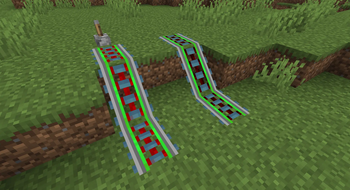
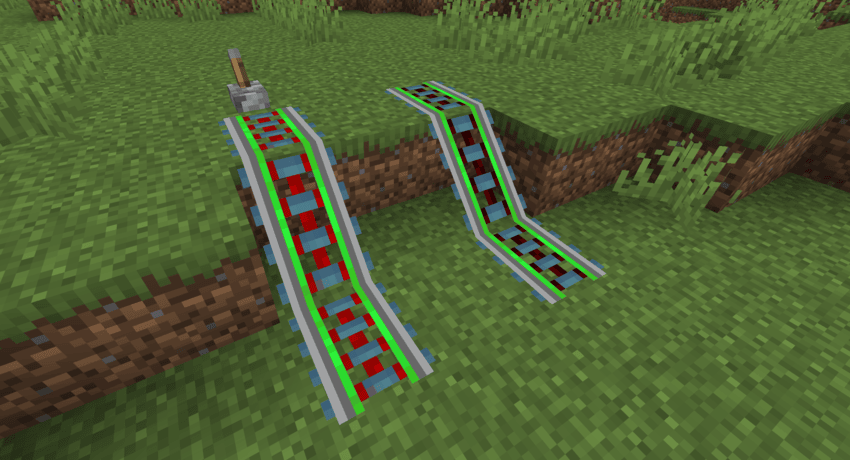
Emerald Rails adds a new rail to Minecraft: the Emerald Rail.
It behaves like a Powered Rail (requires redstone power to activate), but when powered it provides 15× stronger acceleration than a vanilla Powered Rail — without changing Minecraft’s built-in minecart speed cap. That means you’ll hit the vanilla cap faster, but you won’t go faster than vanilla allows unless you use another mod to raise/remove that limit.
Features
Works like a Powered Rail: powered by redstone signal.
When powered, 15× acceleration compared to vanilla Powered Rails.
Crafting
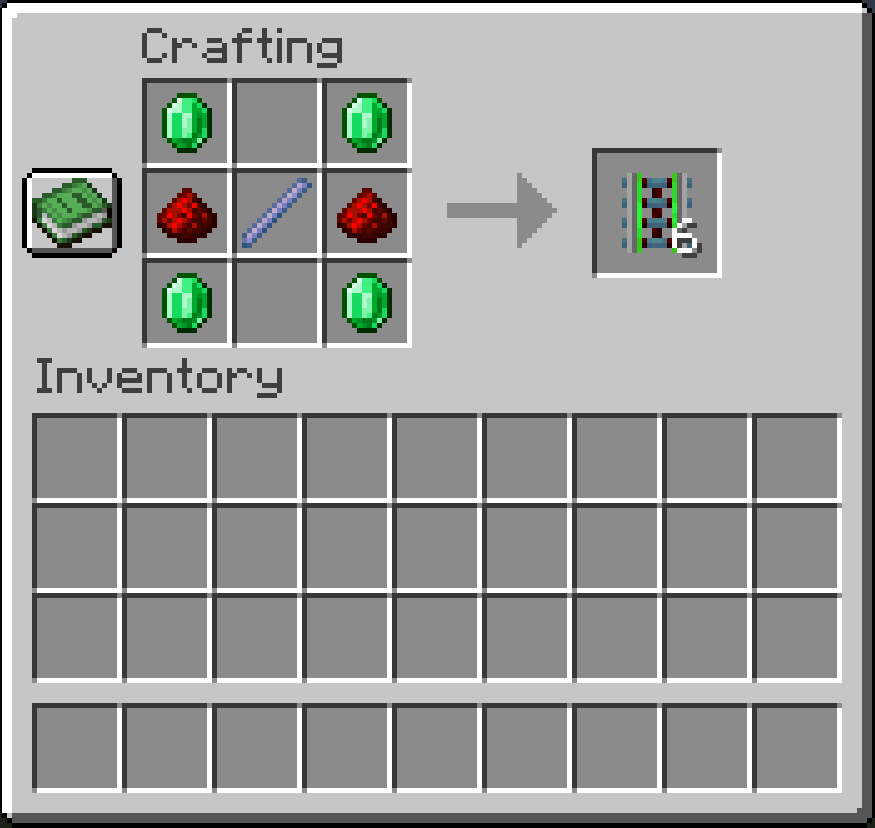
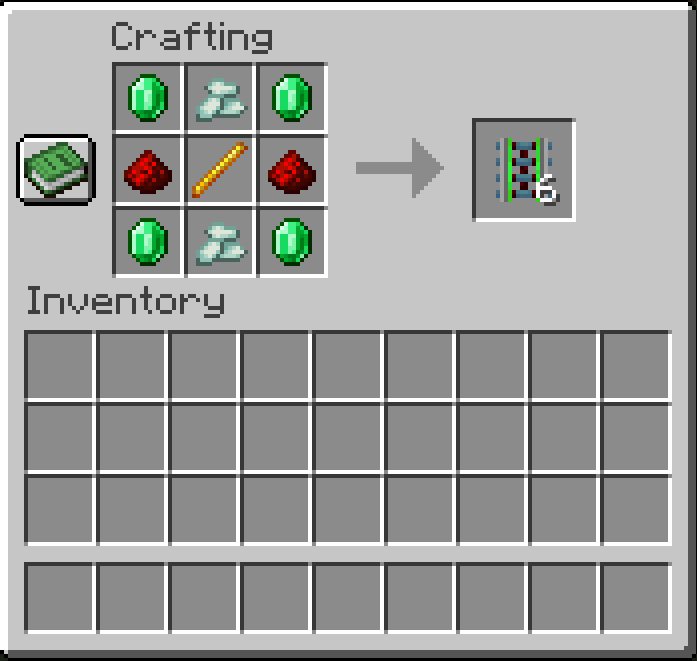
for 1.21.6-1.21.11, to craft an emerald rail, the player needs 4 emeralds, 2 redstone dust and a breeze rod.
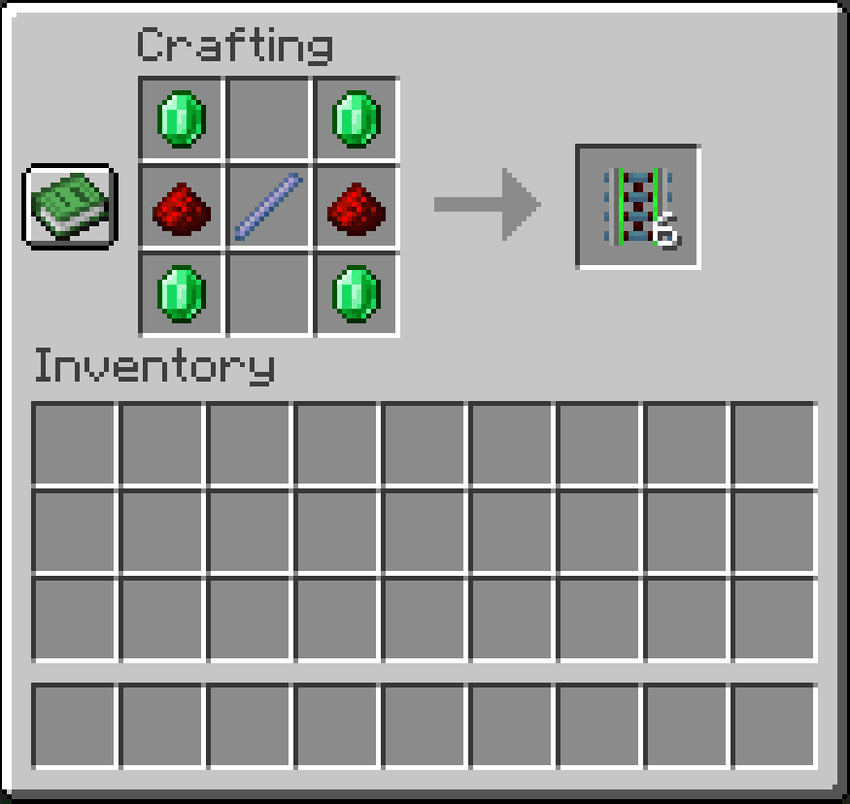
for 1.20.1, to craft an emerald rail, the player needs 4 emeralds, 2 redstone dust, 2 prismarine crystals and a blaze rod, as breeze rods dont exist in that version.
Versions
play-tested between 1.21.6 - 1.21.11 fabric and works for any version between those two, also specifically play-tested on 1.20.1 fabric. please feel free to comment if you want a specific version, if you encounter an error or if you have a suggestion!
NOTE:
This mod does not uncap minecart speed. Vanilla minecarts have a hard speed limit, so Emerald Rails mainly helps you reach top speed much faster.
For high-speed minecart systems, a speed/physics mod is strongly recommended and close to essential, since it’s the thing that actually removes/raises the cap and lets Emerald Rails show its full effect.
Available Versions
How to Install Emerald Rails on Your Server
Order Server
Order a Minecraft Java server with at least 3 GB RAM (4 GB recommended).
Set fabric Loader
In the panel under "Egg", select the fabric loader and matching Minecraft version (1.21.11).
Install Mod
Open the mod browser in the dashboard and search for "Emerald Rails". Click "Install" – done! Alternatively, upload the .jar via SFTP to the /mods folder.
Compatibility
Mod Loaders
Minecraft Versions
1.21.11, 1.21.10, 1.21.9 (+4 more)
Server-side
✓ RequiredRecommended RAM
4 GB(min. 3 GB)Frequently Asked Questions
Emerald Rails server crashes on startup – what to do?
Most common cause: wrong fabric version or insufficient RAM. Check the server log (latest.log) for "OutOfMemoryError" or "Mixin" errors. With Mado Hosting: ensure at least 3 GB RAM is allocated and the loader matches the mod version (1.21.11). You can switch loaders with one click in the panel.
Is Emerald Rails compatible with fabric?
Emerald Rails officially supports fabric for Minecraft 1.21.11, 1.21.10, 1.21.9. The Mado dashboard automatically detects incompatible loader combinations.
Server lagging with Emerald Rails – how to optimize performance?
Recommended RAM: 4 GB (per 8 players). Use /spark profiler to check if Emerald Rails consumes the most tick time. Common fixes: reduce server view-distance to 8-10, install "performant" or "starlight" as supplementary mods on Forge. With Mado Hosting, your server runs on NVMe SSDs with dedicated CPU cores for minimal latency.
Similar Mods


Rent Modded Server
Install Emerald Rails with just one click on your server.