Enchantment Text Styling
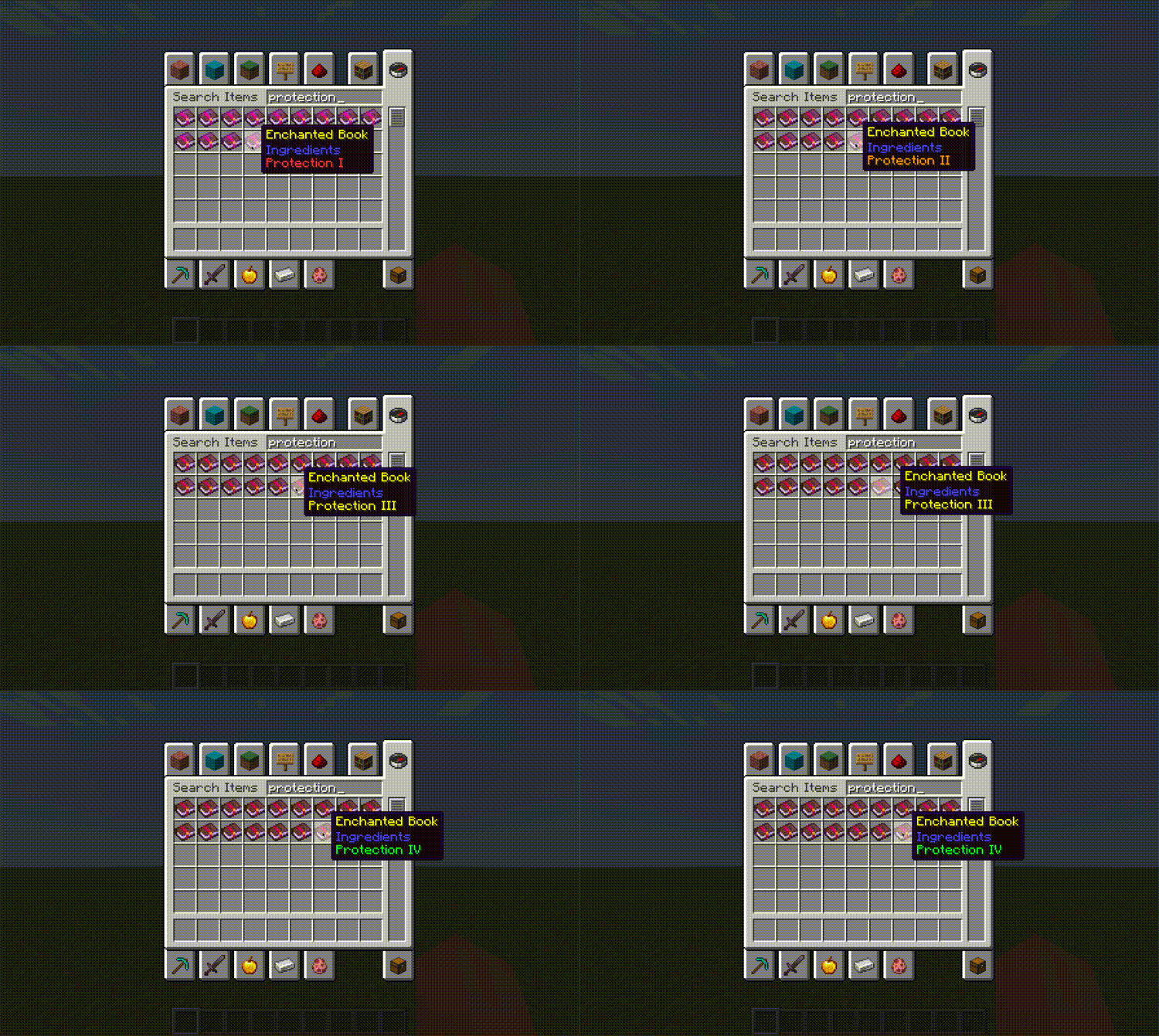
Make enchantment's text style be customizable through the use of data. This can be applied to vanilla enchantments and modded enchantments alike!
Screenshots
About this Mod
Enchantment Text Styling
Info and How it Works
Customize an enchantment's text style, whether it's a vanilla enchantment or modded enchantment!
There are two parts to how this works: datapacks and applying the data through the use of this mod.
Datapacks
This mod defines a registry in data/enchantment-text-styling/styling/enchantment. This is the home directory to all the JSON files containing styling information for enchantments.
Mod
When the server (integrated or dedicated) loads, it will grab the registry manager from the world so it can read and apply styling values from the datapacks which are loaded in the dynamic registry. All that this mod does for the player is change the text styling of the enchantment.
Features
With datapacks and this mod installed on the server and client, change the enchantment's text style and apply for all players to see! See "Modpack Creators and Mod Developers" below for more details.
Limitations
- Not all dynamic registries can be reloaded through
/reload(one day, hopefully™). This means in order to add more or remove some stylings, a full server restart must happen.
Versions
This mod is Fabric ONLY. There is no plan to support Forge.
This mod is available for the following Minecraft versions:
1.211.21.11.21.21.21.31.21.4
Client and Server Support
This mod is required to be on the client and server. If this mod is not on the client or server, the datapacks are sitting there with none of their data being used!
Modpack Creators and Mod Developers
Want to add your enchantments or change the style of existing enchantments? Head on over to the wiki!
Available Versions
How to Install Enchantment Text Styling on Your Server
Order Server
Order a Minecraft Java server with at least 3 GB RAM (4 GB recommended).
Set fabric Loader
In the panel under "Egg", select the fabric loader and matching Minecraft version (1.21.4).
Install Mod
Open the mod browser in the dashboard and search for "Enchantment Text Styling". Click "Install" – done! Alternatively, upload the .jar via SFTP to the /mods folder.
Compatibility
Mod Loaders
Minecraft Versions
1.21.4, 1.21.3, 1.21.2 (+3 more)
Server-side
✓ RequiredRecommended RAM
4 GB(min. 3 GB)Frequently Asked Questions
Enchantment Text Styling server crashes on startup – what to do?
Most common cause: wrong fabric version or insufficient RAM. Check the server log (latest.log) for "OutOfMemoryError" or "Mixin" errors. With Mado Hosting: ensure at least 3 GB RAM is allocated and the loader matches the mod version (1.21.4). You can switch loaders with one click in the panel.
Is Enchantment Text Styling compatible with fabric?
Enchantment Text Styling officially supports fabric for Minecraft 1.21.4, 1.21.3, 1.21.2. The Mado dashboard automatically detects incompatible loader combinations.
Server lagging with Enchantment Text Styling – how to optimize performance?
Recommended RAM: 4 GB (per 8 players). Use /spark profiler to check if Enchantment Text Styling consumes the most tick time. Common fixes: reduce server view-distance to 8-10, install "performant" or "starlight" as supplementary mods on Forge. With Mado Hosting, your server runs on NVMe SSDs with dedicated CPU cores for minimal latency.
Similar Mods




![[TaCZ] Timeless and Classics Zero](https://cdn.modrinth.com/data/SzzJttH8/fd27766d2bb8390d284696b1dbd358f87e081439_96.webp)

Rent Modded Server
Install Enchantment Text Styling with just one click on your server.