
Enchantments Overhaul
This mod adds a lot of new fun enchantments to Minecraft.
Screenshots
About this Mod
New Enchantments
Magma Walker
This enchantment is like Frost Walker but for the Lava. It allows you to walk over lava and turn it into magma. It also makes you immune to damage by magma blocks.
Supported Items: Boots
Bleeding Edge
This enchantment applies an effect to mobs which makes them bleed for a while.
Supported Items: Sword
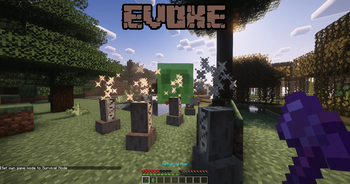
Evoke
This enchantment summons evoker fangs around mobs which attack the mob.
Supported Items: Sword, Axe
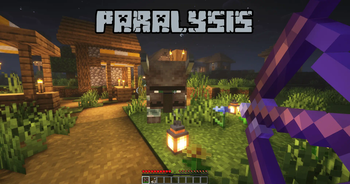
Paralysis
This enchantment temporarily stops mobs from moving and attacking you for a few seconds based on the level of the enchantment.
Supported Items: Bow, Crossbow
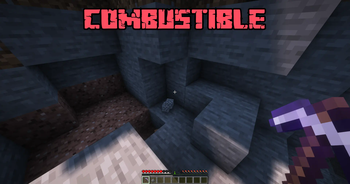
Combustible
This enchantment is a curse. When it is applied to a tool, the tool has a 10% chance to spontaneously explode destroying the blocks and entities around you.
Supported Items: Pickaxe, Axe
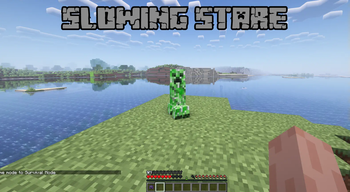
Slowing Stare
This enchantment slows down mobs when you look at them.
Supported Items: Helmet
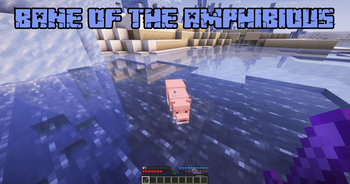
Bane of the Amphibious
This enchantment deals extra damage to entities in water.
Supported Items: Sword, Axe
Autosmelt
This enchantment automatically smelts blocks when you mine them.
Supported Items: Pickaxe
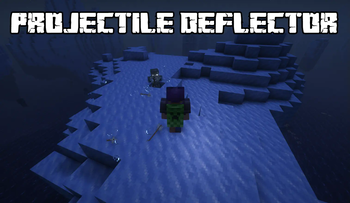
Projectile Deflector
This enchantment deflects any projectile that touches you.
Supported Items: Chestplate
Run command "/enchantmentsoverhaul" for information on all the new enchantments added in this mod.
All these enchantments can be found in chest loots, villager trades and enchanting tables.
Available Versions
How to Install Enchantments Overhaul on Your Server
Order Server
Order a Minecraft Java server with at least 3 GB RAM (4 GB recommended).
Set forge Loader
In the panel under "Egg", select the forge loader and matching Minecraft version (1.20.1).
Install Mod
Open the mod browser in the dashboard and search for "Enchantments Overhaul". Click "Install" – done! Alternatively, upload the .jar via SFTP to the /mods folder.
Compatibility
Mod Loaders
Minecraft Versions
1.20.1
Server-side
✓ RequiredRecommended RAM
4 GB(min. 3 GB)Frequently Asked Questions
Enchantments Overhaul server crashes on startup – what to do?
Most common cause: wrong forge version or insufficient RAM. Check the server log (latest.log) for "OutOfMemoryError" or "Mixin" errors. With Mado Hosting: ensure at least 3 GB RAM is allocated and the loader matches the mod version (1.20.1). You can switch loaders with one click in the panel.
Is Enchantments Overhaul compatible with forge?
Enchantments Overhaul officially supports forge for Minecraft 1.20.1. The Mado dashboard automatically detects incompatible loader combinations.
Server lagging with Enchantments Overhaul – how to optimize performance?
Recommended RAM: 4 GB (per 8 players). Use /spark profiler to check if Enchantments Overhaul consumes the most tick time. Common fixes: reduce server view-distance to 8-10, install "performant" or "starlight" as supplementary mods on Forge. With Mado Hosting, your server runs on NVMe SSDs with dedicated CPU cores for minimal latency.
Similar Mods




![[TaCZ] Timeless and Classics Zero](https://cdn.modrinth.com/data/SzzJttH8/fd27766d2bb8390d284696b1dbd358f87e081439_96.webp)

Rent Modded Server
Install Enchantments Overhaul with just one click on your server.