
End Progression Modification
Encourages exploration of the end by changing the enderdragon fight
Screenshots
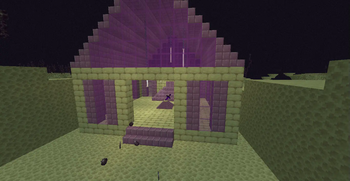
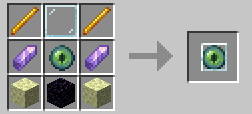
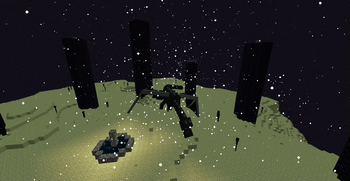
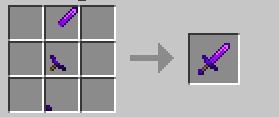
About this Mod
This mod seeks to rework the way you fight the end, encouraging exploration on the end before defeating the ender dragon, this mod pairs well with any other end expansion mod.
Also check this mod out on Curseforge
Requires Geckolib
Features
Most minecraft multiplayer worlds end or lose a bunch of players right after beating the dragon, this mod seeks to remedy that:
- Initially upon first contact, the enderdragon will now have a shield, making it immune to any kind of damage,
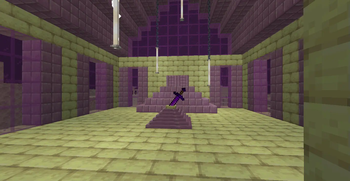
In order to actually deal with the ender dragon, one must craft the Ender blade, this being the only weapon capable of destroying the ender dragon's shield. The blade can be crafted by obtaining and crafting together its blade, hilt and pommel. As to adquire the separate pieces, they can be located within the end itself, inside "End altars".
The blade in the altar has been buried in the altar for eons and is no longer usable, one may destroy the altar to adquire one of its pieces at random.
In order to ease the travel to the outer end islands now that the dragon cannot be defeated, this mod also allows end gateways to be crafted and placed in the world in order to travel across the dimension.
Dependancies
- Requires Geckolib
Disclamers / Special Thanks / Credits
Special thanks for the team over at MCreator for making this mod possible
TO-DO
- Add a miniboss to spawn on the altar.
If you want to support me, you may donate to my Buy me a coffee page, any kind of support is welcome but not necesary.
Available Versions
How to Install End Progression Modification on Your Server
Order Server
Order a Minecraft Java server with at least 4 GB RAM (6 GB recommended).
Set forge Loader
In the panel under "Egg", select the forge loader and matching Minecraft version (1.20.1).
Install Mod
Open the mod browser in the dashboard and search for "End Progression Modification". Click "Install" – done! Alternatively, upload the .jar via SFTP to the /mods folder.
Compatibility
Mod Loaders
Minecraft Versions
1.20.1
Server-side
✓ RequiredRecommended RAM
6 GB(min. 4 GB)Frequently Asked Questions
End Progression Modification server crashes on startup – what to do?
Most common cause: wrong forge version or insufficient RAM. Check the server log (latest.log) for "OutOfMemoryError" or "Mixin" errors. With Mado Hosting: ensure at least 4 GB RAM is allocated and the loader matches the mod version (1.20.1). You can switch loaders with one click in the panel.
Is End Progression Modification compatible with forge?
End Progression Modification officially supports forge for Minecraft 1.20.1. The Mado dashboard automatically detects incompatible loader combinations.
Server lagging with End Progression Modification – how to optimize performance?
Recommended RAM: 6 GB (per 5 players). Use /spark profiler to check if End Progression Modification consumes the most tick time. Common fixes: reduce server view-distance to 8-10, install "performant" or "starlight" as supplementary mods on Forge. With Mado Hosting, your server runs on NVMe SSDs with dedicated CPU cores for minimal latency.
Similar Mods




Rent Modded Server
Install End Progression Modification with just one click on your server.