
Ender Dragon Prime
Non over-the-top, Highly configurable Datapack that makes Ender Dragon more difficult and unique
Screenshots
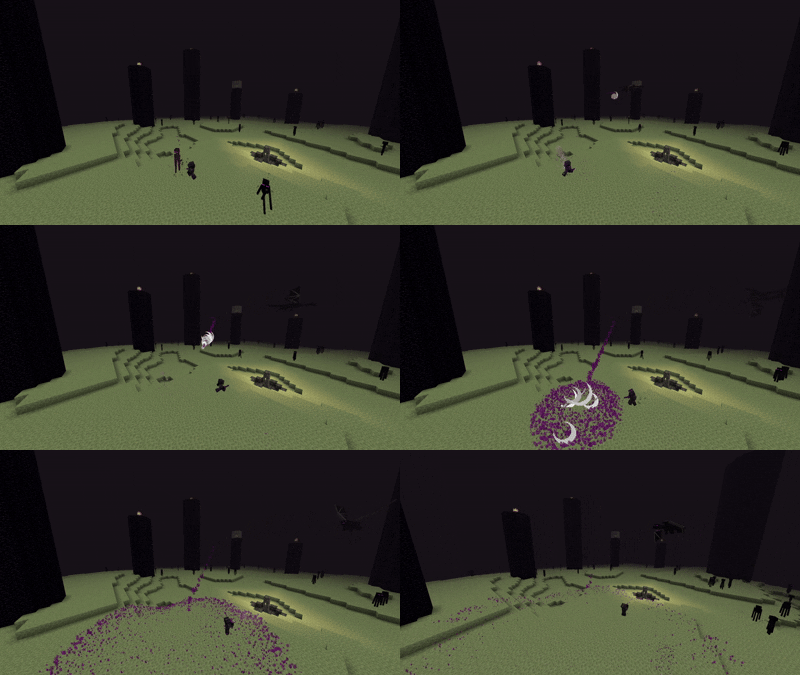
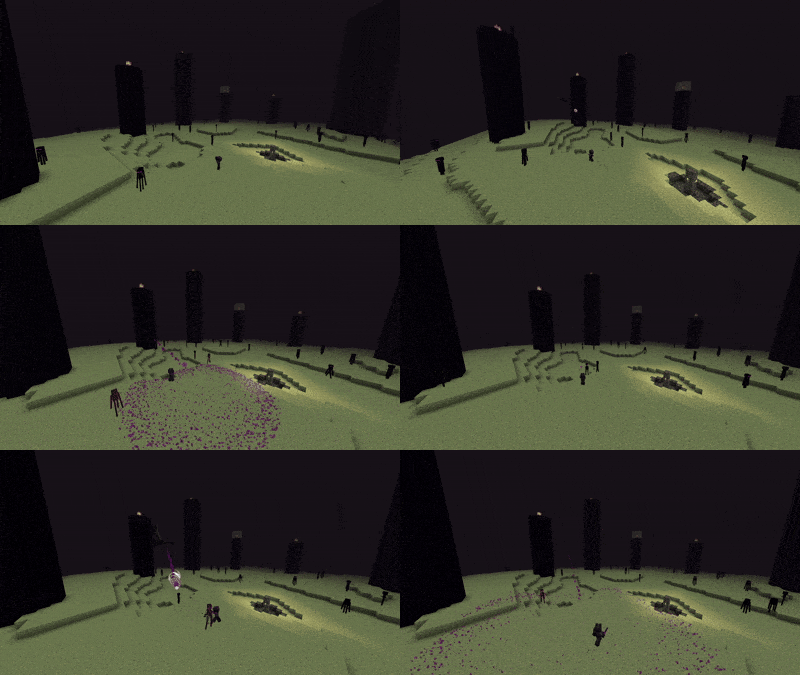
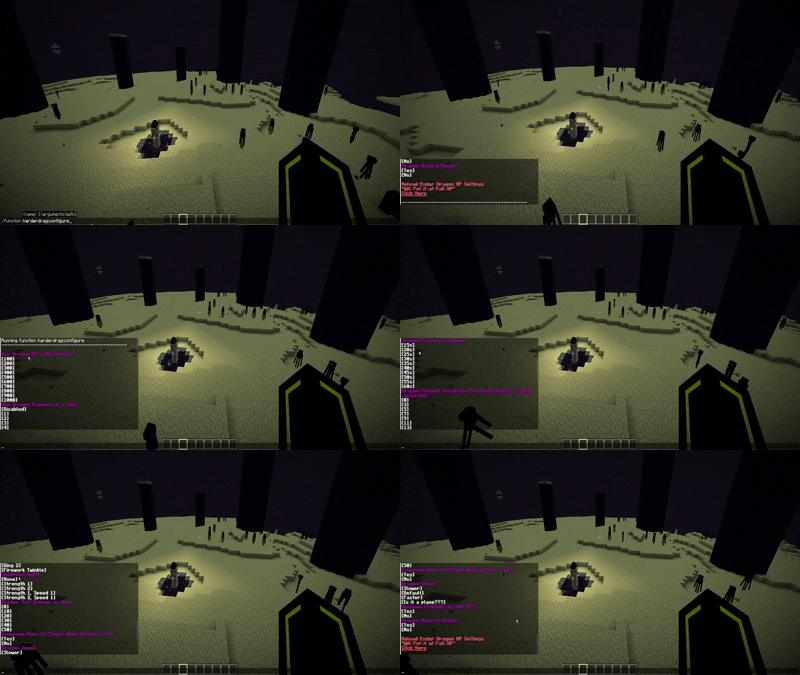
About this Mod

Does the ender dragon become too easy in multiplayer? Is it too easy for even one person? This datapack overhauls the basic dragon fight, and allows almost total configurability when it comes to difficulty and customization. I added my own touch while trying to maintain a somewhat vanilla feel.
Which Version to Get
If you have a good pc and are in a single player world, I would recommend the particle intense version, but on servers or laggy pcs I would advise the particle budget version
Adjusting Settings
- The default settings are what I recomend for single player
- To change the settings use the command "/function harderdrag:configure"
- Click on the options in chat to change the settings
- To return to default settings use the command "/function harderdrag:defaultsettings"
- For an unfair preset use the command "/function harderdrag:impossiblesettings"
Minor Changes
- Attacking Ender dragon enough will agro enderman on the player (Able to be toggled)
- When the ender dragon is alive more enderman spawn on the main island
- The dragon perches regularly
- Enderdragon gives buffs to enderman while alive (Adjustable and toggleable)
- Enderman will no longer agro on the dragon
- Dragons breath from a perched dragon releases a wave that must be jumped over
Dragon Ablilities
Dragon fireball has been completely overhauled
- Dragon fires them more regularly
- Fireball homes on a players location at the time it was fired
- When it lands it sends out a deadly wave that must be jumped over to avoid damage
- Accuracy of the fireball is adjustable
- Speed of the fireball is adjustable
- Sound of the fireball is adjustable
The dragon now has an anger level
- Increases by 1% every 3 seconds
- Increases by 3% when the dragon is hit
- When the dragon reaches 100% anger, it lets out a large explosion.
- In order to take no damage you must be behind obsidian cover
- Dragon does a configurable amount of self-damage on explosion
- Watch the Anger Level if you plan on living
Dragon Essence
- Disabled by Default
- Designed for a challenge in multiplayer
- The dragon can leave it's essence around the island
- While the essence is around the dragon is invincible
- Destroying the essence will hurt the dragon, and increase it's anger by 3
- Cooldown is adjustable
- Max essence at a time is adjustable
Additional Modifiable Settings
- Dragon Max HP
- Toggle if fireballs can travel through obsidian
- Adjustable Dragon Speed
- If dragon has a slow natural regeneration
Tips and Advice *Minor Spoils*
The dragon explosion is survivable if you take cover behind obsidian
If you aren't behind cover you will get one-shot unless you do one of the following:
- You have a totem of undying
- You use a God Apple
- You use a Potion of Turtlemaster
Dragon Essence can't be destroyed by arrows, however if you want to destroy them from a distance you can use snowballs or maybe even eggs
It takes 3 hits on the dragon for enderman to agro on you
Sorry for anyone trying to modify this datapack, it started as a personal project for my own server, hence it is very unorganized
If you find any issues or bugs please email me at [email protected]
Available Versions
How to Install Ender Dragon Prime on Your Server
Order Server
Order a Minecraft Java server with at least 3 GB RAM (4 GB recommended).
Set datapack Loader
In the panel under "Egg", select the datapack loader and matching Minecraft version (1.21.5).
Install Mod
Open the mod browser in the dashboard and search for "Ender Dragon Prime". Click "Install" – done! Alternatively, upload the .jar via SFTP to the /mods folder.
Compatibility
Mod Loaders
Minecraft Versions
1.21.5, 1.21.4
Server-side
✓ RequiredRecommended RAM
4 GB(min. 3 GB)Frequently Asked Questions
Ender Dragon Prime server crashes on startup – what to do?
Most common cause: wrong datapack version or insufficient RAM. Check the server log (latest.log) for "OutOfMemoryError" or "Mixin" errors. With Mado Hosting: ensure at least 3 GB RAM is allocated and the loader matches the mod version (1.21.5). You can switch loaders with one click in the panel.
Is Ender Dragon Prime compatible with datapack and fabric and forge and neoforge and quilt?
Ender Dragon Prime officially supports datapack, fabric, forge, neoforge, quilt for Minecraft 1.21.5, 1.21.4. Note: Forge and Fabric mods are NOT cross-compatible – pick one loader and stick with it. The Mado dashboard automatically detects incompatible loader combinations.
Server lagging with Ender Dragon Prime – how to optimize performance?
Recommended RAM: 4 GB (per 8 players). Use /spark profiler to check if Ender Dragon Prime consumes the most tick time. Common fixes: reduce server view-distance to 8-10, install "performant" or "starlight" as supplementary mods on Forge. With Mado Hosting, your server runs on NVMe SSDs with dedicated CPU cores for minimal latency.
Similar Mods




Rent Modded Server
Install Ender Dragon Prime with just one click on your server.