
Ender Utilities
Miscellaneous utility items and blocks, many are "ender themed" and inventory or storage related.
Screenshots
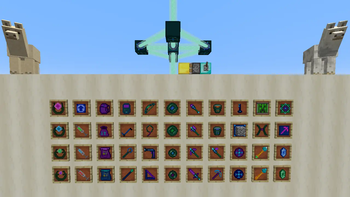
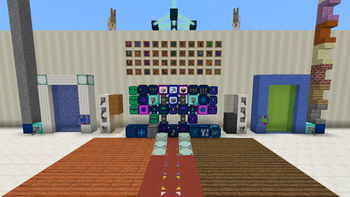
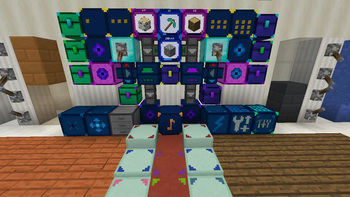
About this Mod
Description
Ender Utilities is a mod packed full of miscellaneous utility type items and blocks.
As the name suggests, most of these center around "ender type" mechanics, such as teleportation, remote access and extended storage capabilities.
This mod was started as part of the Modjam 4 modding event/competition. It is also my second mod overall, and my first mod that adds any content such as items or blocks in-game. As such, this mod for me is mainly a modding learning experience/project. I hope at least someone else will find it useful and fun to play with as well :)

Multiblock structures
Energy Bridge Transmitter (in The End)
You only need one transmitter for the entire server/world save.
Energy Bridge Transmitter

Energy Bridge Receiver
Build one receiver in each dimension where you want the re-charging to work, except The End doesn't need one, just the Transmitter.
- There can be nothing except air where the horizontal beams are, and only slightly light obstructing blocks (like Water or Glass) where the vertical beams are, all the way to the void/sky or the first bedrock block.
- Place the Resonators from the inside looking out, so that they face towards the middle.
- There are two blocks of air between the Resonators and the middle block, and between the Transmitter and the middle block/Ender Crystal.
- A red beam on a Receiver means that the Receiver is functional, but there is currently no active Transmitter in The End dimension.
Energy Bridge Receiver

Mod Spotlights
An excellent and quite thorough mod spotlight for Ender Utilities 0.5.3 for MC 1.9 made by kletsie:
Available Versions
How to Install Ender Utilities on Your Server
Order Server
Order a Minecraft Java server with at least 3 GB RAM (4 GB recommended).
Set forge Loader
In the panel under "Egg", select the forge loader and matching Minecraft version (1.12.2).
Install Mod
Open the mod browser in the dashboard and search for "Ender Utilities". Click "Install" – done! Alternatively, upload the .jar via SFTP to the /mods folder.
Compatibility
Mod Loaders
Minecraft Versions
1.12.2, 1.12, 1.11.2 (+8 more)
Server-side
✓ RequiredRecommended RAM
4 GB(min. 3 GB)Frequently Asked Questions
Ender Utilities server crashes on startup – what to do?
Most common cause: wrong forge version or insufficient RAM. Check the server log (latest.log) for "OutOfMemoryError" or "Mixin" errors. With Mado Hosting: ensure at least 3 GB RAM is allocated and the loader matches the mod version (1.12.2). You can switch loaders with one click in the panel.
Is Ender Utilities compatible with forge?
Ender Utilities officially supports forge for Minecraft 1.12.2, 1.12, 1.11.2. The Mado dashboard automatically detects incompatible loader combinations.
Server lagging with Ender Utilities – how to optimize performance?
Recommended RAM: 4 GB (per 8 players). Use /spark profiler to check if Ender Utilities consumes the most tick time. Common fixes: reduce server view-distance to 8-10, install "performant" or "starlight" as supplementary mods on Forge. With Mado Hosting, your server runs on NVMe SSDs with dedicated CPU cores for minimal latency.
Similar Mods





Rent Modded Server
Install Ender Utilities with just one click on your server.