
Endermantic Overhaul
A mod helping you to enslave endermen in order to place blocks!
Screenshots
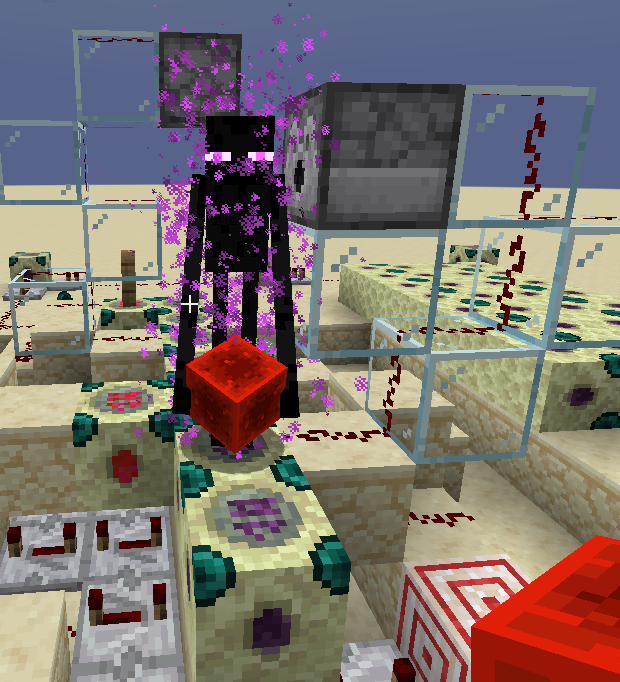
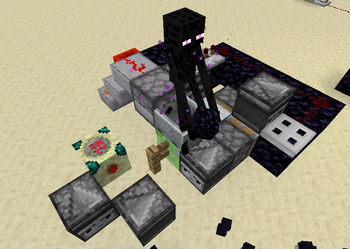
About this Mod
Endermantic Overhaul
A mod about controlling endermen
Additions / Changes:
Ender Force Concentrator:
- Forces Endermen to teleport to facing block when activated via Redstone
- Recipe:
| Ender pearl | Iron Bars | Ender pearl |
|---|---|---|
| Endstone | Chorus Fruit | Endstone |
| Endstone | Endstone | Endstone |
Negativ Ender Force Emitter:
- Forces Endermen to place a Block at the Facing position whe activated via Redstone
- Recipe:
- Converted from Ender Force Concentrator when placed (unforced) by an Enderman in the Nether
Dispenser Behavior:
- When a Bock is dispensed on an Enderman and the block-specific actions fail, the Enderman will take that Block
- The Blockstate is the Blockstate which would result when the Block is placed in front of the Dispenser. Because
Endermen don't update the blocks they placed, this currently results in usually impossible Blockstate
configurations like "Wall Slabs". I'm not sure if I should fix it or not as it seems like an interesting mechanic. - This bug also appears when Blocks, where
getPlacementState()differ from their default State, are added
to#endermen_holdable
My first mod
Available Versions
How to Install Endermantic Overhaul on Your Server
Order Server
Order a Minecraft Java server with at least 3 GB RAM (4 GB recommended).
Set fabric Loader
In the panel under "Egg", select the fabric loader and matching Minecraft version (1.20).
Install Mod
Open the mod browser in the dashboard and search for "Endermantic Overhaul". Click "Install" – done! Alternatively, upload the .jar via SFTP to the /mods folder.
Compatibility
Mod Loaders
Minecraft Versions
1.20, 1.19.4, 1.19.2 (+1 more)
Server-side
✓ RequiredRecommended RAM
4 GB(min. 3 GB)Frequently Asked Questions
Endermantic Overhaul server crashes on startup – what to do?
Most common cause: wrong fabric version or insufficient RAM. Check the server log (latest.log) for "OutOfMemoryError" or "Mixin" errors. With Mado Hosting: ensure at least 3 GB RAM is allocated and the loader matches the mod version (1.20). You can switch loaders with one click in the panel.
Is Endermantic Overhaul compatible with fabric and quilt?
Endermantic Overhaul officially supports fabric, quilt for Minecraft 1.20, 1.19.4, 1.19.2. The Mado dashboard automatically detects incompatible loader combinations.
Server lagging with Endermantic Overhaul – how to optimize performance?
Recommended RAM: 4 GB (per 8 players). Use /spark profiler to check if Endermantic Overhaul consumes the most tick time. Common fixes: reduce server view-distance to 8-10, install "performant" or "starlight" as supplementary mods on Forge. With Mado Hosting, your server runs on NVMe SSDs with dedicated CPU cores for minimal latency.
Similar Mods





Rent Modded Server
Install Endermantic Overhaul with just one click on your server.