![[Fabric] EnderPorter](https://cdn.modrinth.com/data/l9FnzSVg/icon.png)
[Fabric] EnderPorter
Blocks and items which allow for teleportation within and between dimensions!
About this Mod
KnowYourKnot's Enderporter
Requires Fabric Loader and Fabric API (v0.30.0 or above).
This mod adds blocks and items which allow the player to teleport within or between dimensions!
New Items
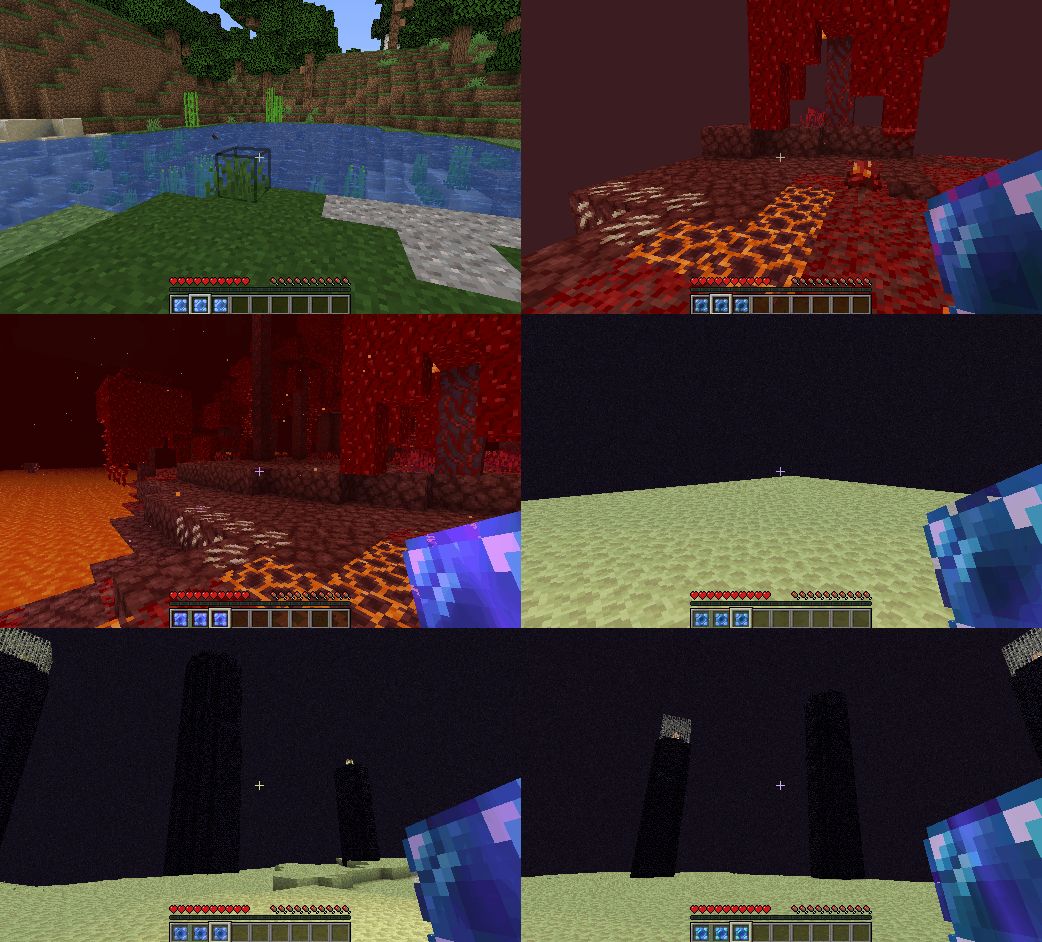
Enderporter adds two new teleportation items. These are the Stable Pearl and the Portable Porter.
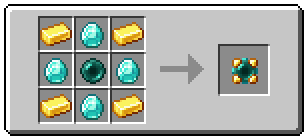
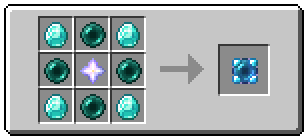
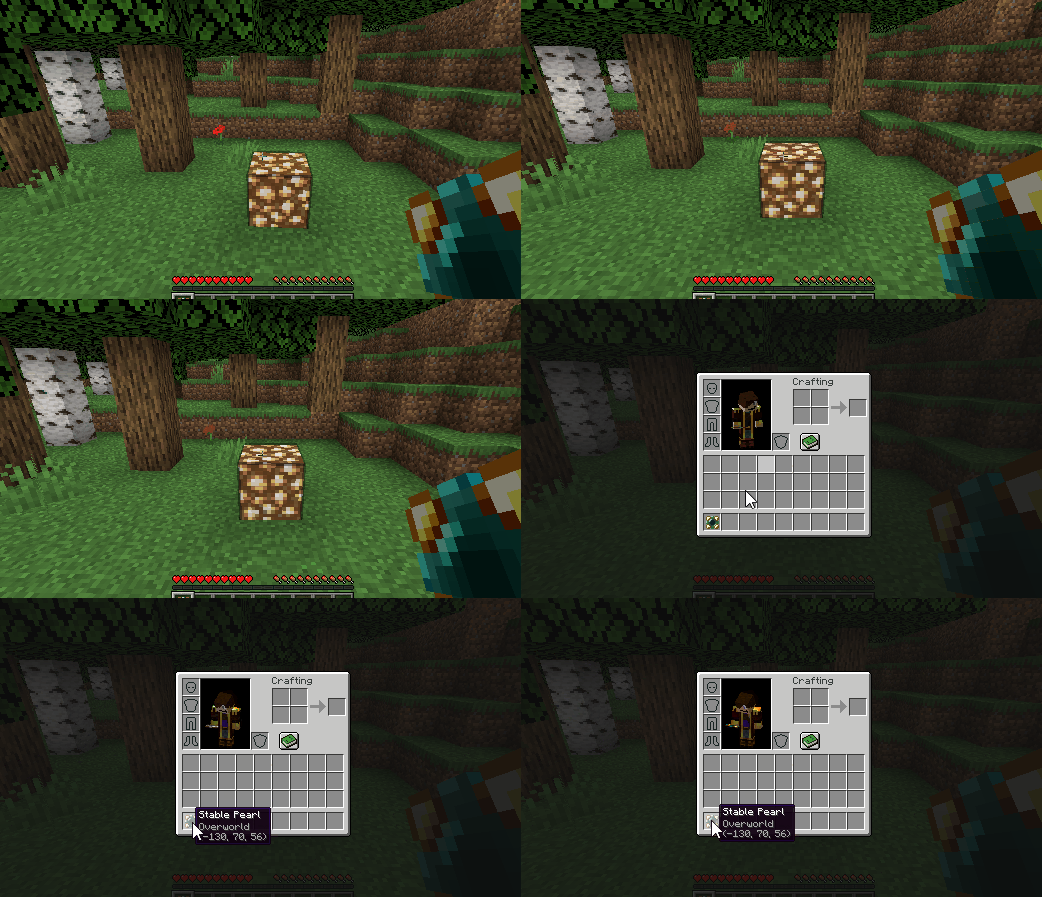
Shift + Right Cicking on a block will set the teleport location.
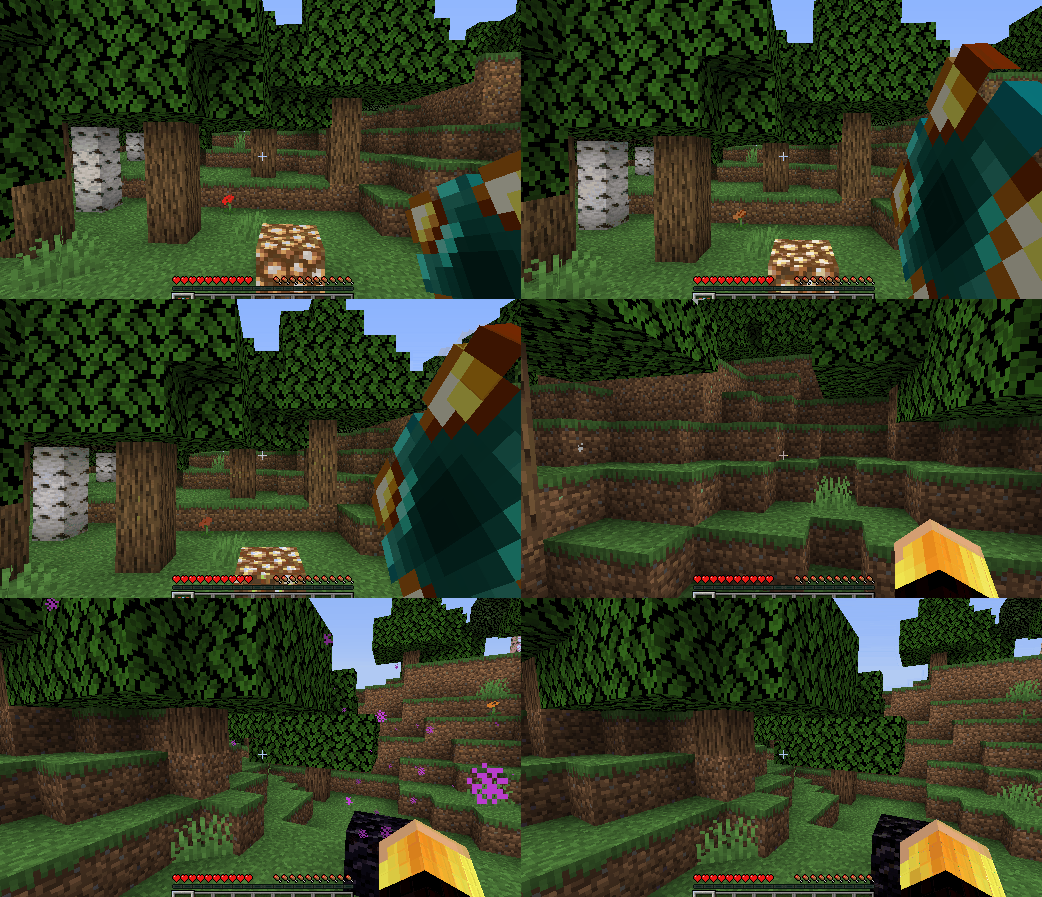
Holding the right mouse button and releasing when fully charged causes the player to teleport.
The Stable Pearl is a single-use item, but the Portable Porter is infinitely reusable! The teleport location of either can be set as many times as the player wants before teleporting.
These items can be used to teleport between different dimensions.
New Blocks
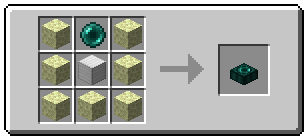
Enderporter adds... the Ender Porter!
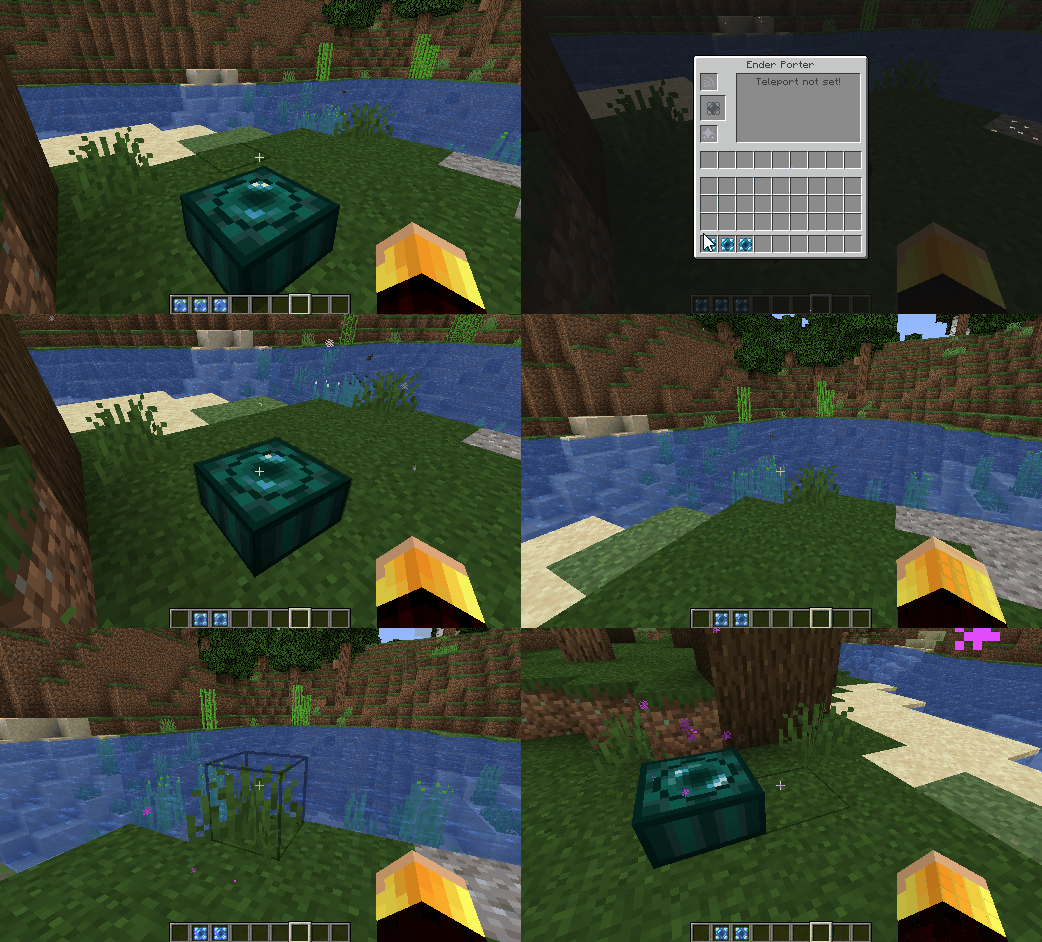
To set the Ender Porter's teleport location, simply place a Stable Pearl or Portable Porter into the middle slot. Then to teleport, simply stand on top of the Ender Porter and hold Shift.
The Ender Porter consumes ender pearls based on the distance it transports the player.

The ender pearl slot can be refilled from the sides using hoppers.
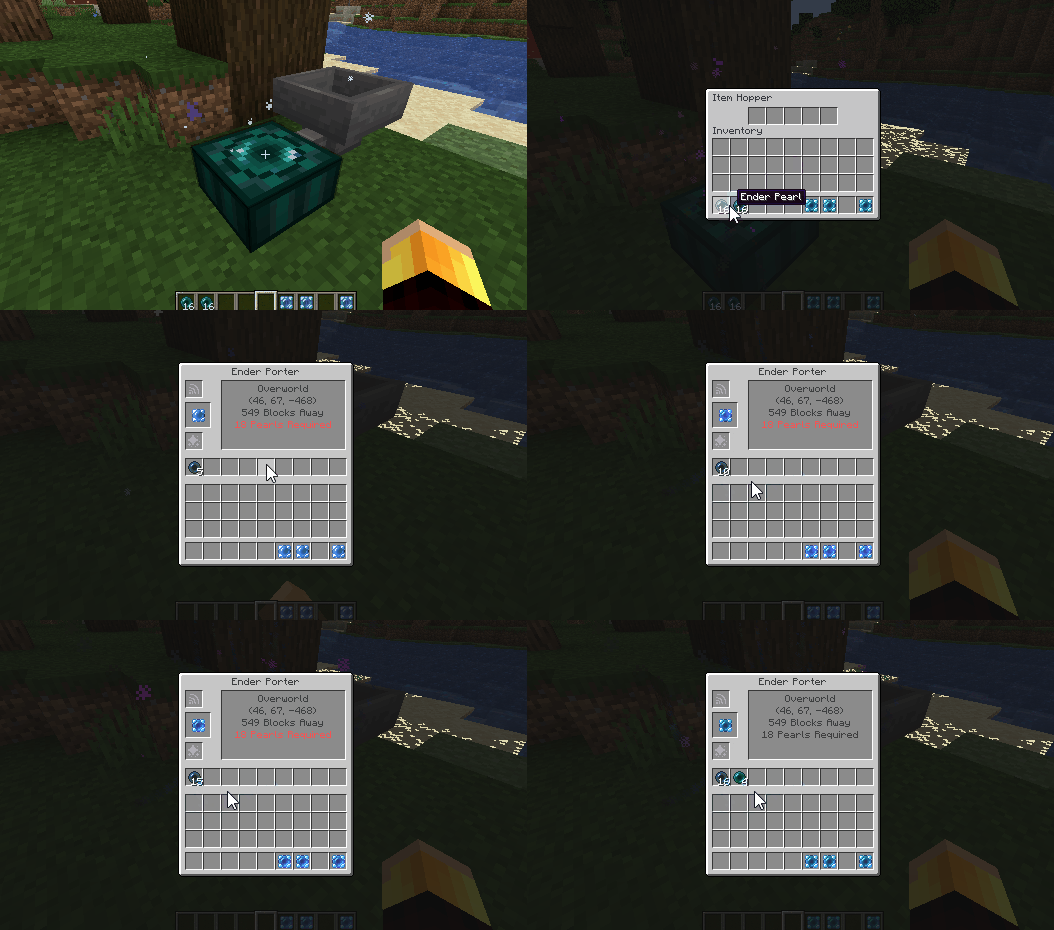
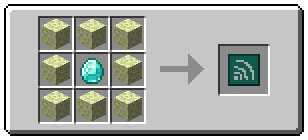
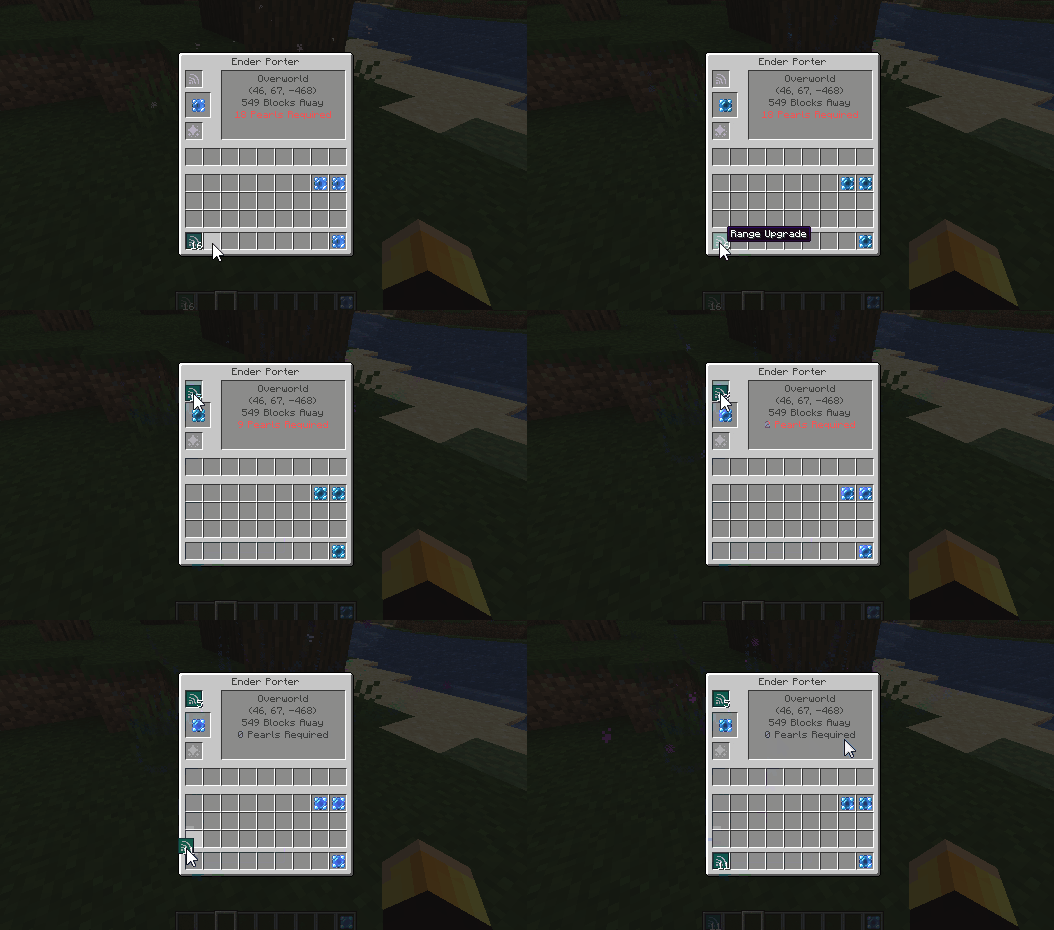
The number of ender pearls required per block travelled can be reduced by adding Range Upgrades to the top slot.
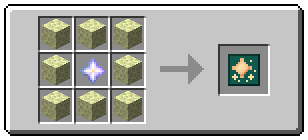
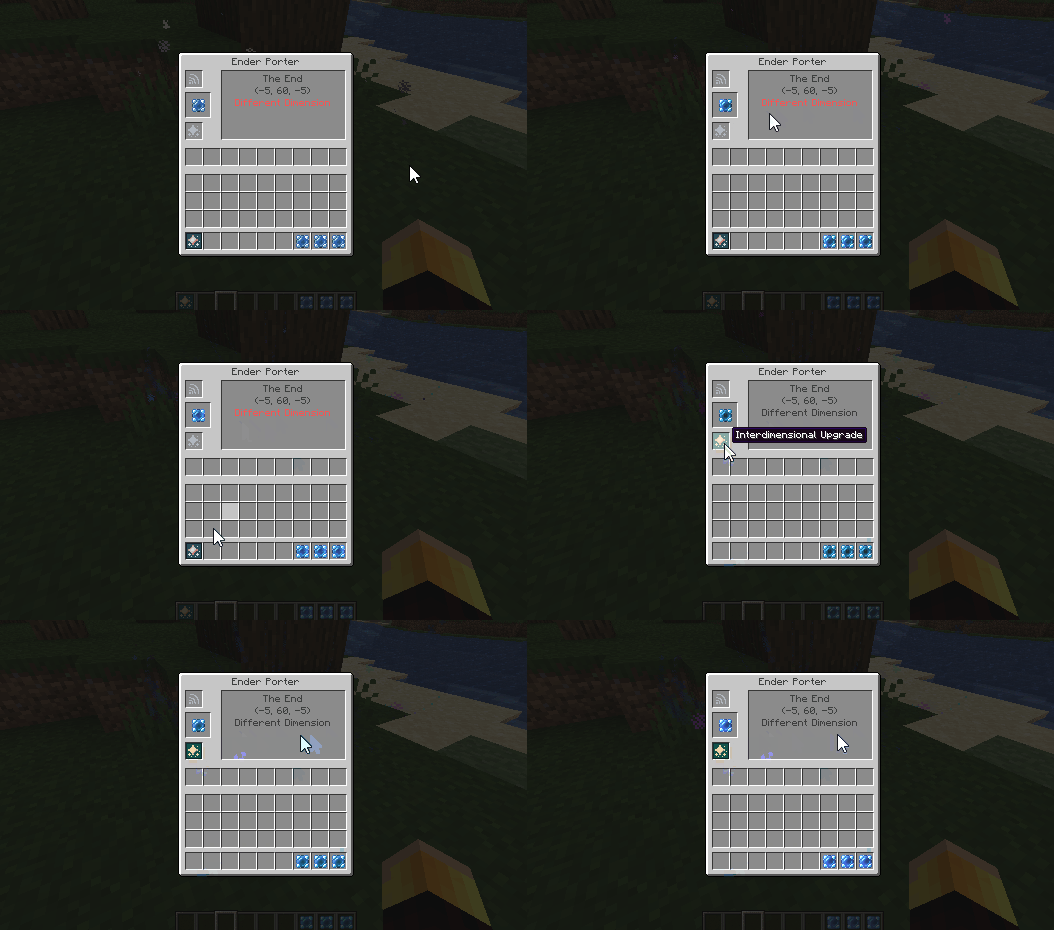
By default, the Ender Porter will not teleport the player to another dimension. To enable this, the player has to add an Interdimensional Upgrade to the bottom slot. This also makes the Ender Porter free to use (i.e. it doesn't consume ender pearls when used).
Config
- Ender Porter 'balancing' can be disabled in the config by setting
allow_free_travelto true. This makes all teleportation free and allows interdimensional travel without an interdimensional upgrade. - If free travel is disabled, then an Ender Porter with no upgrades can teleport the player 30 blocks per ender pearl. This quantity can be changed by setting
blocks_per_pearlto some value other than 30. - The Ender Porter has a default 'charge time' of 20 ticks. This means the player has to stand on top of the porter and press shift for 20 ticks before they teleport. This can be increased or decreased by changing
porter_charge_time, but the value should be kept above zero to avoid bugs. - A travel limit of x blocks can be imposed by changing the value of
travel_limitto x. Setting this value to -1 allows players to travel any distance. - Travel between different dimensions can be disabled by setting
allow_interdimensional_travelto false. Then, for instance, players will not be able to teleport directly between the overworld and the nether using the Ender Porter, Stable Pearl or Portable Porter. - Setting
allow_teleport_to_voidto false disables the ability to teleport below y=0 and above y=255. Then players will not be able to teleport to the nether ceiling, or to the top of structures which reach max build height.
Mod Compatibility
Enderporter works out of the box with custom Fabric dimensions, such as The Bumblezone.
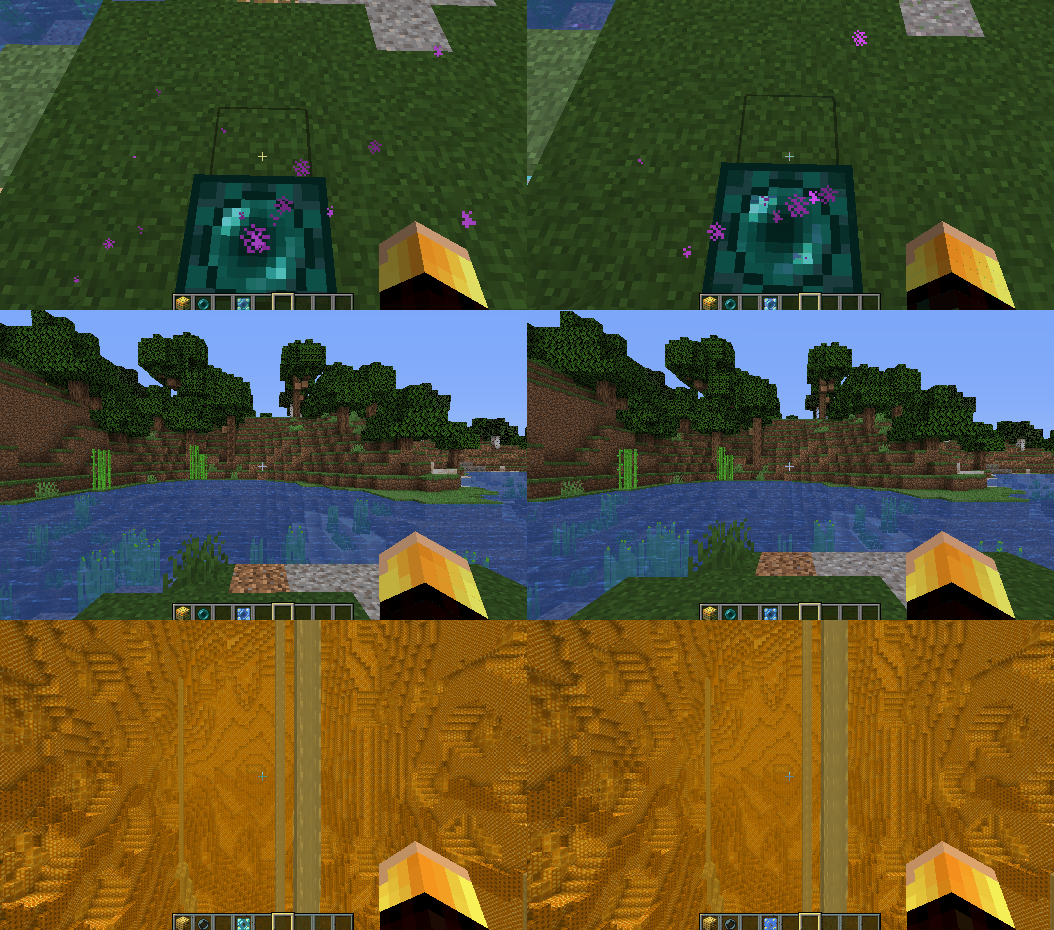
Note to Mod Authors: Custom dimension names might appear buggy in the Stable Pearl/Portable Porter tooltips. This is because there is no localisation for your dimension name. This can be fixed simply by adding a localisation for dimension.[MOD ID].[DIMENSION NAME] to your lang files.
Modpacks
Feel free to include Enderporter in any modpack.
Thanks for playing! Feel free to comment below with any feedback or feature requests!
Available Versions
How to Install [Fabric] EnderPorter on Your Server
Order Server
Order a Minecraft Java server with at least 3 GB RAM (4 GB recommended).
Set fabric Loader
In the panel under "Egg", select the fabric loader and matching Minecraft version (1.16.5).
Install Mod
Open the mod browser in the dashboard and search for "[Fabric] EnderPorter". Click "Install" – done! Alternatively, upload the .jar via SFTP to the /mods folder.
Compatibility
Mod Loaders
Minecraft Versions
1.16.5
Server-side
✓ RequiredRecommended RAM
4 GB(min. 3 GB)Frequently Asked Questions
[Fabric] EnderPorter server crashes on startup – what to do?
Most common cause: wrong fabric version or insufficient RAM. Check the server log (latest.log) for "OutOfMemoryError" or "Mixin" errors. With Mado Hosting: ensure at least 3 GB RAM is allocated and the loader matches the mod version (1.16.5). You can switch loaders with one click in the panel.
Is [Fabric] EnderPorter compatible with fabric?
[Fabric] EnderPorter officially supports fabric for Minecraft 1.16.5. The Mado dashboard automatically detects incompatible loader combinations.
Server lagging with [Fabric] EnderPorter – how to optimize performance?
Recommended RAM: 4 GB (per 8 players). Use /spark profiler to check if [Fabric] EnderPorter consumes the most tick time. Common fixes: reduce server view-distance to 8-10, install "performant" or "starlight" as supplementary mods on Forge. With Mado Hosting, your server runs on NVMe SSDs with dedicated CPU cores for minimal latency.
Similar Mods





Rent Modded Server
Install [Fabric] EnderPorter with just one click on your server.